 coderqh
Rostora — Flutter Sports Team Management App with Firebase
A shared team app for one amateur club: availability, line-ups and live match logging, synced through your own Firebase project.
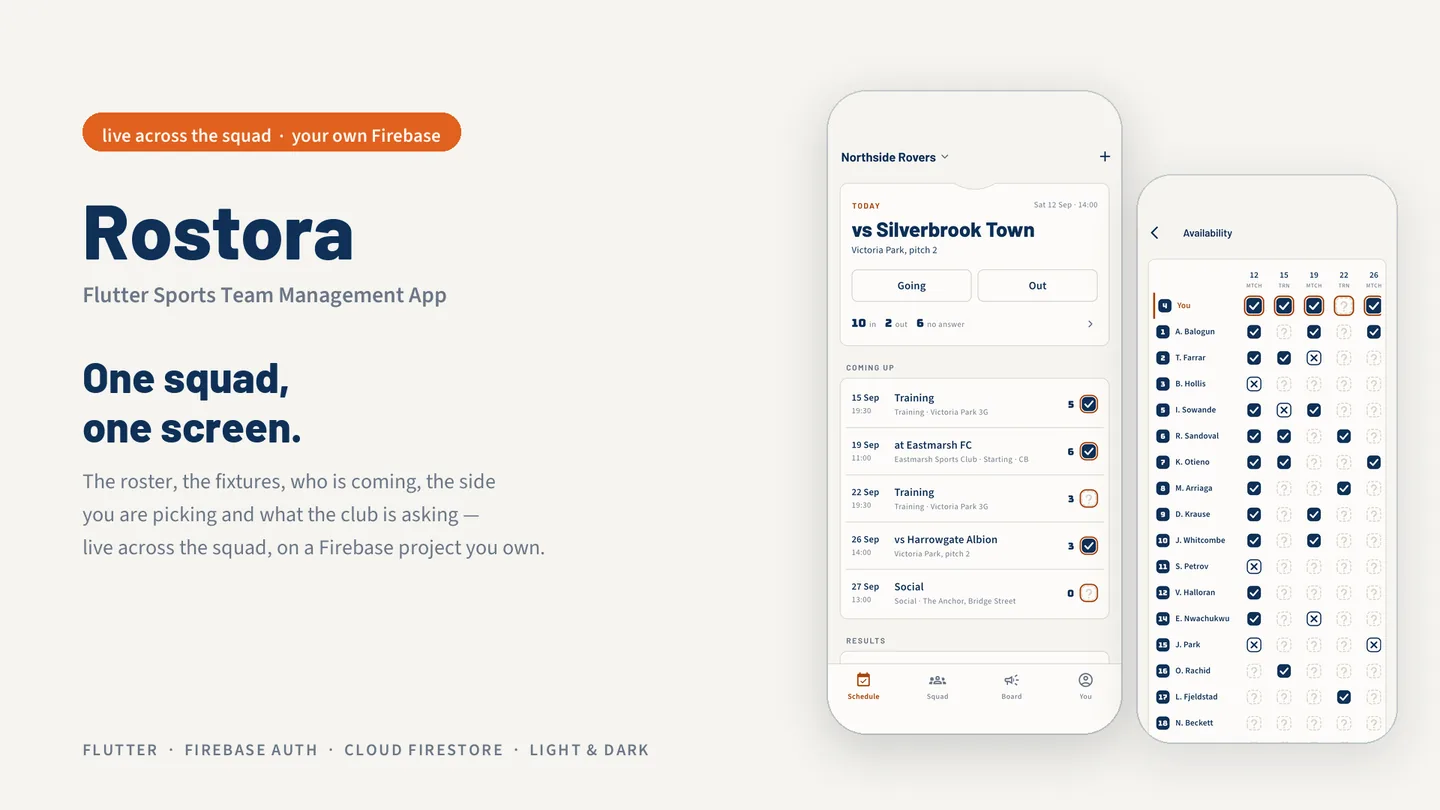
The live preview on CodeCanyon is this app compiled for the web: the real build, not a video.
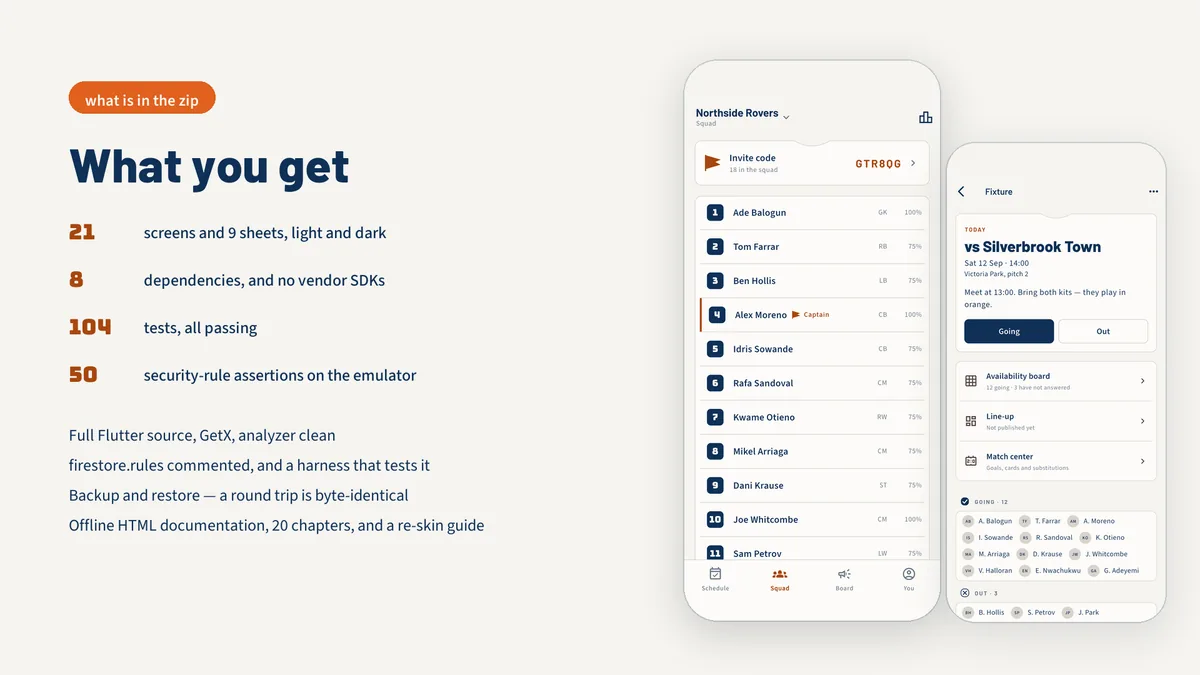
Rostora is a Flutter app for running one amateur sports team. Captains post fixtures, players answer going or out, the coach places shirts on a drawn pitch and publishes the line-up, and goals, cards and substitutions are logged during the match. Season stats are recalculated from those records every time they are read. Team-mates join with a six-character invite code, and every phone in the squad sees changes as they happen.
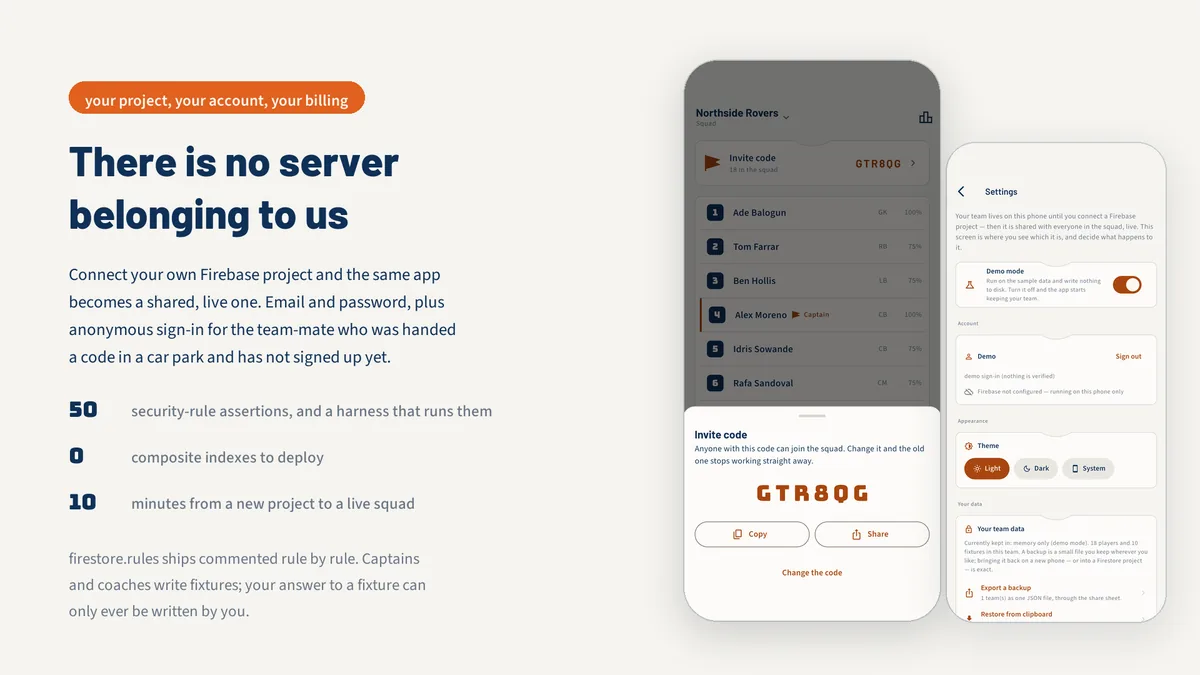
Sync runs on Firebase Authentication and Cloud Firestore in a project you own. The security rules are commented rule by rule and come with an emulator test suite. Demo Mode is on by default with a sample squad of eighteen, so every screen can be explored before you create a project.
Features
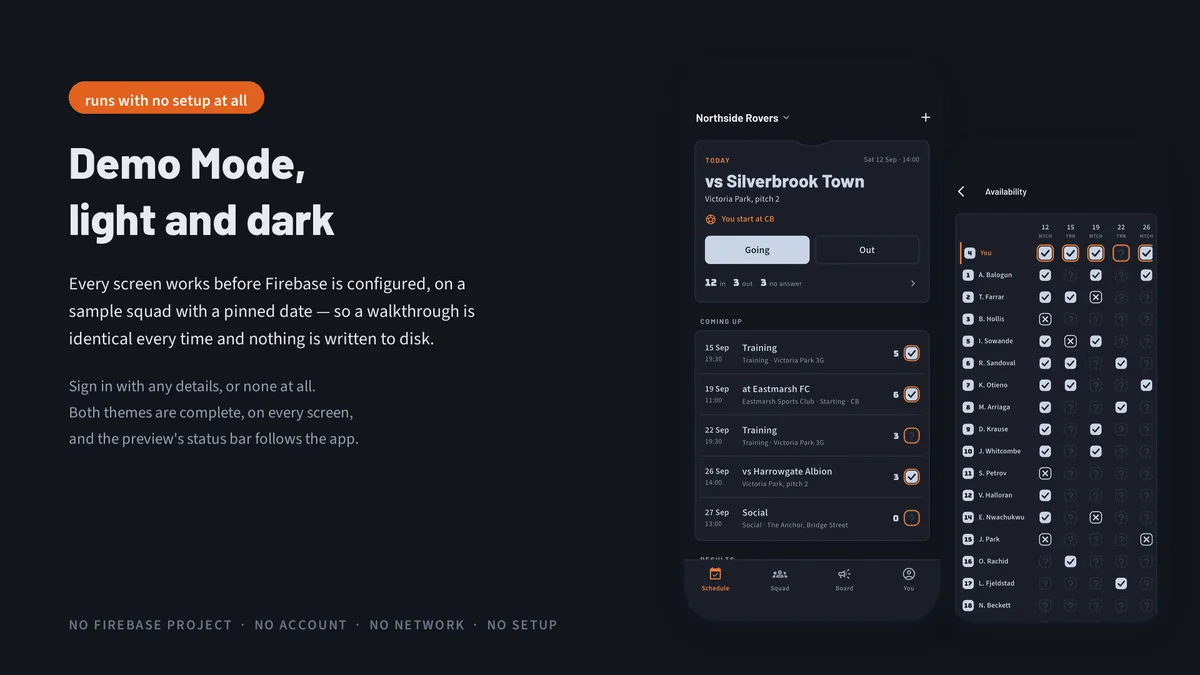
- Availability board with going, out and unanswered stamps; players can only change their own answer
- Line-up board with formations for 11, 7 and 5-a-side football, futsal and basketball
- Match center with a scoreboard and an event band, score derived from logged goals
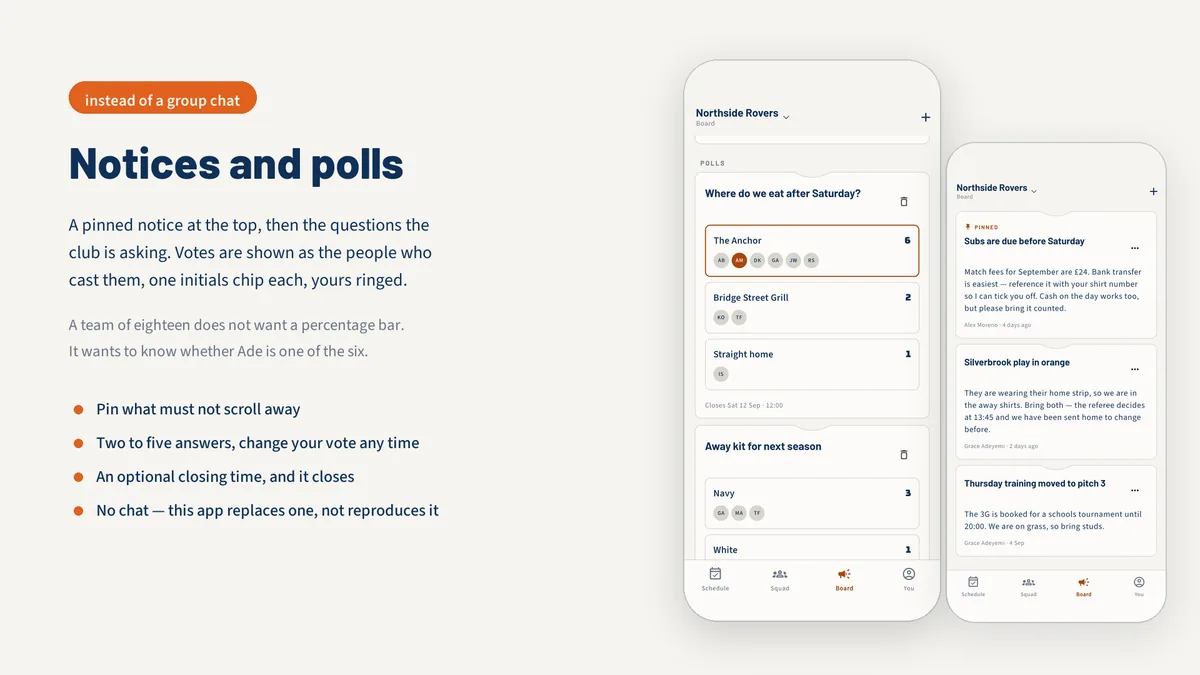
- Pinned notices and polls that show who voted, as initials
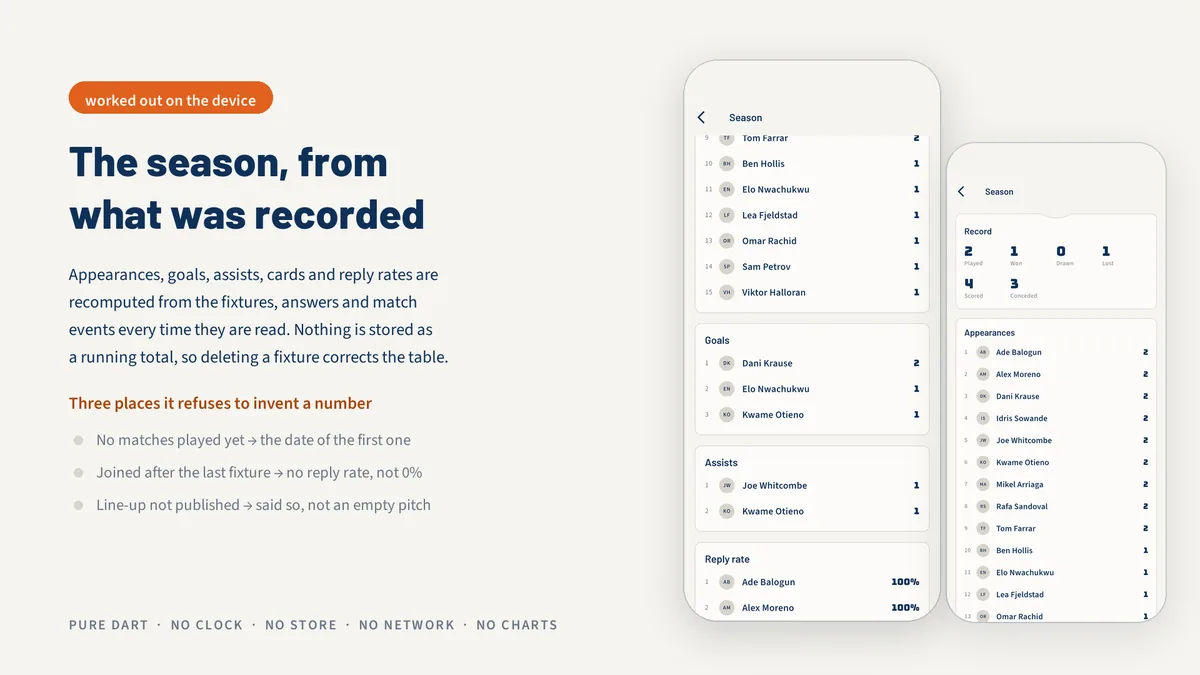
- Season tables for appearances, goals, assists, cards and reply rates, recomputed from records
- Email and password sign-in plus anonymous join, with an upgrade path that keeps the same account
- Commented firestore.rules with an emulator test harness run through npm test
- Team backup and restore as JSON through the share sheet
- Light and dark themes with three bundled open-licence typefaces
What it looks like
8 images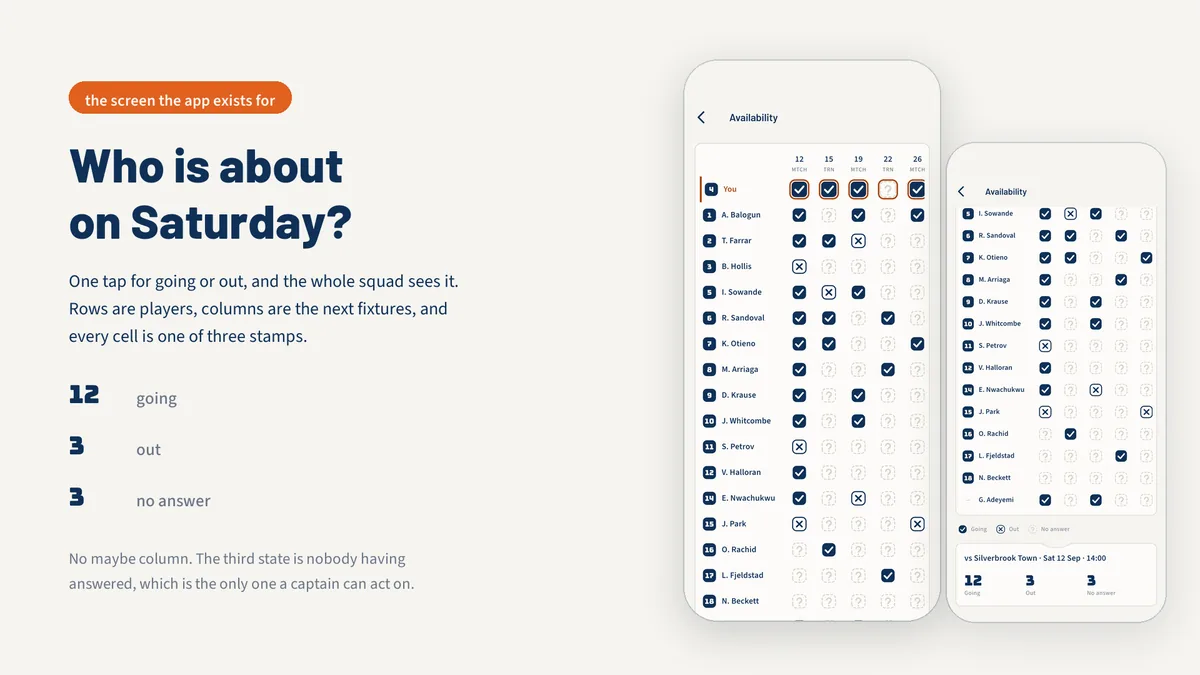
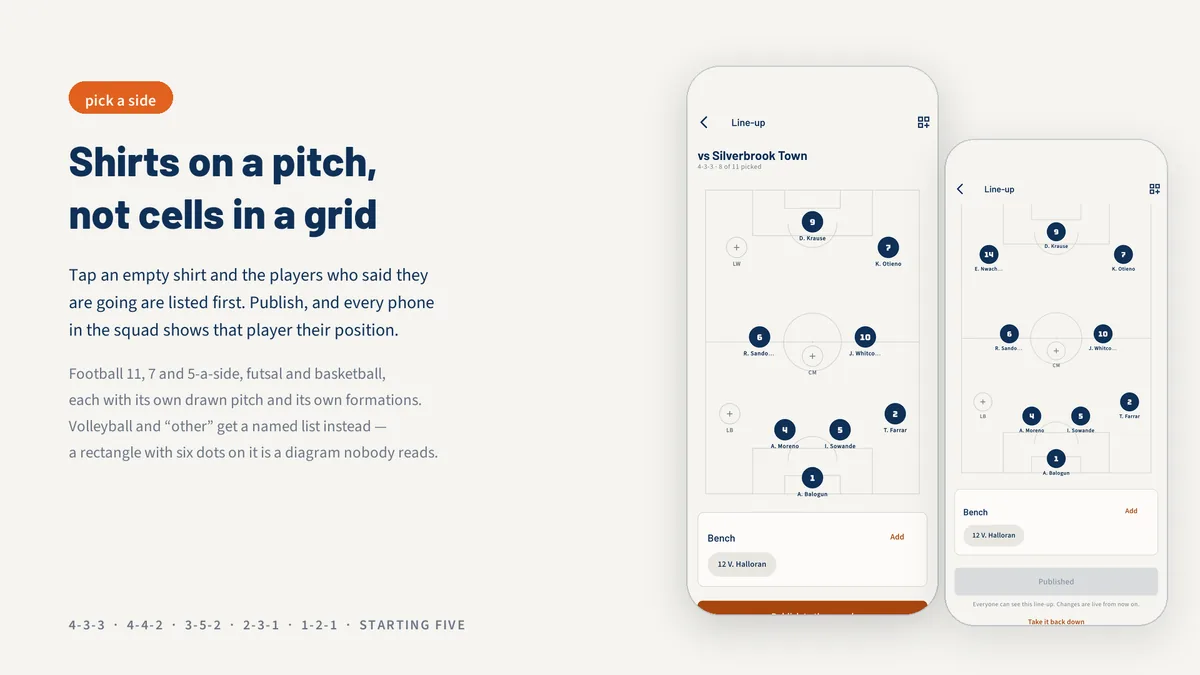
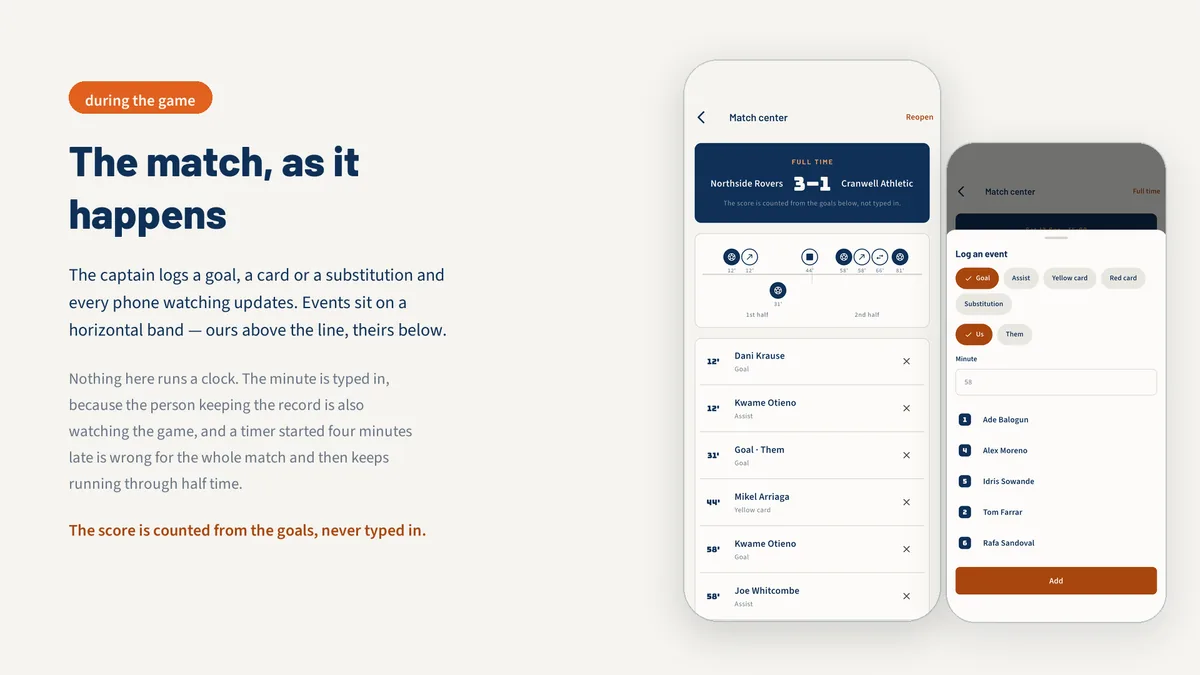
Who it is for
- You are building an app for a Sunday league side, five-a-side group or university club.
- You want real-time shared data on Firebase with security rules you can test.
- You want an app that already handles football formations, futsal and basketball.
In the box
from the shipped zip- Full Flutter source at the top of the zip, no obfuscation and no licence server
- Offline HTML documentation: setup, re-theming, app name and bundle id, troubleshooting
- 15 Dart test files in the app
Run it after download
the app# unzip the download, then
# the app is at the top of the zip
$ flutter pub get
$ flutter runSetup, including any keys or services the app talks to, is covered step by step in the bundled documentation.
Spec
measured| Screen widgets | 21 |
|---|---|
| Dart files | 113 |
| Tests in the package | 15 |
| Dart SDK | ^3.7.0 |
| Back end | Firebase: Auth and Firestore, in your own project |
| Platforms | iOS + Android, one codebase |
Counted from rostora-v1.0.zip, the file uploaded to CodeCanyon. Screen widgets are the view, screen and page classes in the source, so the number can differ slightly from a count of routes.
Questions
Something else? Ask on the item's CodeCanyon page; the author answers there.
How do I connect my own Firebase project?
Create a project, enable email and anonymous sign-in plus Cloud Firestore, then connect the app to it and deploy the bundled rules. The documentation walks through each step, and no composite indexes are required.
Can I try it without Firebase?
Yes. Demo Mode ships on and loads a sample squad of eighteen, so every screen works on the device. Nothing is written to disk in this mode.
Who pays for Firebase usage?
You do, on your own project. The documentation works through the numbers for a 25-person squad on the free Spark plan.
More Firebase app templates
same authorSold on Envato's CodeCanyon marketplace, which handles payment, VAT, invoices and the download.