 coderqh
Presora — Flutter News Magazine App UI Kit
A newsroom-style Flutter front end: serif masthead, press-red accent and a reader built for long articles.
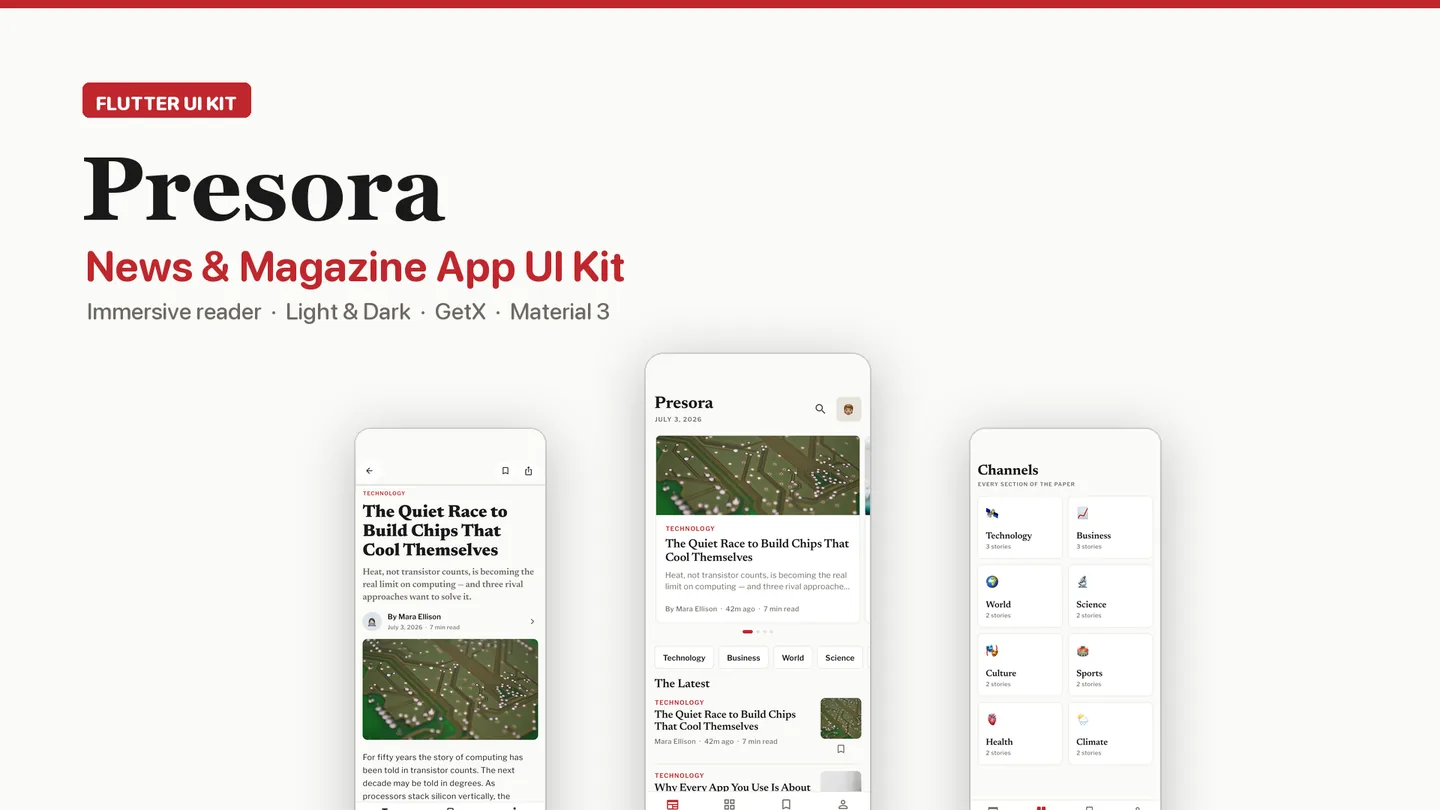
The live preview on CodeCanyon is this app compiled for the web: the real build, not a video.
Presora looks like a newspaper that moved onto a phone. The front page opens with a serif masthead and today's dateline, a featured-story carousel you can swipe, and a rail of channels above the latest headlines, separated by thin rules the way print separates columns. The palette is deliberately narrow: ink black, paper white and one press red, with Newsreader for headlines and Libre Franklin for body copy.
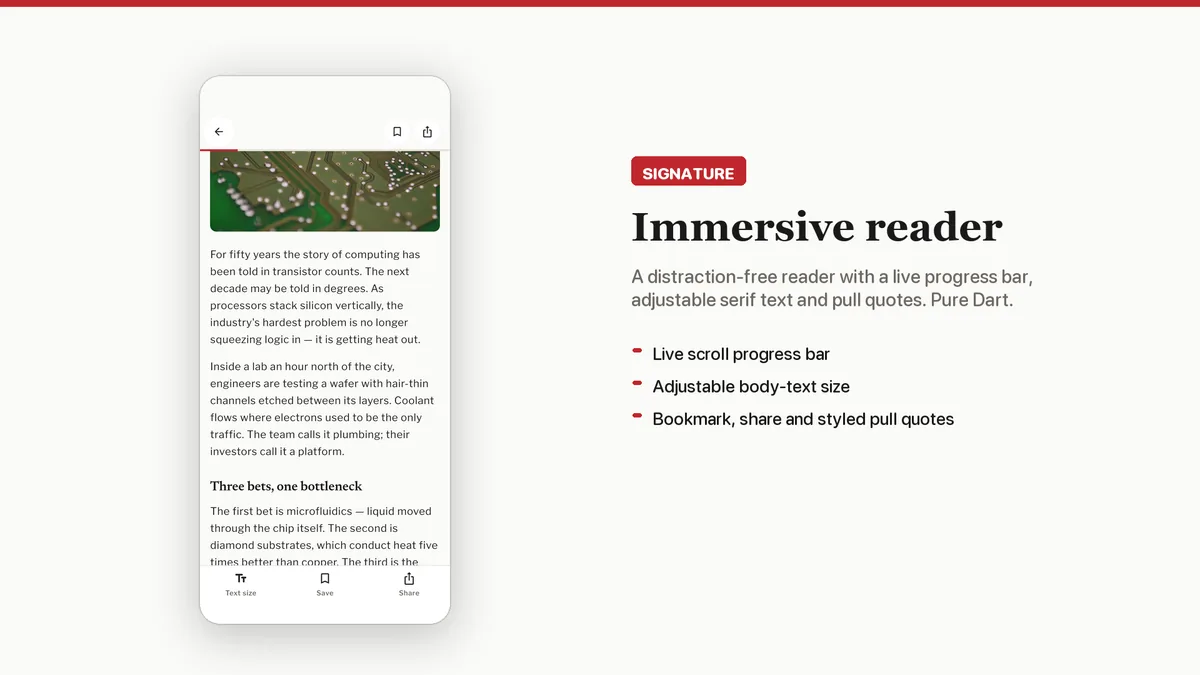
The article screen is where most of the work went. A progress bar tracks how far down the story you are, the body text size can be dialed up or down, and pull quotes, a share bar, bookmarking and a list of related stories from the same channel are all in place. That reader is written in plain Dart with no extra packages.
Features
- Article reader with a scroll progress bar, adjustable serif text size, pull quotes, share bar and bookmarking
- Front page with a dated masthead, swipeable featured carousel with page dots and a channel rail
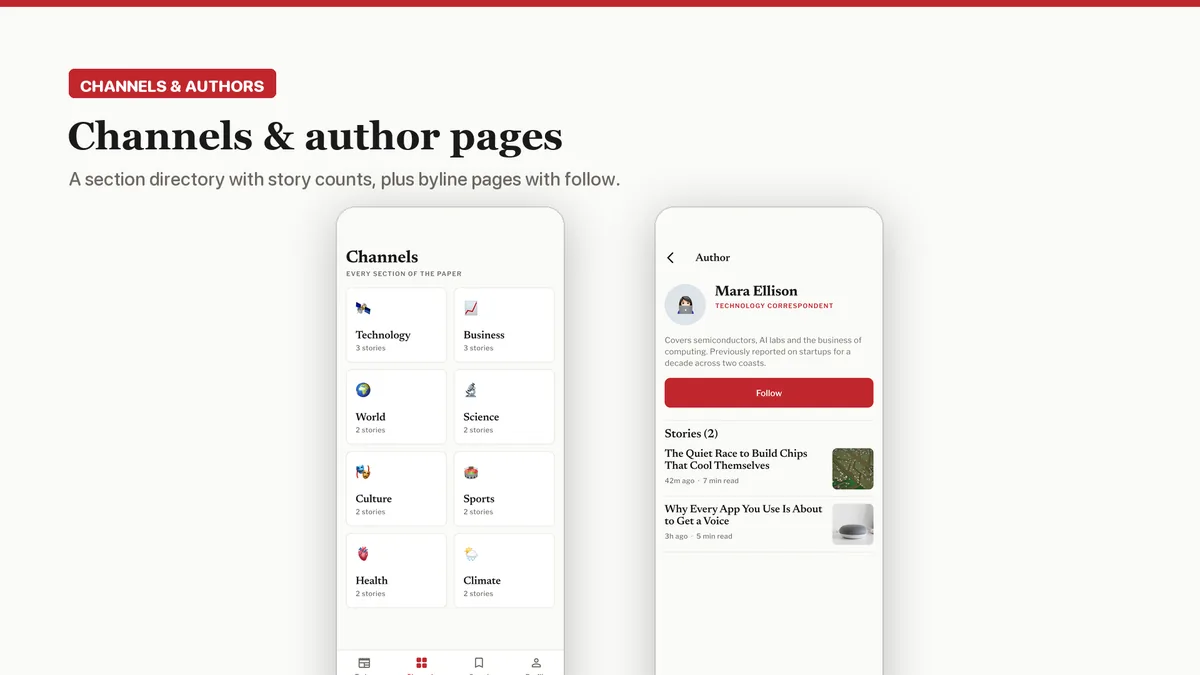
- Channel directory grid with story counts, plus a story list for each channel
- Author pages with a follow action and a timeline of the writer's pieces
- Saved-stories list and keyword search over headlines, authors and channels, filterable by channel, sort order or saved only
- Image fallback chain from network URL to bundled asset to emoji placeholder, so story art never renders broken
- Eight bundled royalty-free editorial photos, each logged in a licence audit file
- GetX structure of views, controllers, services and models, with every demo record kept in one data file
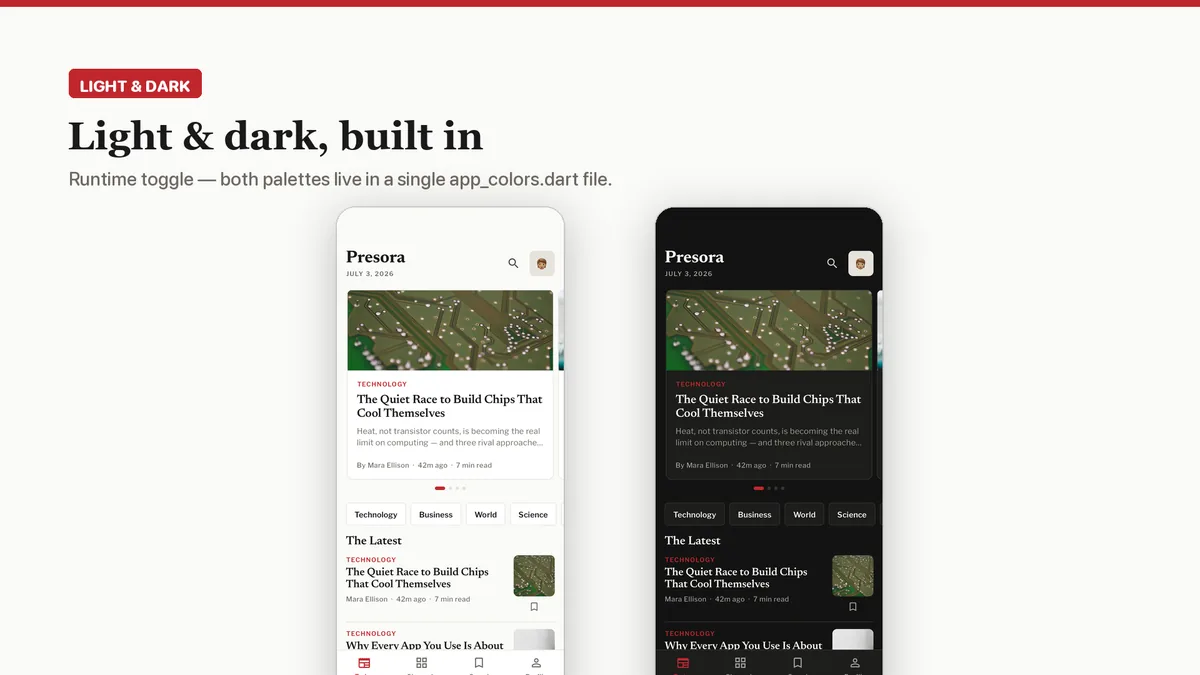
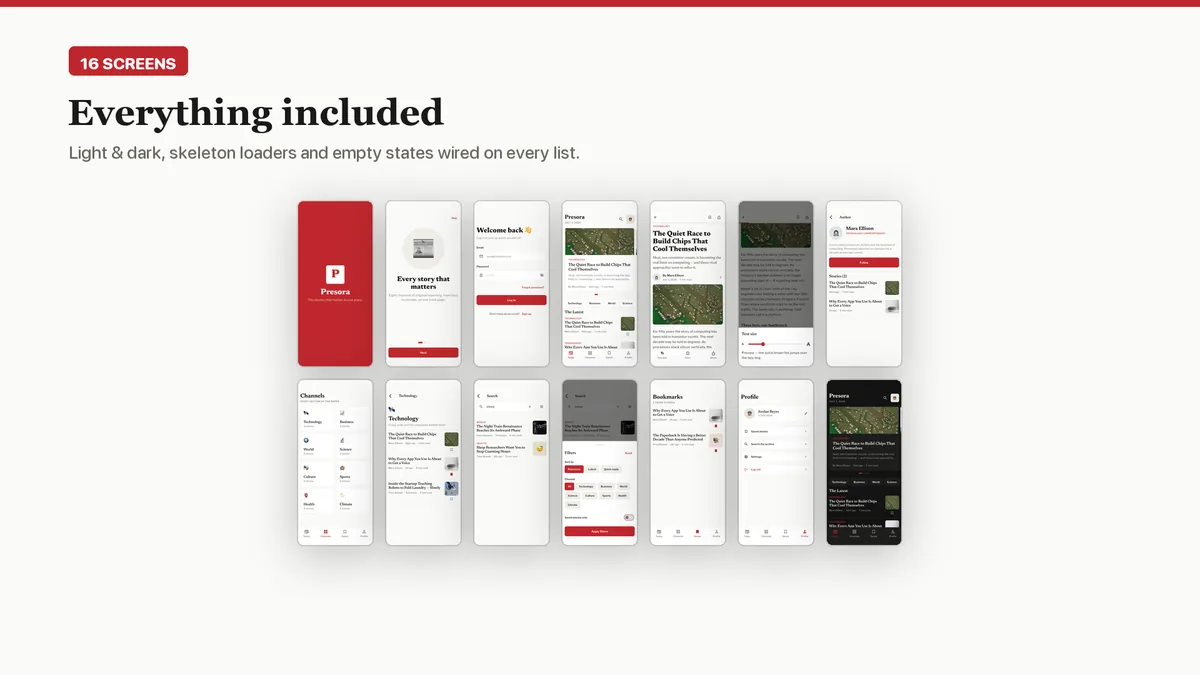
- Light and dark themes driven from a single color file
What it looks like
5 images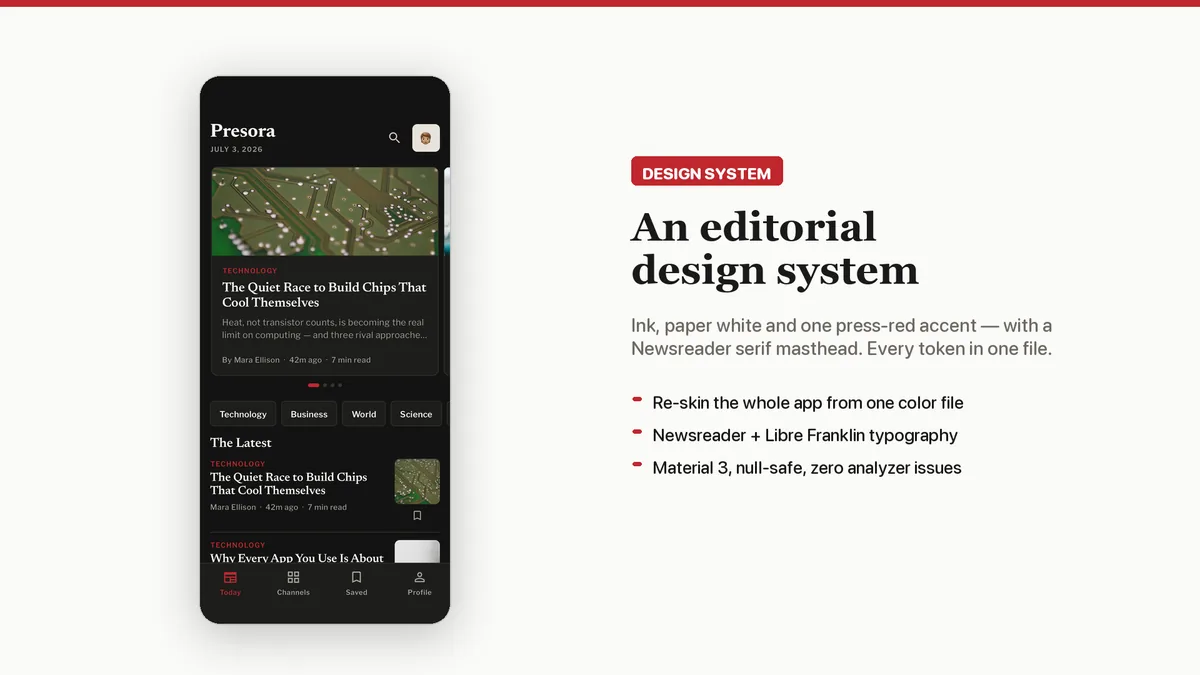
Who it is for
- You are launching a news, magazine or publication app and want it to read like journalism rather than a social feed.
- You already have a content API or CMS and need a polished front end to point at it.
- You build apps for publishers and want a reading experience you can re-brand per client.
In the box
from the shipped zip- Full Flutter source in news_ui_kit/, no obfuscation and no licence server
- Offline HTML documentation: setup, re-theming, app name and bundle id, troubleshooting
- 6 Dart test files in the app
Run it after download
the app# unzip the download, then
$ cd news_ui_kit
$ flutter pub get
$ flutter runSetup, including any keys or services the app talks to, is covered step by step in the bundled documentation.
Spec
measured| Screen widgets | 15 |
|---|---|
| Dart files | 74 |
| Tests in the package | 6 |
| Dart SDK | ^3.7.0 |
| Back end | None bundled; the service layer is where yours goes |
| Platforms | iOS + Android, one codebase |
Counted from presora-v1.0.zip, the file uploaded to CodeCanyon. Screen widgets are the view, screen and page classes in the source, so the number can differ slightly from a count of routes.
Questions
Something else? Ask on the item's CodeCanyon page; the author answers there.
How do I feed it real articles?
The screens read from mock services whose methods already return Futures. Replace those method bodies with calls to your own API or CMS and the views stay as they are; the README walks through it.
Can I change the newspaper look for my own brand?
Yes. Colors live in one file and the typefaces are set in the theme, so swapping the red accent or the serif pairing is a contained change. Both light and dark palettes are included.
Can I use it for a client's publication?
A Regular licence covers one end product, and that product can be one you build for a client. Each additional app needs its own licence.
More UI kits and booking apps
same author- Tomavo — Flutter Food Delivery App UI Kit
- Nestora — Flutter Real Estate UI Kit
- Freshko — Flutter Grocery App UI Kit
- Medora — Flutter Doctor Appointment UI Kit
- Tikora — Flutter Event Ticketing UI Kit
- Lodgora — Flutter Hotel Booking App UI Kit
- Pulsea — Flutter Fitness Workout UI Kit
- Veltora — Flutter Online Courses App UI Kit
- Plattora — Flutter Recipe App UI Kit
- Tendora — Flutter Habit Tracker UI Kit
- Sweva — Flutter Dating App UI Kit
- Wingora — Flutter Flight Booking App UI Kit
- Rovora — Flutter Car Rental App UI Kit
- Pennora — Flutter Banking and Wallet App with Laravel Admin
- Shearora — Flutter Salon and Barber Booking App with Laravel Admin
- Haltora — Flutter Bus Ticket Booking App with Laravel Admin
- Sudsora — Flutter Laundry and Dry Cleaning App with Laravel Admin
Sold on Envato's CodeCanyon marketplace, which handles payment, VAT, invoices and the download.