 coderqh
Sweva — Flutter Dating App UI Kit
Swipe deck, match overlay and chat thread — written in plain Flutter, no swipe-card package.
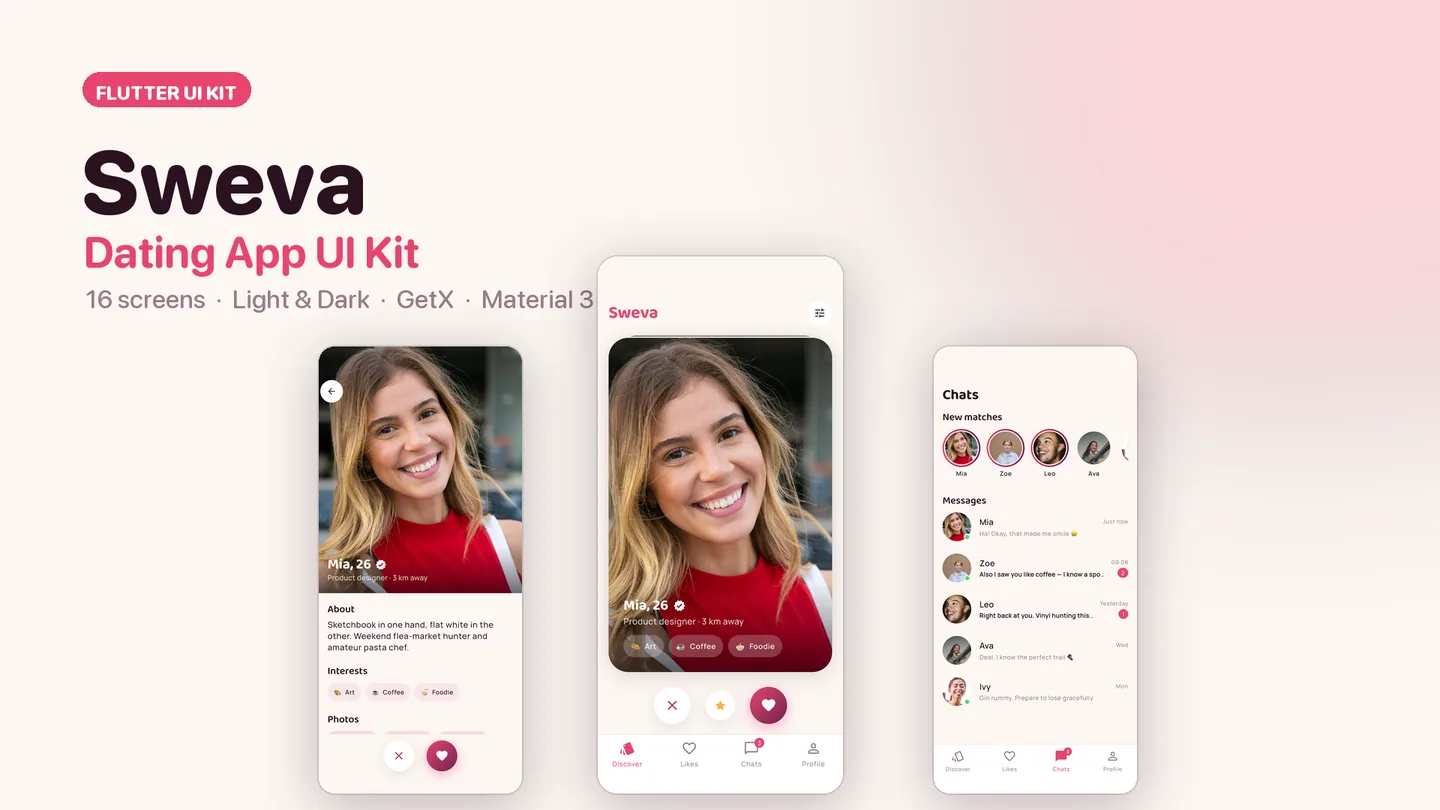
The live preview on CodeCanyon is this app compiled for the web: the real build, not a video.
Sweva is the front end of a dating app, and the parts people judge it by are the parts that are hardest to fake: a card stack that follows your finger and tilts with it, LIKE and NOPE stamps that fade in past the threshold, cards behind that scale up as the top one flies out. All of it is plain Flutter — no swipe-card dependency to fight when you need it to behave differently.
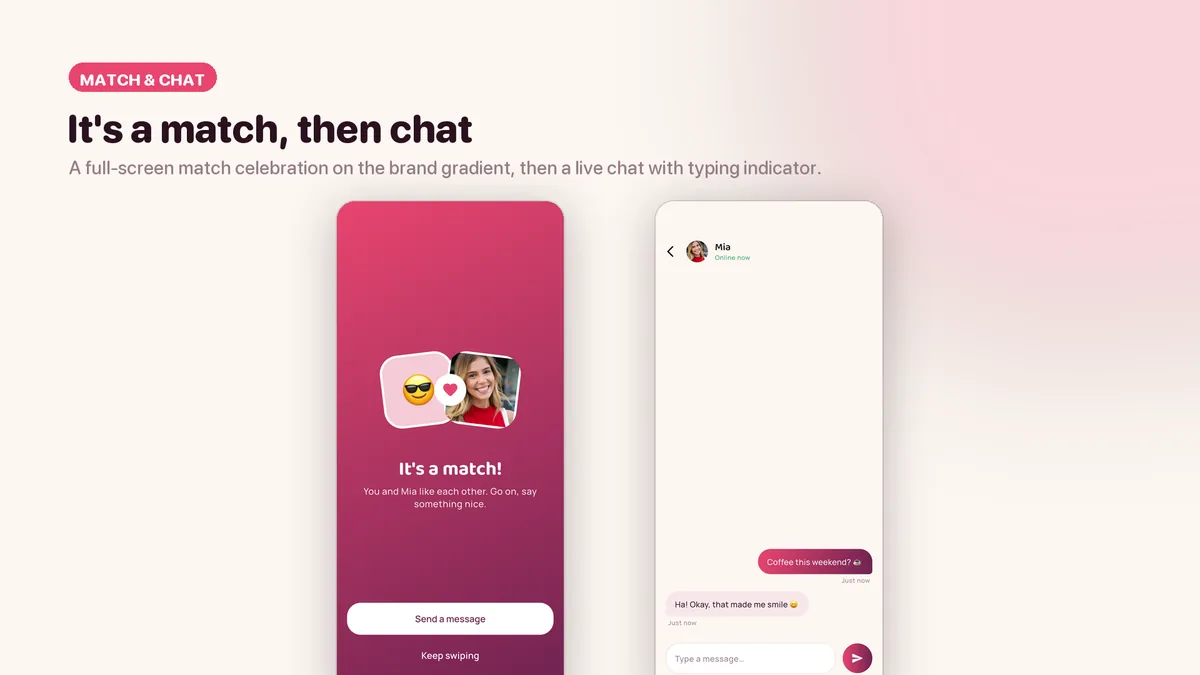
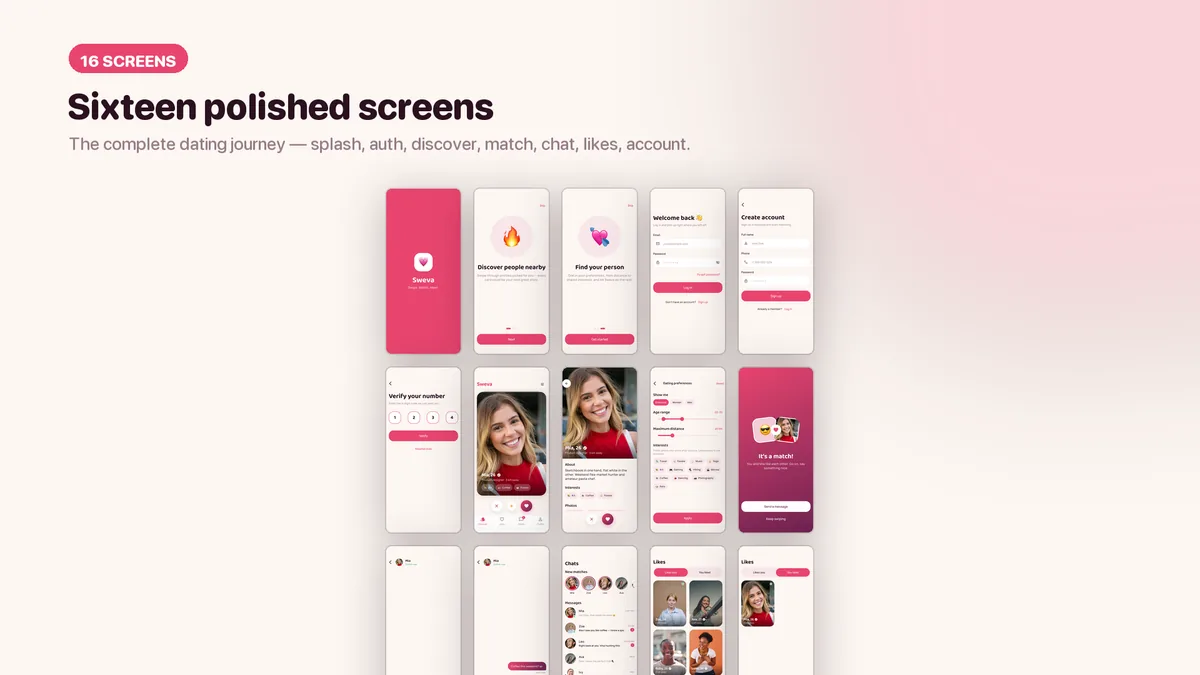
Past the deck it keeps going: a full-screen match celebration on the brand gradient, then a chat thread with gradient bubbles, a typing indicator and an auto-reply so the conversation is alive the first time you open it. Twelve royalty-free profile photos are wired in, so the demo looks like a product rather than a wireframe.
Features
- Draggable swipe deck with proportional tilt, LIKE / NOPE stamps and fly-out animation — written from scratch
- It's-a-match overlay on the coral-to-berry brand gradient, leading straight into the chat
- Chat thread with gradient bubbles, typing indicator and an auto-reply demo
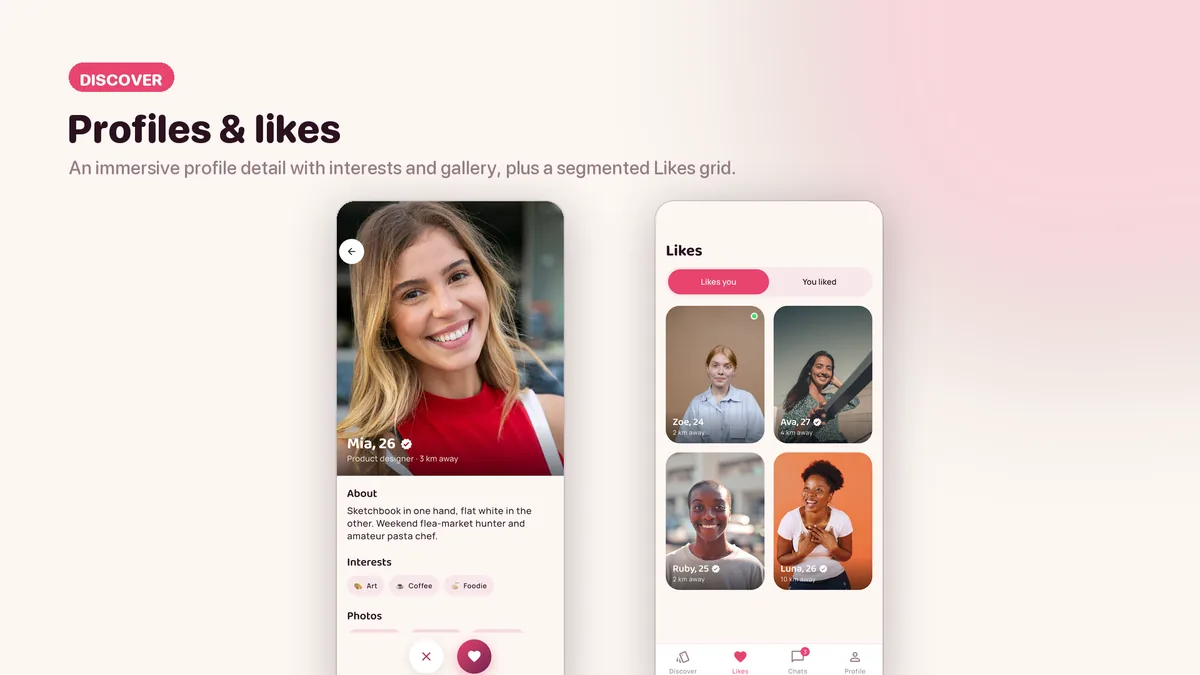
- Profile detail with interests and a photo gallery
- Likes grid, segmented into likes you and you liked
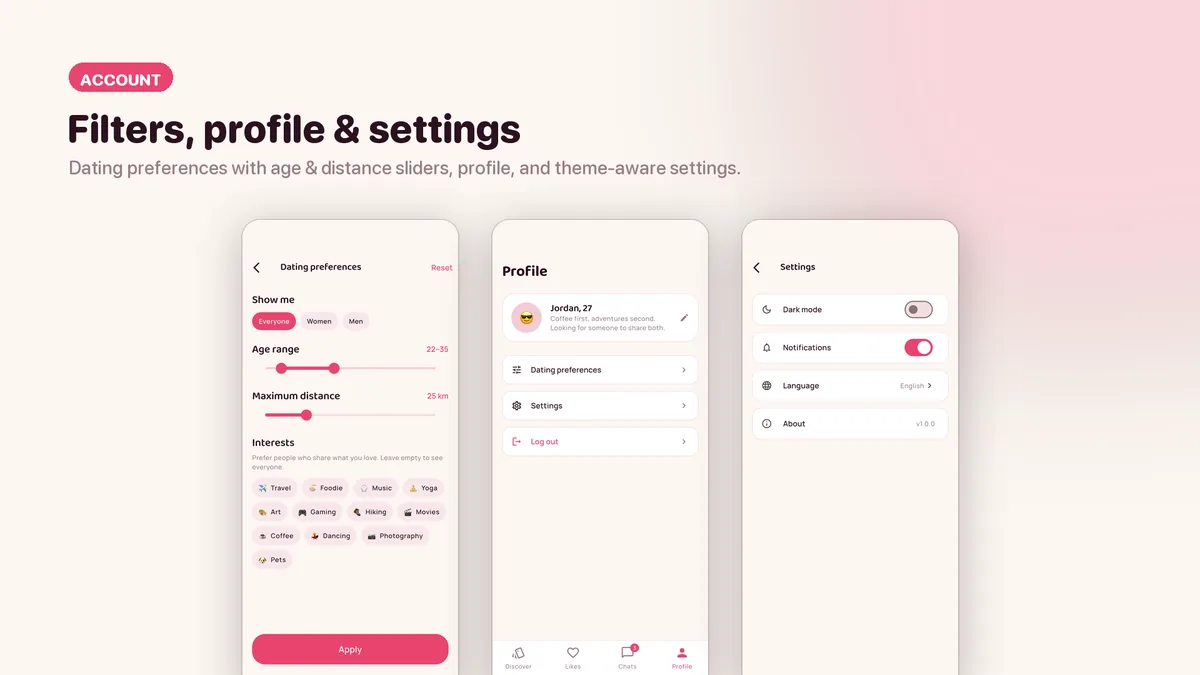
- Dating preferences with age and distance sliders
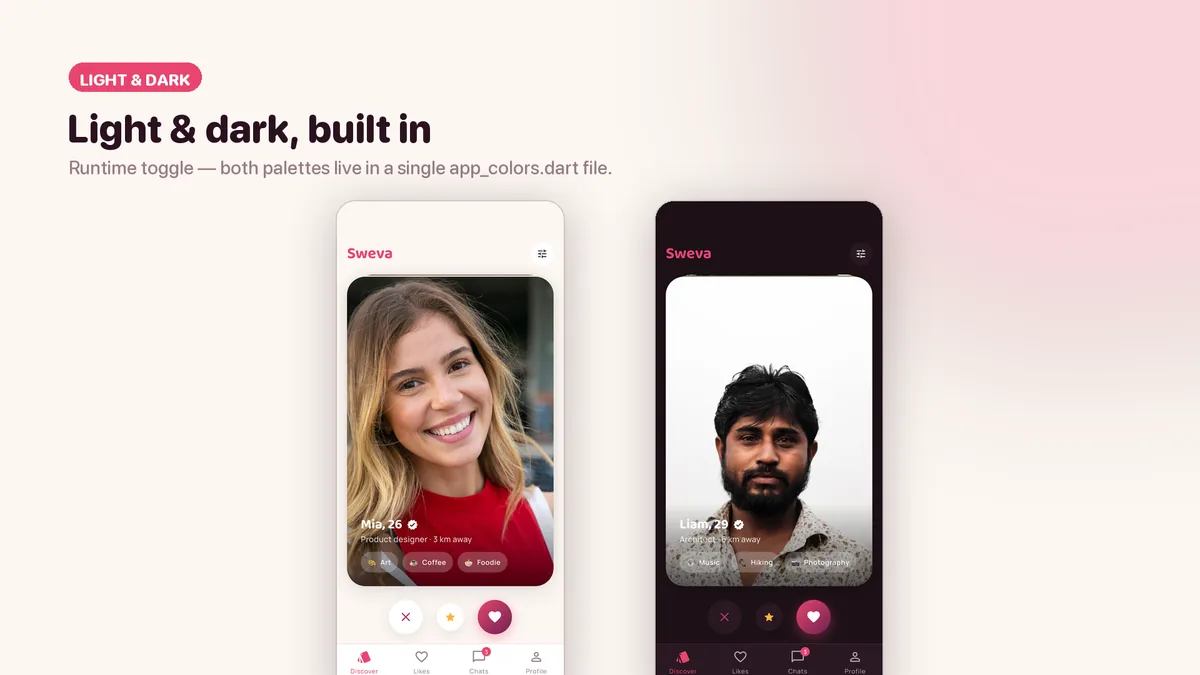
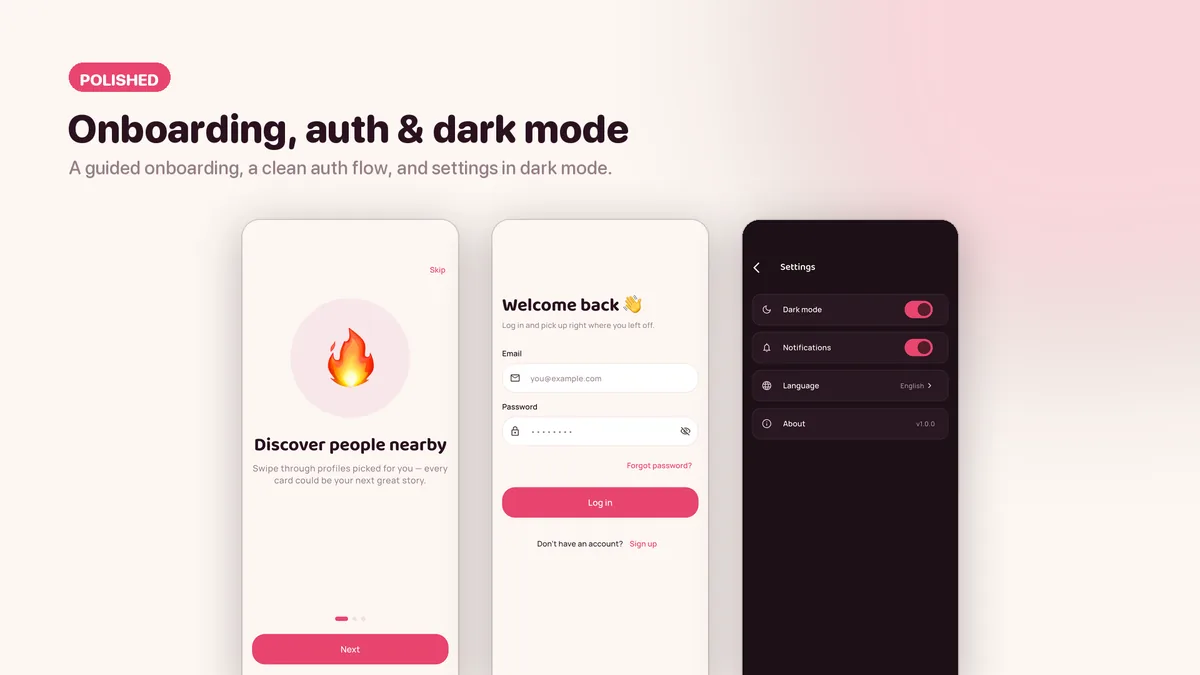
- Light and dark themes, both palettes in one file
- Skeleton loaders and empty states already wired on every list
- Twelve bundled royalty-free profile photos with a per-file audit trail; missing photos fall back to an emoji instead of breaking
What it looks like
7 images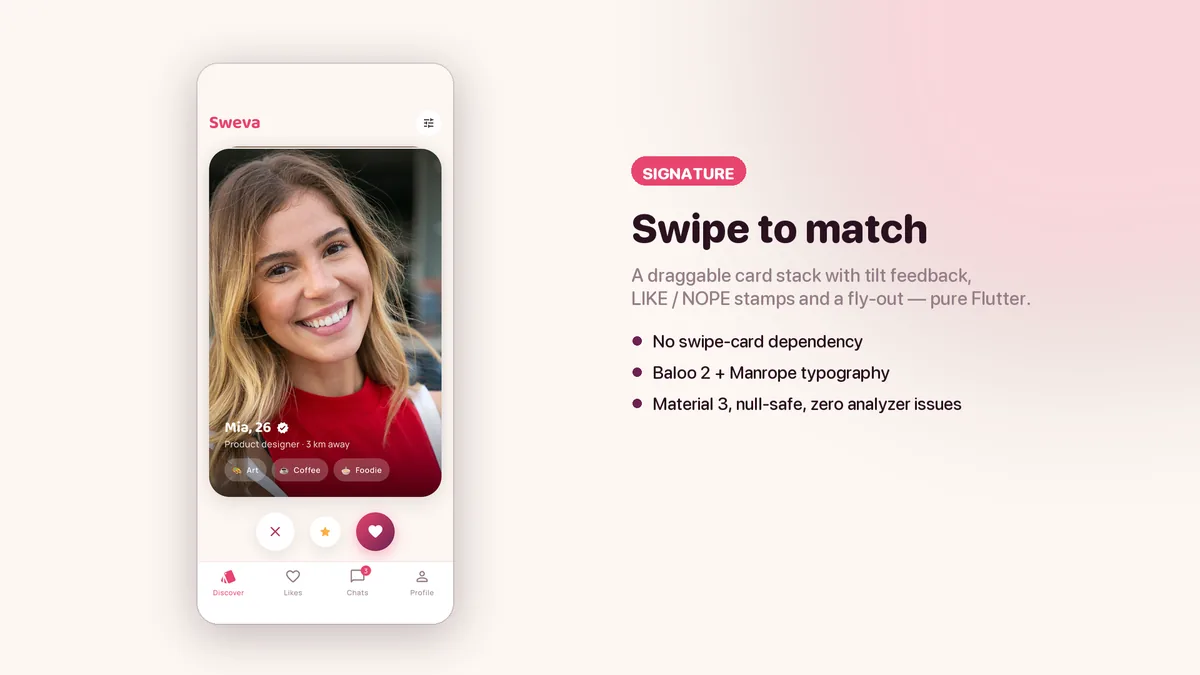
Who it is for
- You are building anything with a card deck at the centre — dating, matching, discovery, hiring.
- You have tried a swipe-card package and hit its ceiling on the second custom requirement.
- You need a demo that survives a client scrolling through it on their own phone.
In the box
from the shipped zip- Full Flutter source in dating_ui_kit/, no obfuscation and no licence server
- Offline HTML documentation: setup, re-theming, app name and bundle id, troubleshooting
- 5 Dart test files in the app
Run it after download
the app# unzip the download, then
$ cd dating_ui_kit
$ flutter pub get
$ flutter runSetup, including any keys or services the app talks to, is covered step by step in the bundled documentation.
Spec
measured| Screen widgets | 15 |
|---|---|
| Dart files | 76 |
| Tests in the package | 5 |
| Dart SDK | ^3.7.0 |
| Back end | None bundled; the service layer is where yours goes |
| Platforms | iOS + Android, one codebase |
Counted from sweva-v1.0.zip, the file uploaded to CodeCanyon. Screen widgets are the view, screen and page classes in the source, so the number can differ slightly from a count of routes.
Questions
Something else? Ask on the item's CodeCanyon page; the author answers there.
Is the swipe deck a package I could have installed myself?
No — it is written in plain Flutter inside this kit, which is why you can change the tilt, the threshold and the fly-out without forking anyone.
Does the chat talk to a server?
Not in the box. It runs on mock services with Future signatures, so wiring it to your realtime backend means replacing those bodies.
More UI kits and booking apps
same author- Tomavo — Flutter Food Delivery App UI Kit
- Nestora — Flutter Real Estate UI Kit
- Freshko — Flutter Grocery App UI Kit
- Medora — Flutter Doctor Appointment UI Kit
- Tikora — Flutter Event Ticketing UI Kit
- Lodgora — Flutter Hotel Booking App UI Kit
- Pulsea — Flutter Fitness Workout UI Kit
- Veltora — Flutter Online Courses App UI Kit
- Plattora — Flutter Recipe App UI Kit
- Tendora — Flutter Habit Tracker UI Kit
- Presora — Flutter News Magazine App UI Kit
- Wingora — Flutter Flight Booking App UI Kit
- Rovora — Flutter Car Rental App UI Kit
- Pennora — Flutter Banking and Wallet App with Laravel Admin
- Shearora — Flutter Salon and Barber Booking App with Laravel Admin
- Haltora — Flutter Bus Ticket Booking App with Laravel Admin
- Sudsora — Flutter Laundry and Dry Cleaning App with Laravel Admin
Sold on Envato's CodeCanyon marketplace, which handles payment, VAT, invoices and the download.