 coderqh
Tomavo — Flutter Food Delivery App UI Kit
A food delivery front end that goes all the way from menu to reorder, dressed in warm cream and tomato coral.
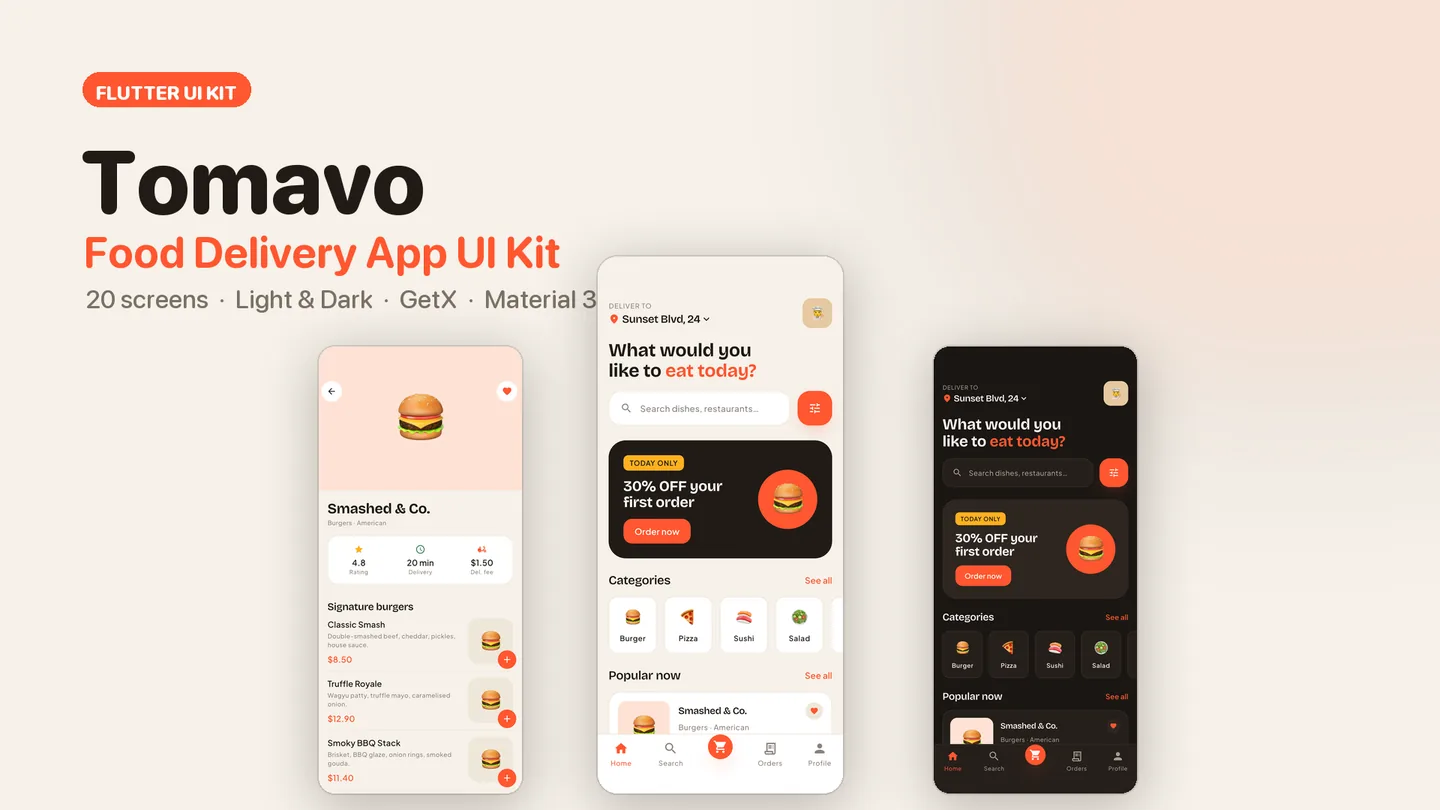
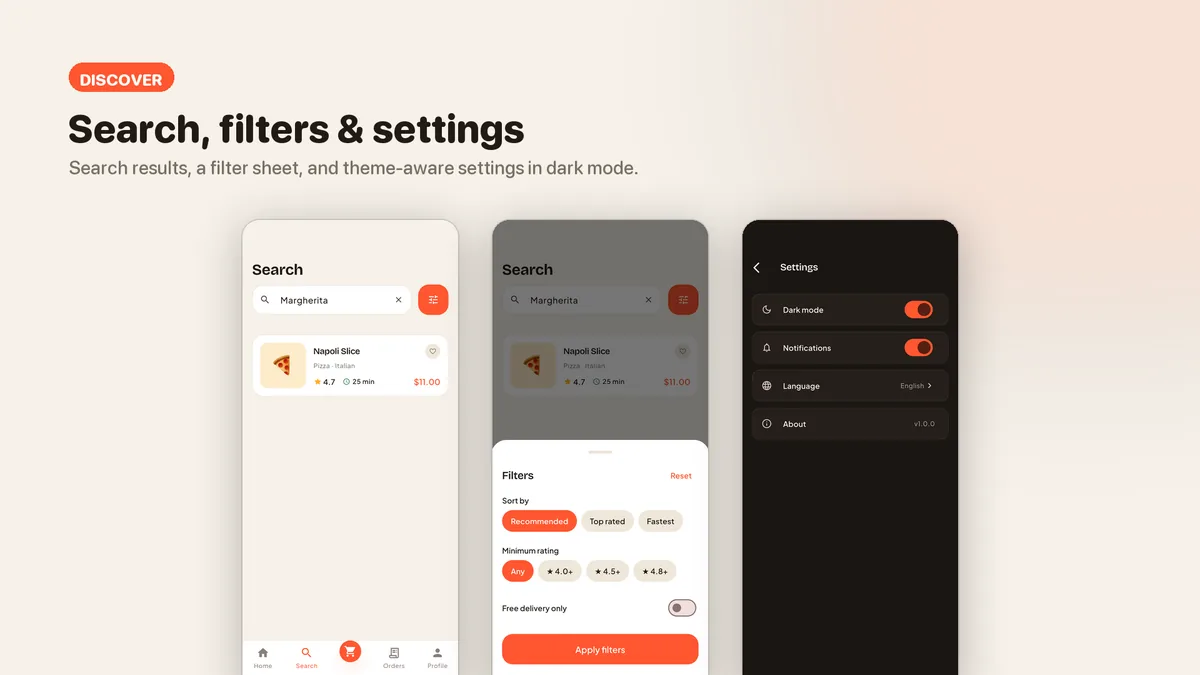
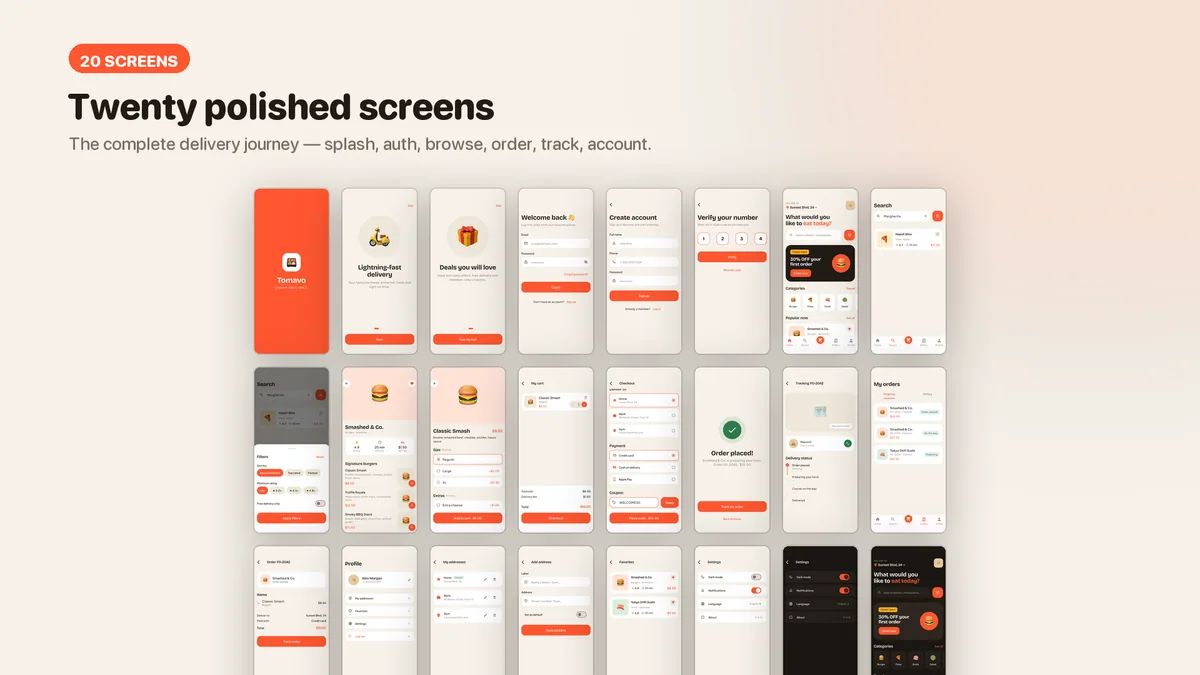
Screenshots from the shipped build; the CodeCanyon page has the full set.
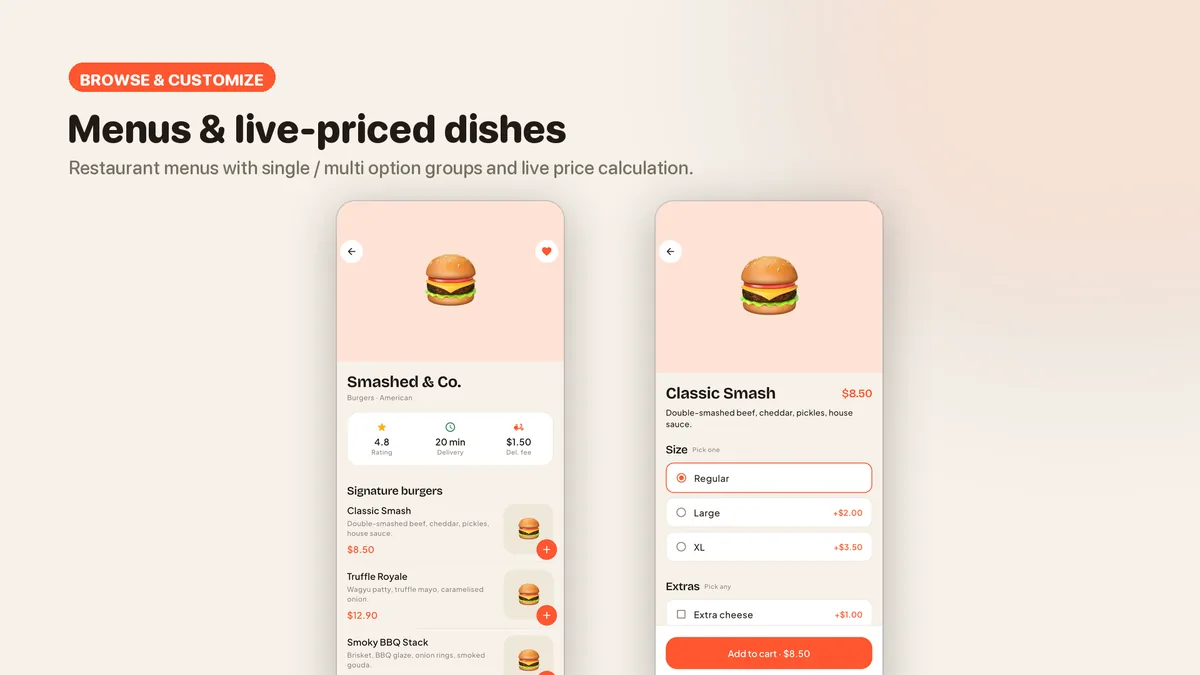
Tomavo covers the whole path a hungry customer takes: find a restaurant, open its menu, build a dish with option groups that update the price as you tap, fill a cart, pay, then watch the order move along a tracking timeline. When it arrives, order history lets them run the same order again in one tap. Every step works on bundled demo data, so you can click through it end to end on day one.
The look is deliberate. A cream background, a tomato-coral primary and the Bricolage Grotesque plus Plus Jakarta Sans pairing keep it away from the usual white-and-orange template. Colors, type, spacing and corner radii live in central token files, so a rebrand is an edit in one place rather than a hunt through every screen.
Features
- Dish customization with single-choice and multi-choice option groups and a live price
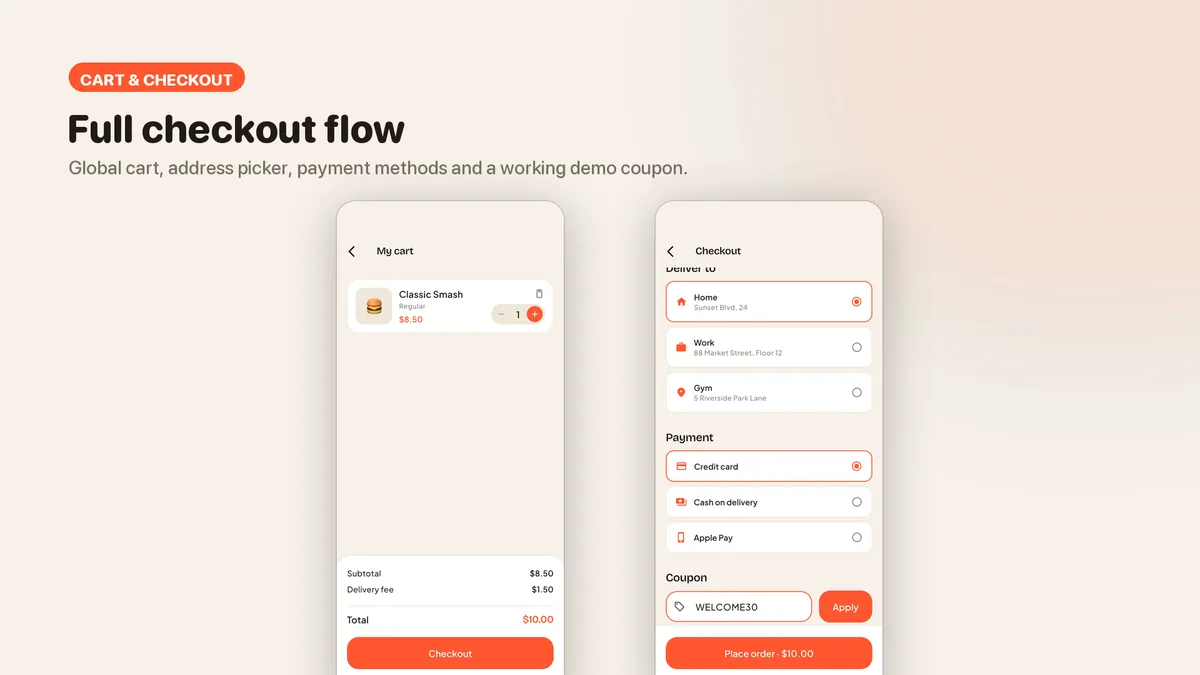
- Global cart with a badge, merging of identical items and a one-restaurant-per-cart guard
- Checkout with address picker, payment methods and a working demo coupon
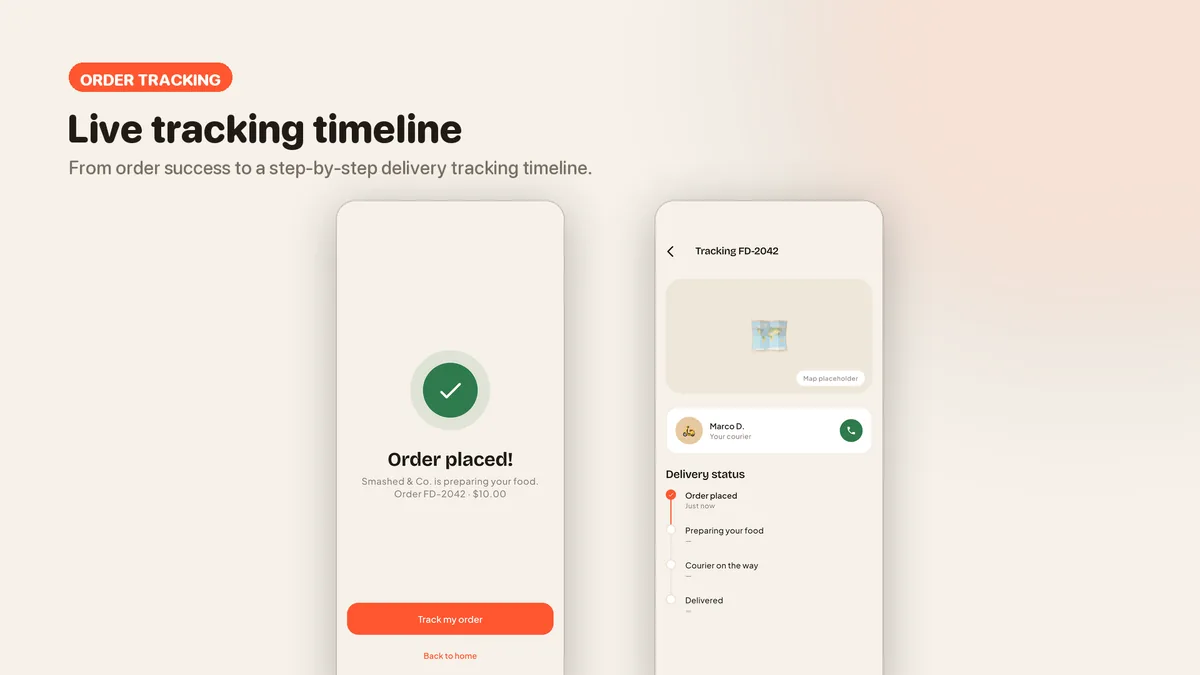
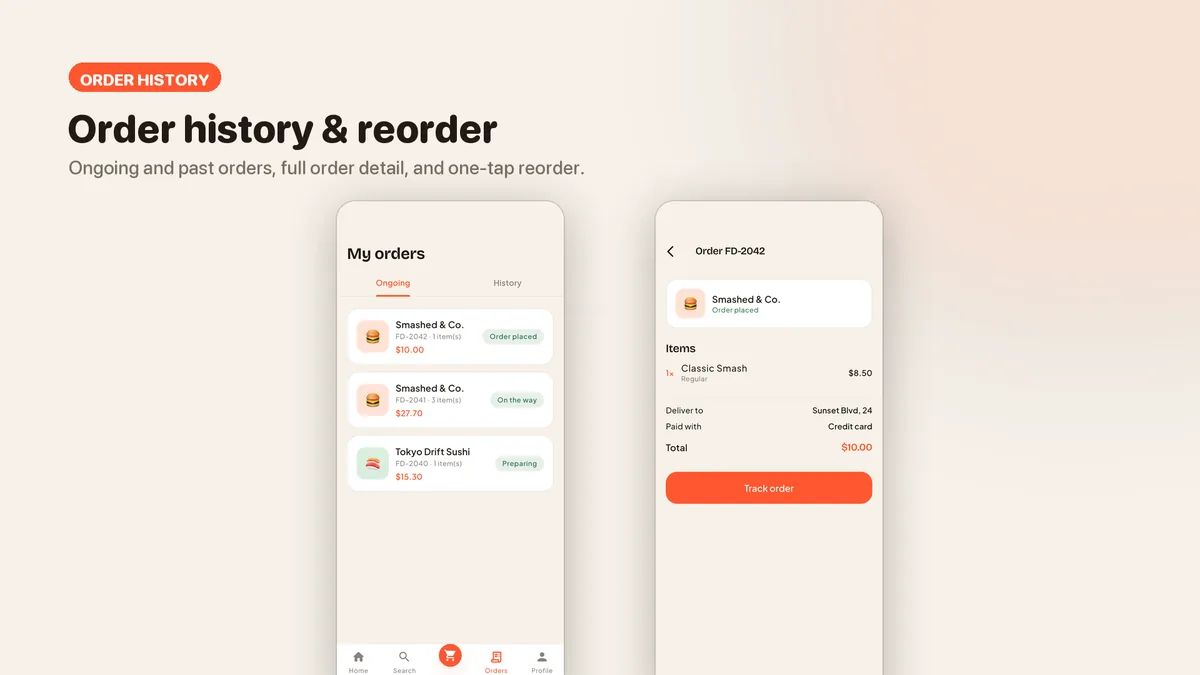
- Order tracking timeline plus order history with one-tap reorder
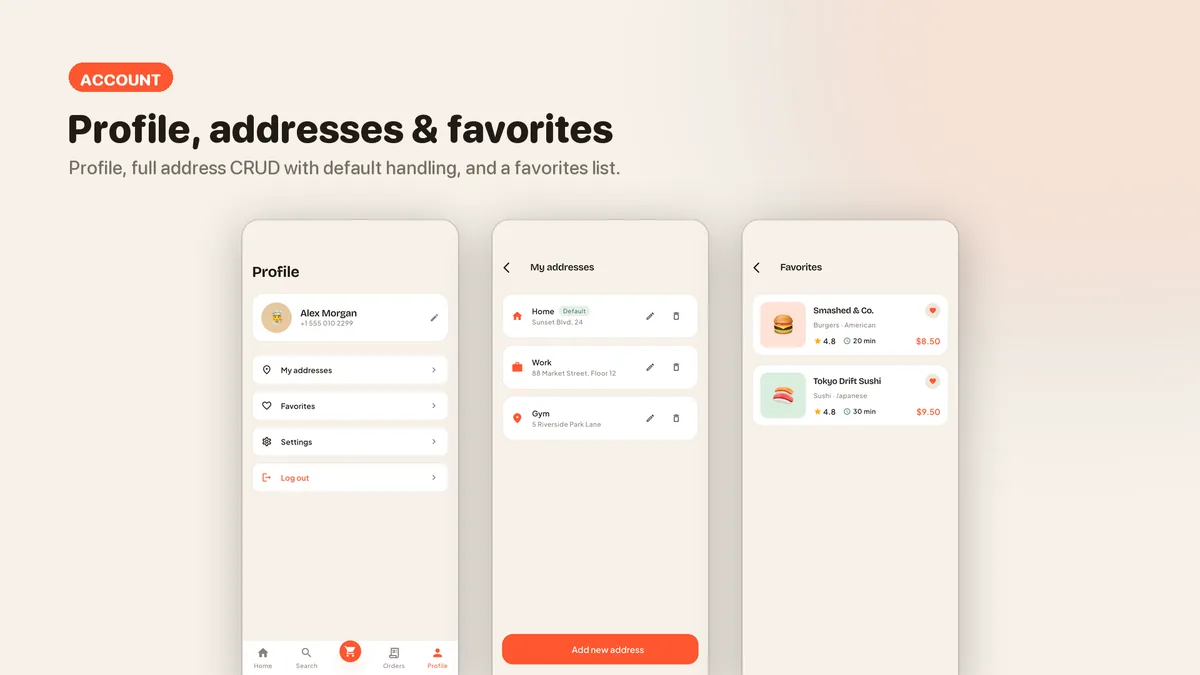
- Address management with add, edit, delete and a default address
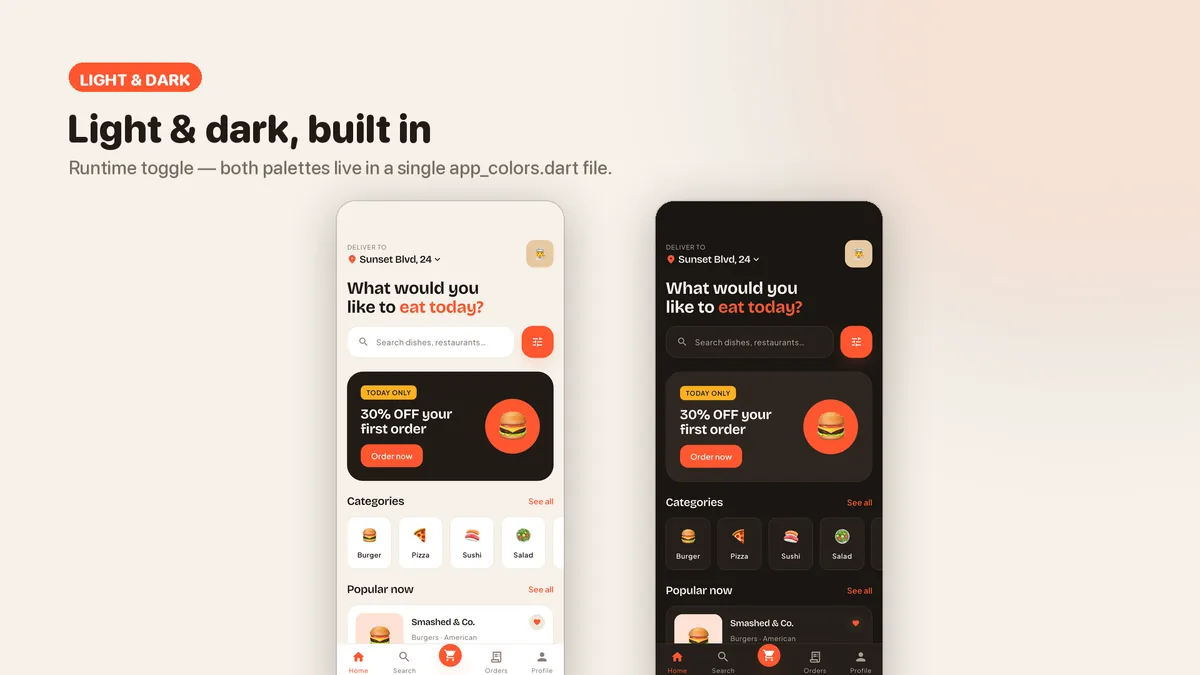
- Light and dark themes with a runtime toggle, both palettes in one file
- Loading skeletons and empty states on every list
- GetX architecture with lazy bindings per route; the views never read mock data directly
- A single thumbnail widget draws all food imagery, so moving to real photos is one change
What it looks like
9 images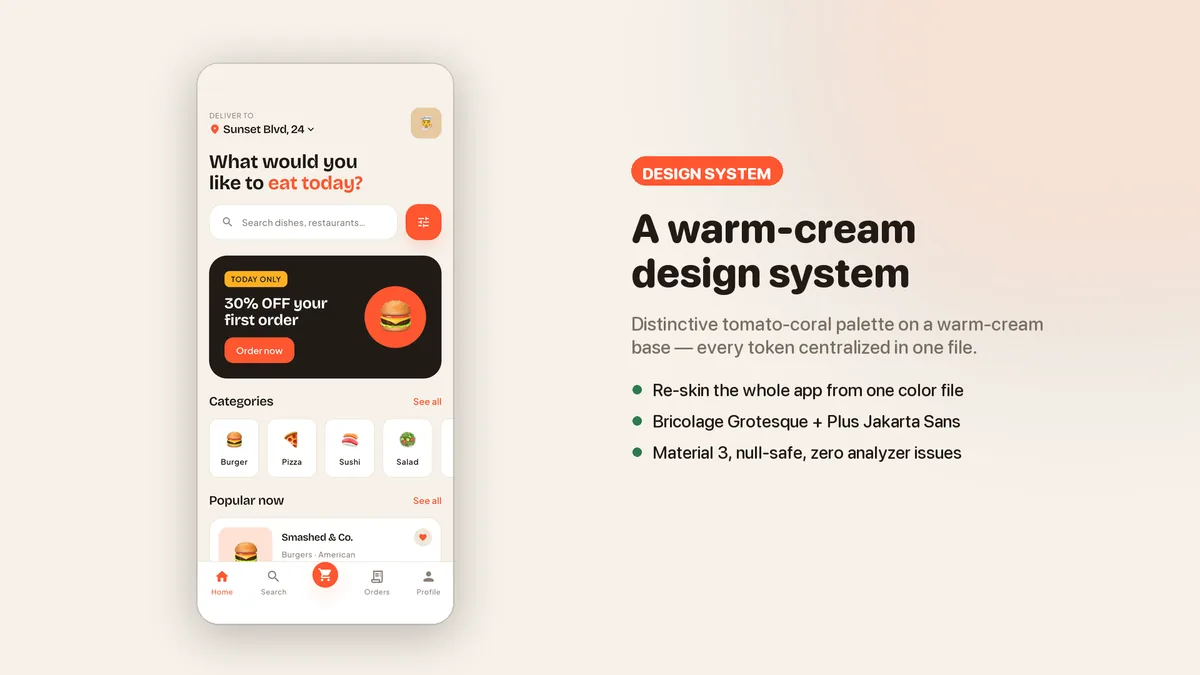
Who it is for
- You are launching a delivery or takeaway ordering app and want the customer side finished before you build the API.
- You build apps for clients and need a food ordering demo you can rebrand and hand over quickly.
- You are learning GetX and want a real multi-screen project with a clear View, Controller, Service split.
In the box
from the shipped zip- Full Flutter source in food_delivery_ui_kit/, no obfuscation and no licence server
- Offline HTML documentation: setup, re-theming, app name and bundle id, troubleshooting
- 3 Dart test files in the app
Run it after download
the app# unzip the download, then
$ cd food_delivery_ui_kit
$ flutter pub get
$ flutter runSetup, including any keys or services the app talks to, is covered step by step in the bundled documentation.
Spec
measured| Screen widgets | 21 |
|---|---|
| Dart files | 87 |
| Tests in the package | 3 |
| Dart SDK | ^3.7.0 |
| Back end | None bundled; the service layer is where yours goes |
| Platforms | iOS + Android, one codebase |
Counted from tomavo-v1.0.zip, the file uploaded to CodeCanyon. Screen widgets are the view, screen and page classes in the source, so the number can differ slightly from a count of routes.
Questions
Something else? Ask on the item's CodeCanyon page; the author answers there.
How do I connect it to my own API?
All demo data sits in one file behind three mock services that return Futures. Swap the body of each service method for your HTTP or Firebase call and keep the signature; the controllers and views stay as they are. The included README walks through it.
How hard is it to change the brand colors and fonts?
Colors, fonts, spacing and radii are centralized design tokens, and both light and dark palettes are defined in one file. Change them there and every screen follows.
Can I use it for a client project?
Yes. A Regular licence covers one end product, and that product can be one you build for a client.
More UI kits and booking apps
same author- Nestora — Flutter Real Estate UI Kit
- Freshko — Flutter Grocery App UI Kit
- Medora — Flutter Doctor Appointment UI Kit
- Tikora — Flutter Event Ticketing UI Kit
- Lodgora — Flutter Hotel Booking App UI Kit
- Pulsea — Flutter Fitness Workout UI Kit
- Veltora — Flutter Online Courses App UI Kit
- Plattora — Flutter Recipe App UI Kit
- Tendora — Flutter Habit Tracker UI Kit
- Presora — Flutter News Magazine App UI Kit
- Sweva — Flutter Dating App UI Kit
- Wingora — Flutter Flight Booking App UI Kit
- Rovora — Flutter Car Rental App UI Kit
- Pennora — Flutter Banking and Wallet App with Laravel Admin
- Shearora — Flutter Salon and Barber Booking App with Laravel Admin
- Haltora — Flutter Bus Ticket Booking App with Laravel Admin
- Sudsora — Flutter Laundry and Dry Cleaning App with Laravel Admin
Sold on Envato's CodeCanyon marketplace, which handles payment, VAT, invoices and the download.