 coderqh
Pulsea — Flutter Fitness Workout UI Kit
A fitness tracker with a goal ring, weekly charts and a full-screen interval timer, all custom painted in Dart.
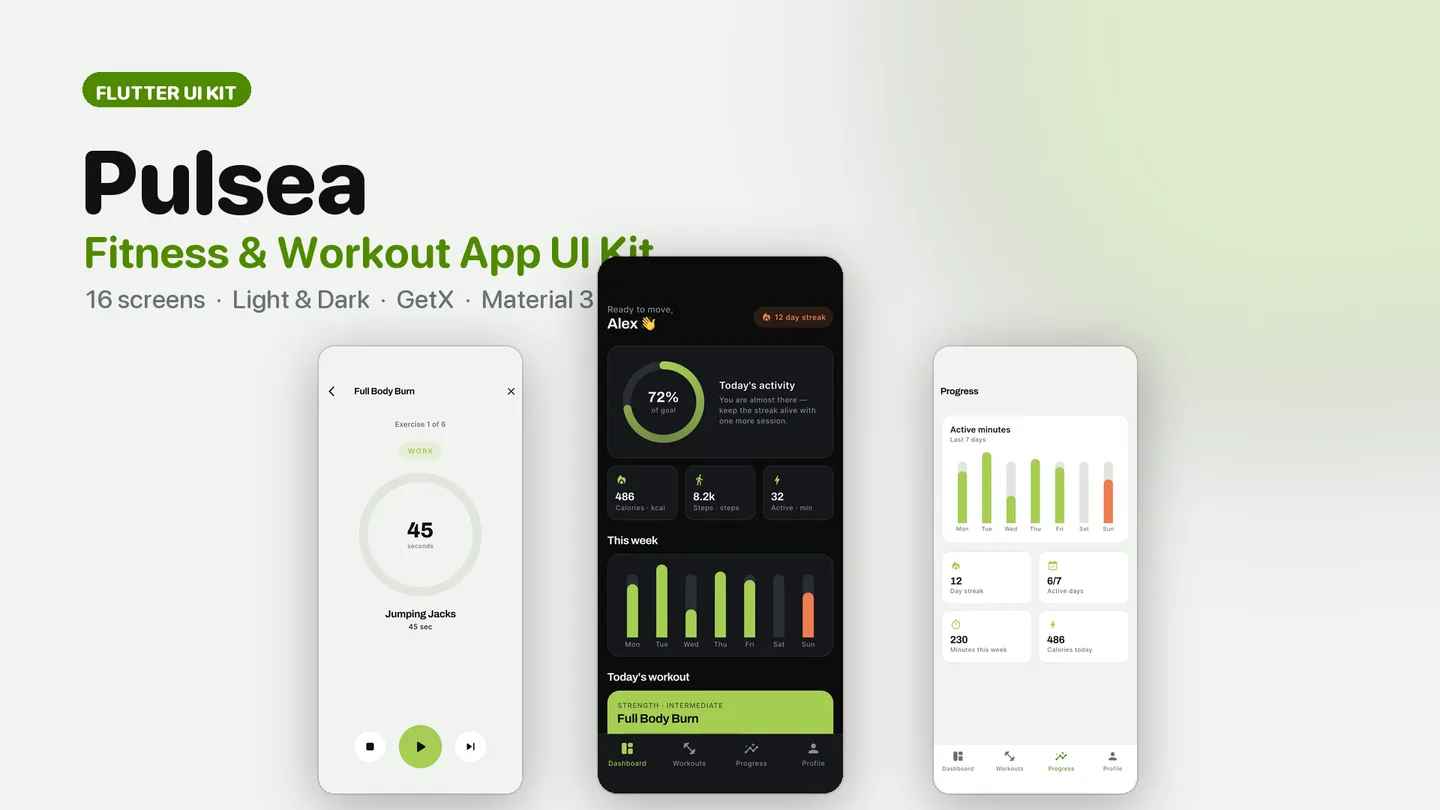
The live preview on CodeCanyon is this app compiled for the web: the real build, not a video.
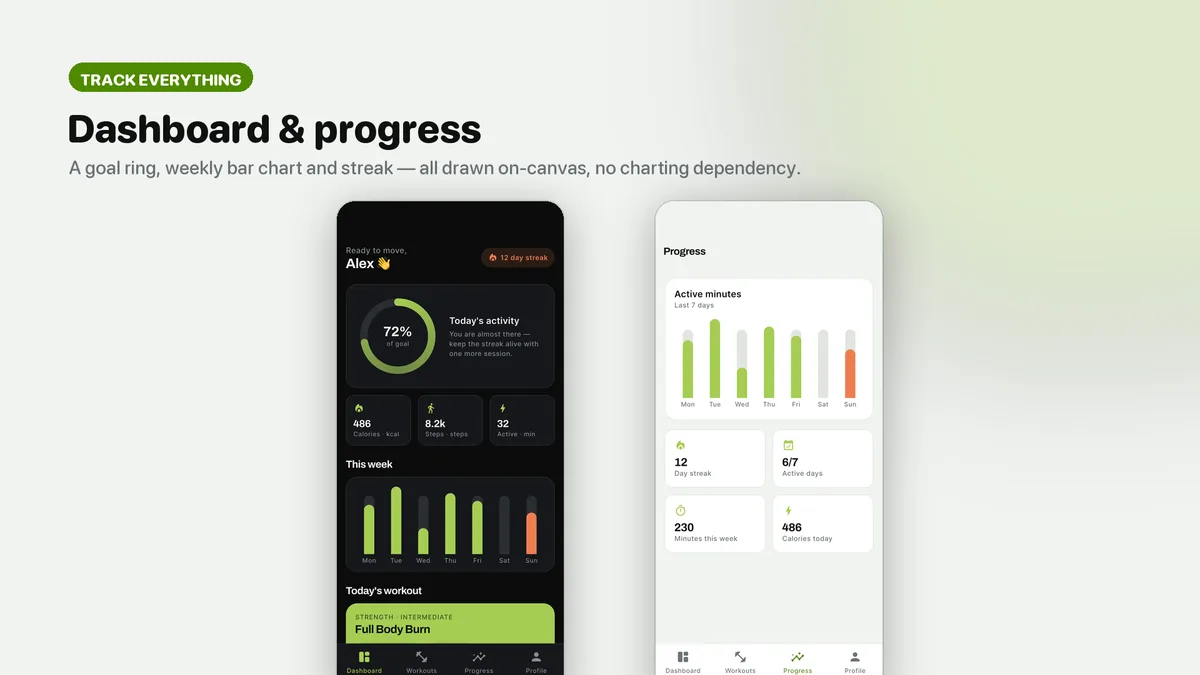
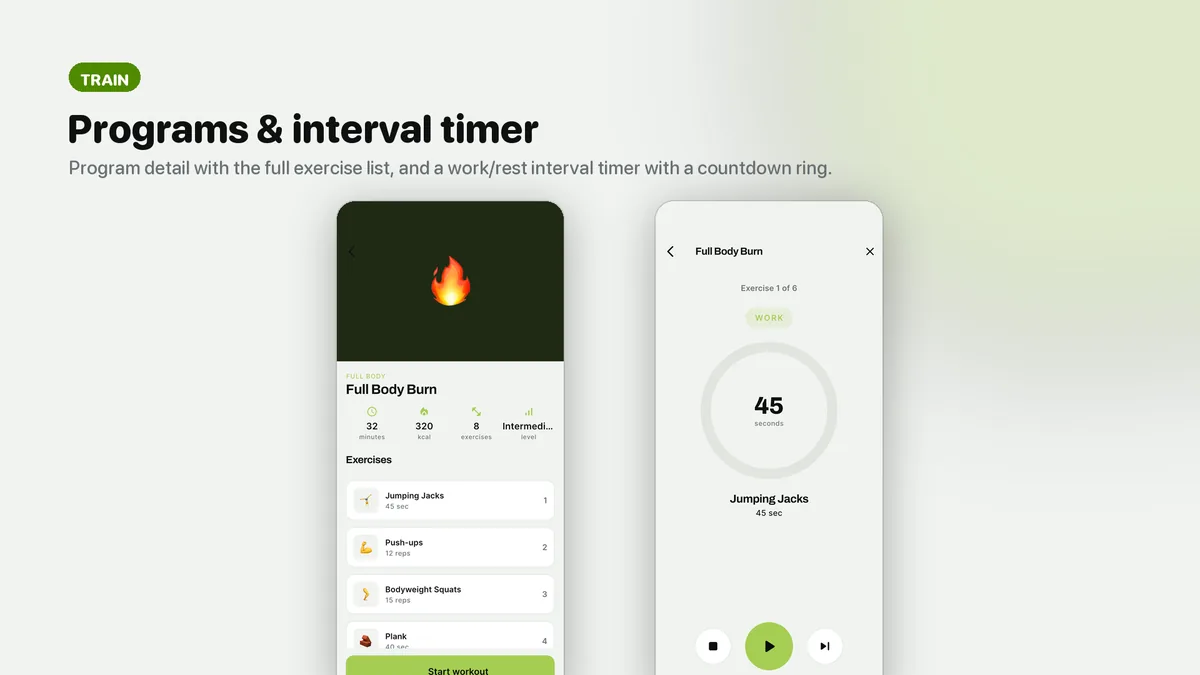
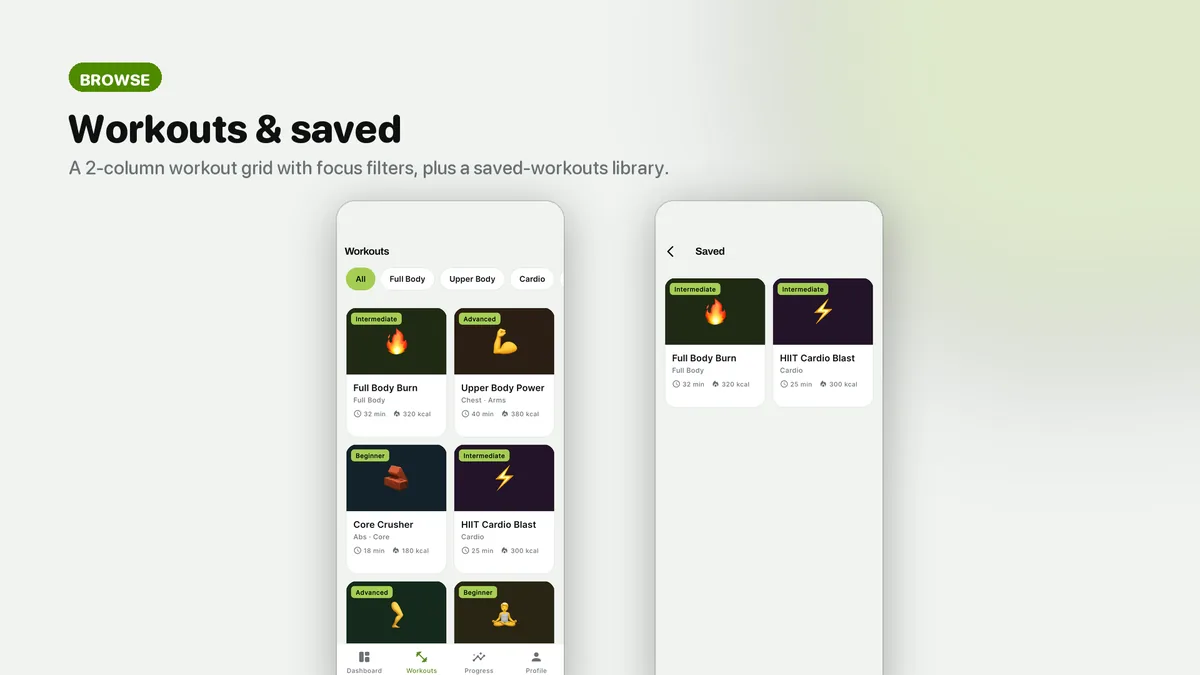
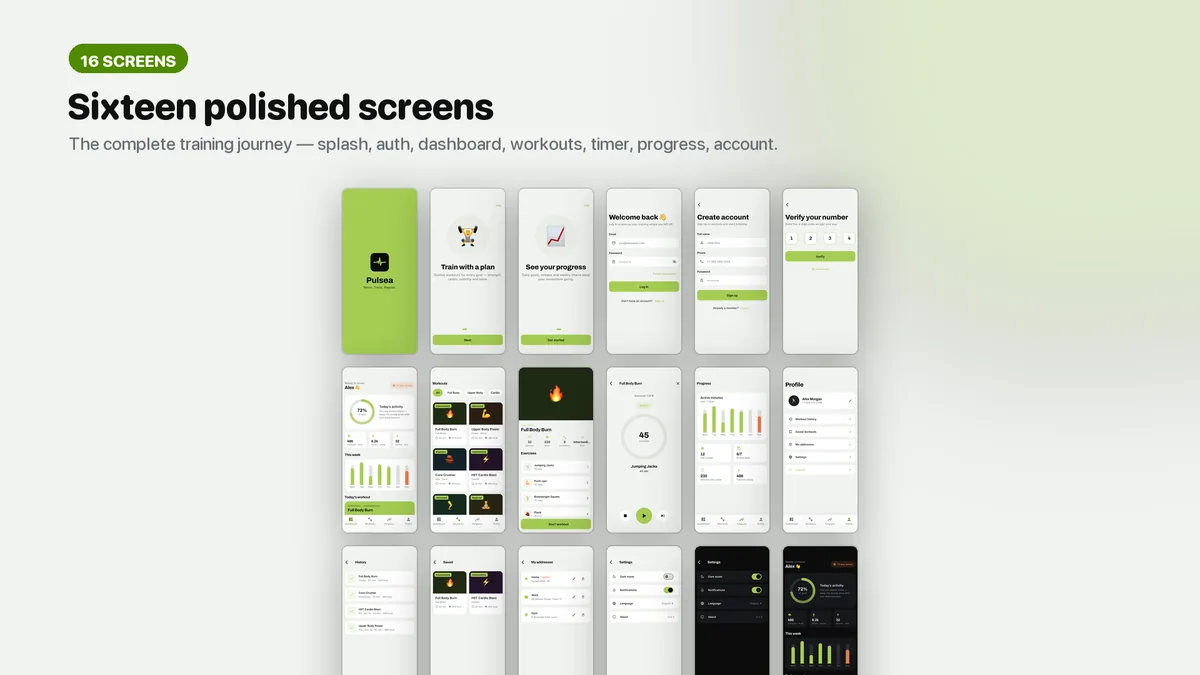
Pulsea opens on the numbers people check every day: a ring for today's goal, a weekly activity bar chart, the current streak and calories, steps and active minutes. From there users browse a two-column grid of workouts filtered by focus, open a program with its full exercise list and start a session. The active workout screen counts down work and rest for each exercise, shows set progress and offers play, pause and skip.
After the session comes a completion screen, history and progress charts for weekly minutes, active days and streak. Every ring, chart and timer is painted with custom Dart code, which keeps the dependency list to get and google_fonts. The look is muted lime with a warm coral accent on a near-black dark theme, set in Archivo and Inter.
Features
- Activity dashboard with a daily goal ring, weekly bar chart, streak and headline metrics
- Full-screen interval timer for work and rest with set progress and play, pause and skip
- Progress charts for weekly minutes, active days and streak
- Two-column workout grid with focus filters and a program detail with the exercise list
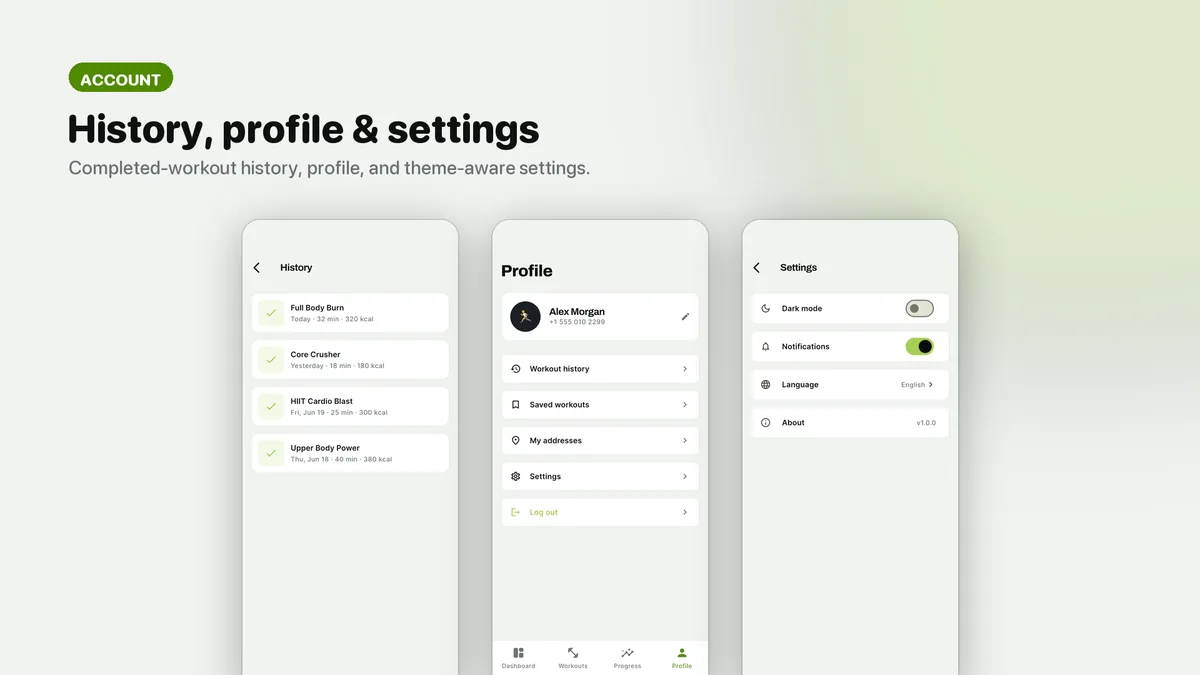
- Workout complete screen, history and saved workouts
- Charts, rings and the timer are custom painted, with only get and google_fonts as dependencies
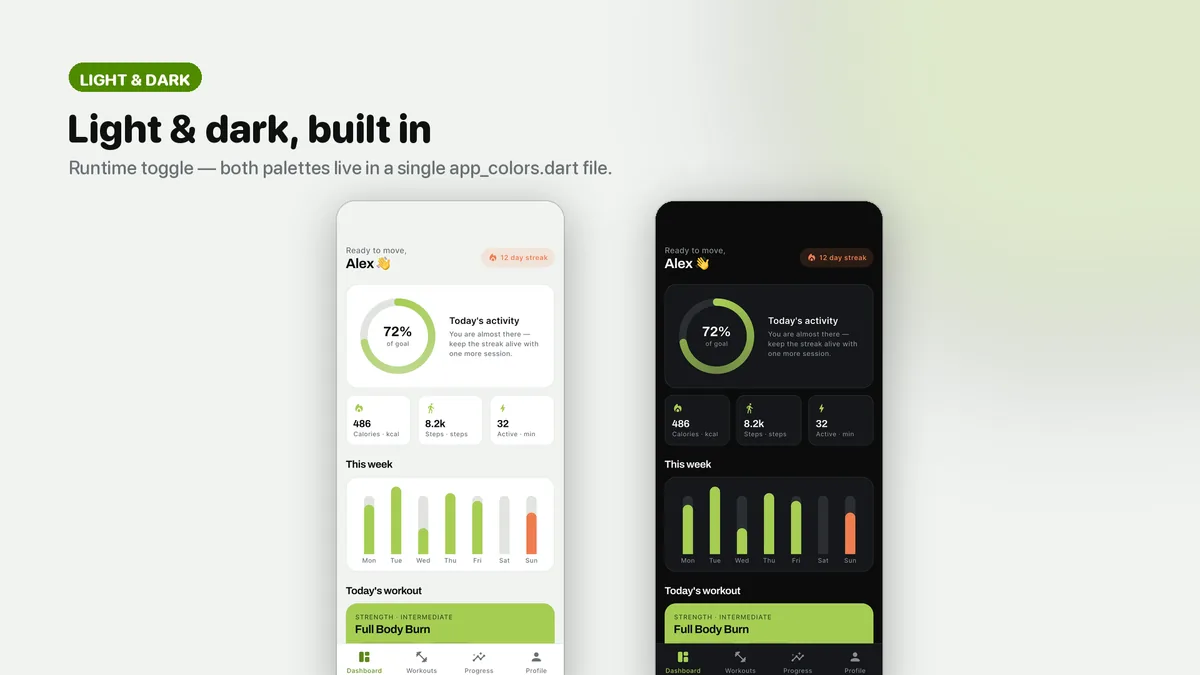
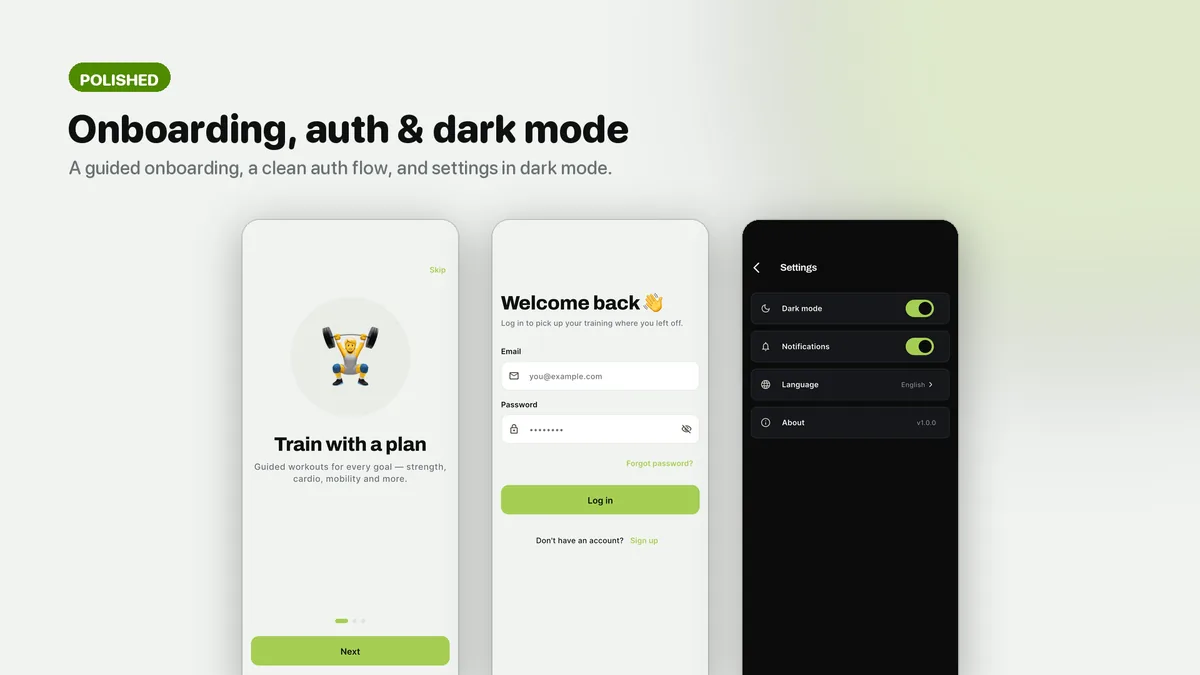
- Light and dark themes with the near-black dark theme as the hero
- Offline HTML documentation with a screen gallery, walkthrough, brand guide and troubleshooting
What it looks like
8 images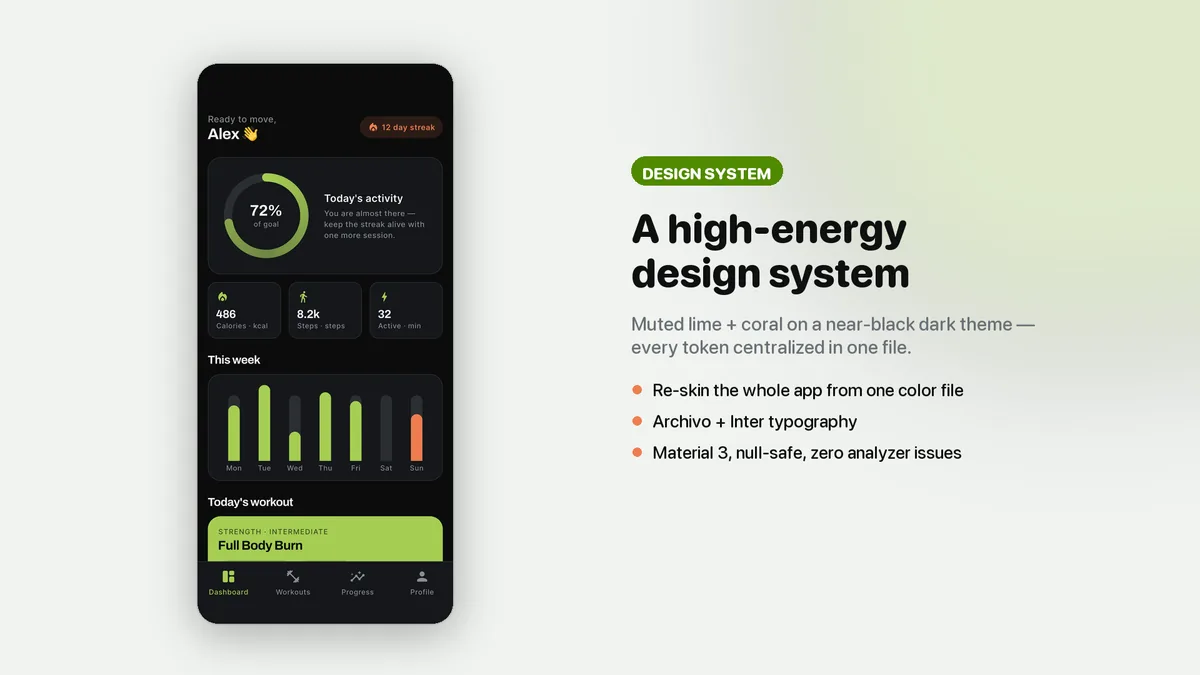
Who it is for
- You are building a workout, coaching or training app and want the dashboard and timer finished.
- You make fitness apps for gyms or trainers and need a data-first demo with a strong dark theme.
- You would rather own your chart code than wrestle a charting package into your design.
In the box
from the shipped zip- Full Flutter source in fitness_ui_kit/, no obfuscation and no licence server
- Offline HTML documentation: setup, re-theming, app name and bundle id, troubleshooting
- 4 Dart test files in the app
Run it after download
the app# unzip the download, then
$ cd fitness_ui_kit
$ flutter pub get
$ flutter runSetup, including any keys or services the app talks to, is covered step by step in the bundled documentation.
Spec
measured| Screen widgets | 17 |
|---|---|
| Dart files | 76 |
| Tests in the package | 4 |
| Dart SDK | ^3.7.0 |
| Back end | None bundled; the service layer is where yours goes |
| Platforms | iOS + Android, one codebase |
Counted from pulsea-v1.0.zip, the file uploaded to CodeCanyon. Screen widgets are the view, screen and page classes in the source, so the number can differ slightly from a count of routes.
Questions
Something else? Ask on the item's CodeCanyon page; the author answers there.
Where does real activity data plug in?
Programs, exercises, weekly activity and history come from one demo data file through mock services that return Futures. Replace those methods with calls to your API or health data source and the dashboard and charts read from them.
Can I restyle the charts and the timer?
Yes. They are custom painters in the project, not a third-party chart library, so colors, sizes and shapes are yours to change.
What Flutter version do I need?
Flutter 3.29 or newer with Dart 3.7 or newer, and Android Studio or VS Code with the Flutter plugins. It runs on Android and iOS from one codebase.
More UI kits and booking apps
same author- Tomavo — Flutter Food Delivery App UI Kit
- Nestora — Flutter Real Estate UI Kit
- Freshko — Flutter Grocery App UI Kit
- Medora — Flutter Doctor Appointment UI Kit
- Tikora — Flutter Event Ticketing UI Kit
- Lodgora — Flutter Hotel Booking App UI Kit
- Veltora — Flutter Online Courses App UI Kit
- Plattora — Flutter Recipe App UI Kit
- Tendora — Flutter Habit Tracker UI Kit
- Presora — Flutter News Magazine App UI Kit
- Sweva — Flutter Dating App UI Kit
- Wingora — Flutter Flight Booking App UI Kit
- Rovora — Flutter Car Rental App UI Kit
- Pennora — Flutter Banking and Wallet App with Laravel Admin
- Shearora — Flutter Salon and Barber Booking App with Laravel Admin
- Haltora — Flutter Bus Ticket Booking App with Laravel Admin
- Sudsora — Flutter Laundry and Dry Cleaning App with Laravel Admin
Sold on Envato's CodeCanyon marketplace, which handles payment, VAT, invoices and the download.