 coderqh
Wingora — Flutter Flight Booking App UI Kit
Flight booking screens with a painted cabin seat map, a date price chart and boarding passes drawn in Dart.
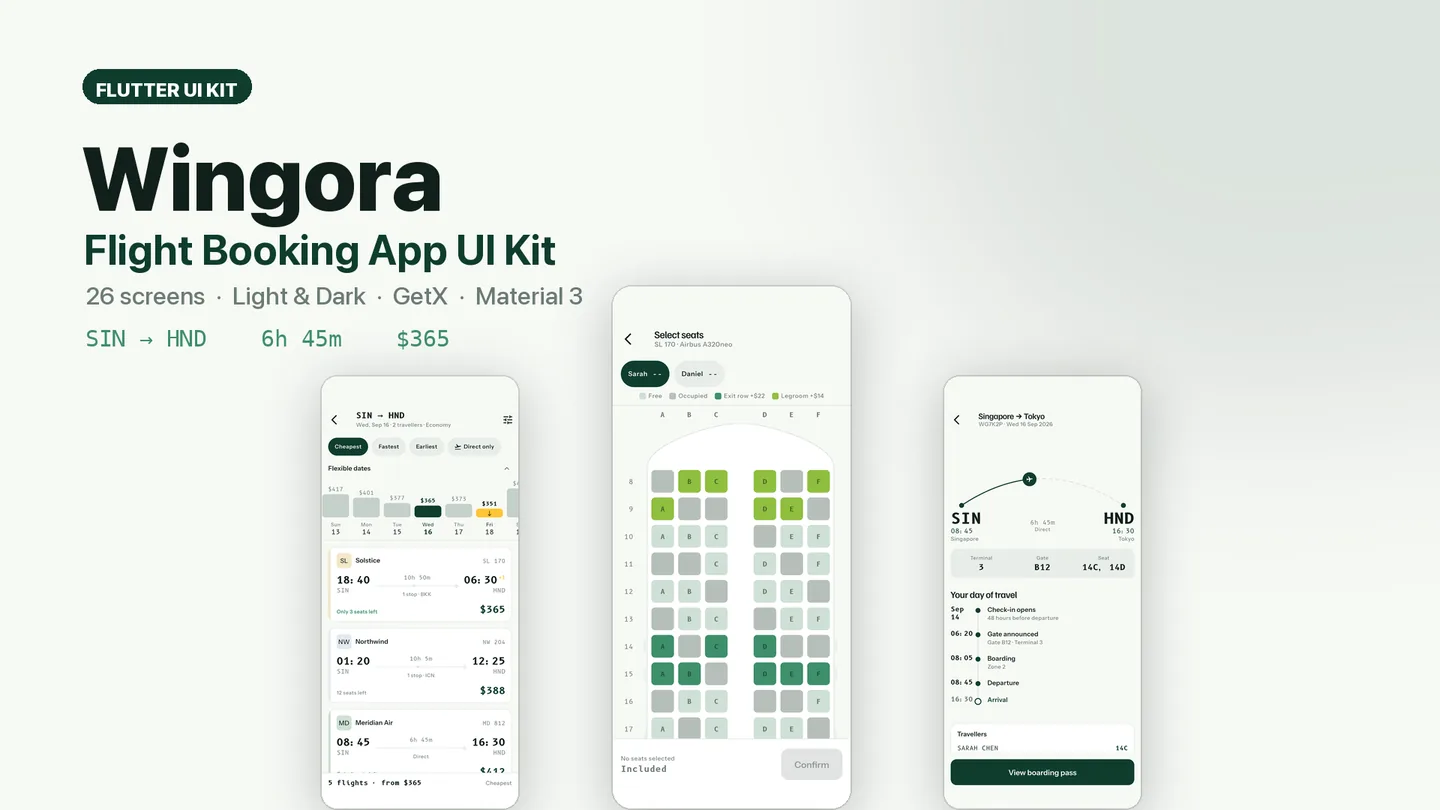
The live preview on CodeCanyon is this app compiled for the web: the real build, not a video.
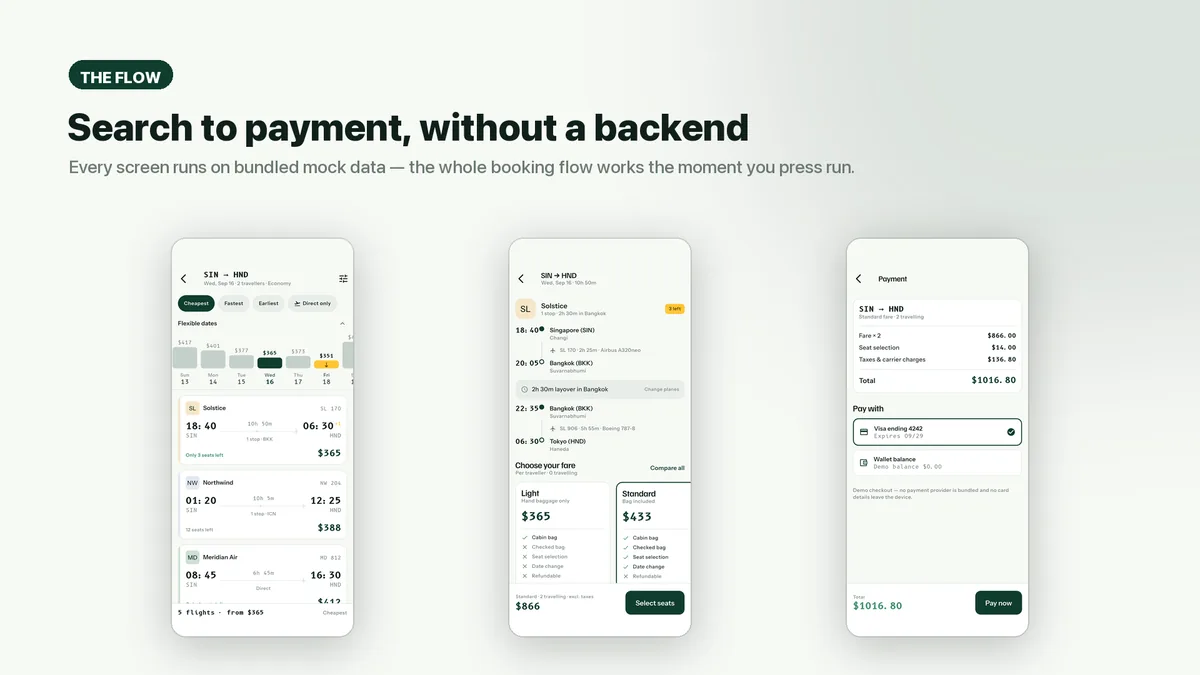
Wingora covers a flight booking end to end: search, results, flight detail, fare choice, seat selection, traveller details, payment, confirmation, trips and the boarding pass. Its centerpiece is a cabin seat map drawn as an aircraft seen from above, fuselage, wings and exit doors included, with a three-and-three layout split by the aisle. Seats show four states, several passengers can be seated in turn, and a pinned summary updates the price with every pick.
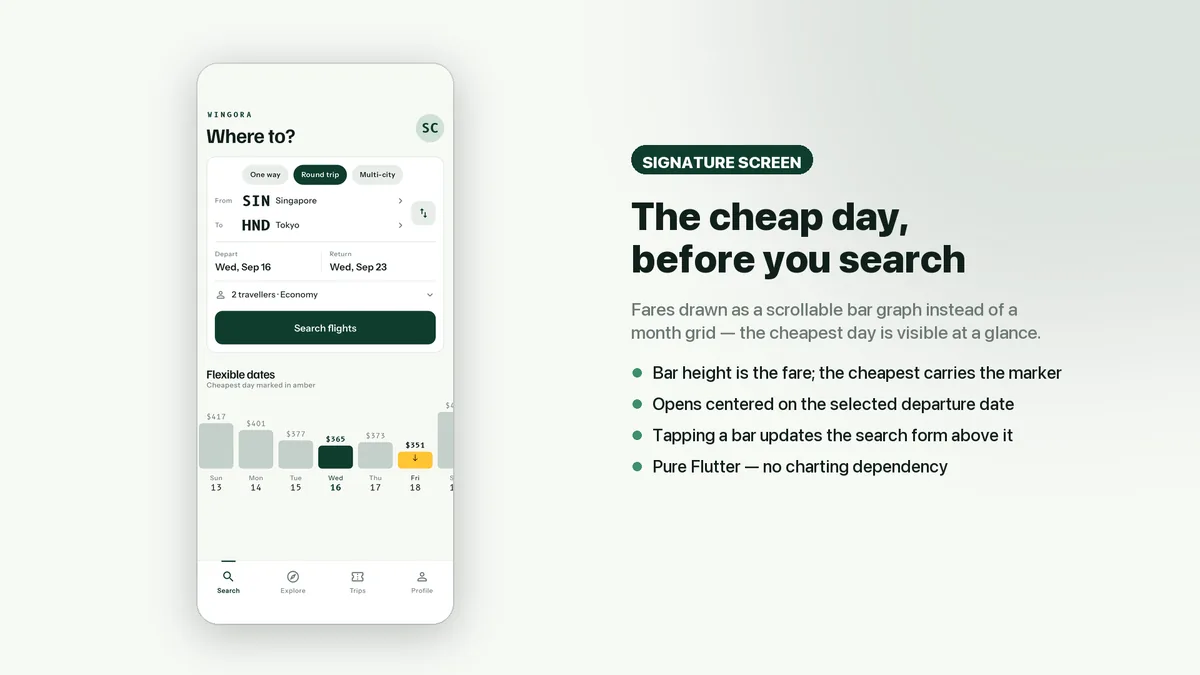
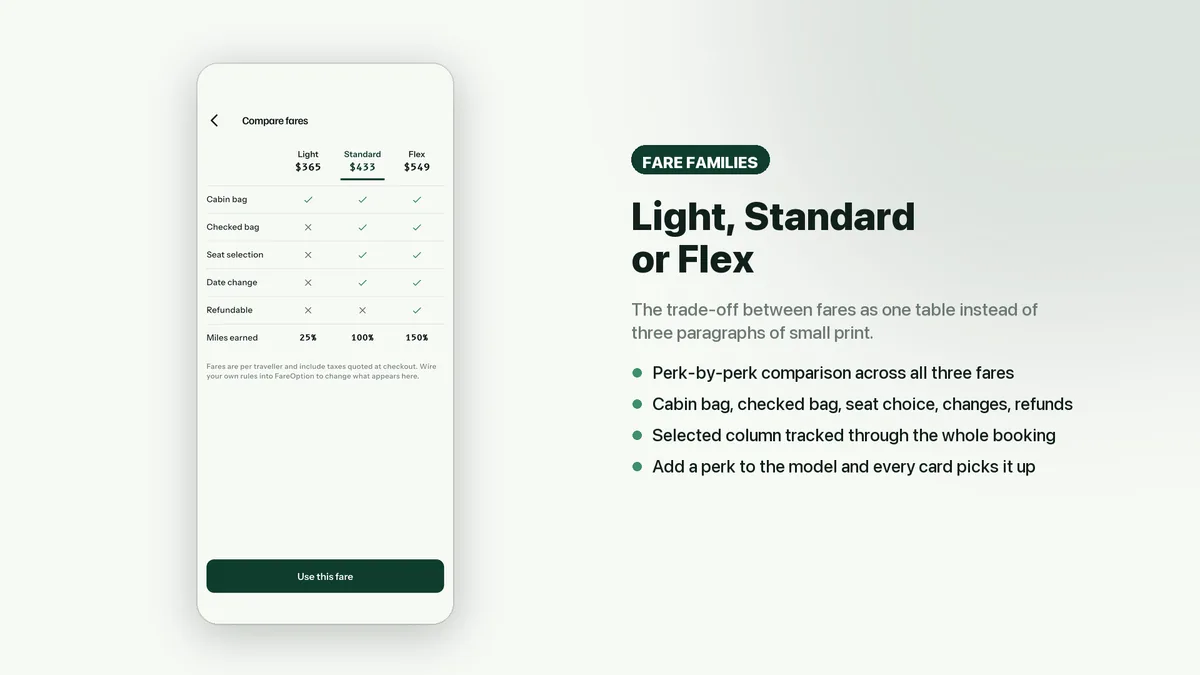
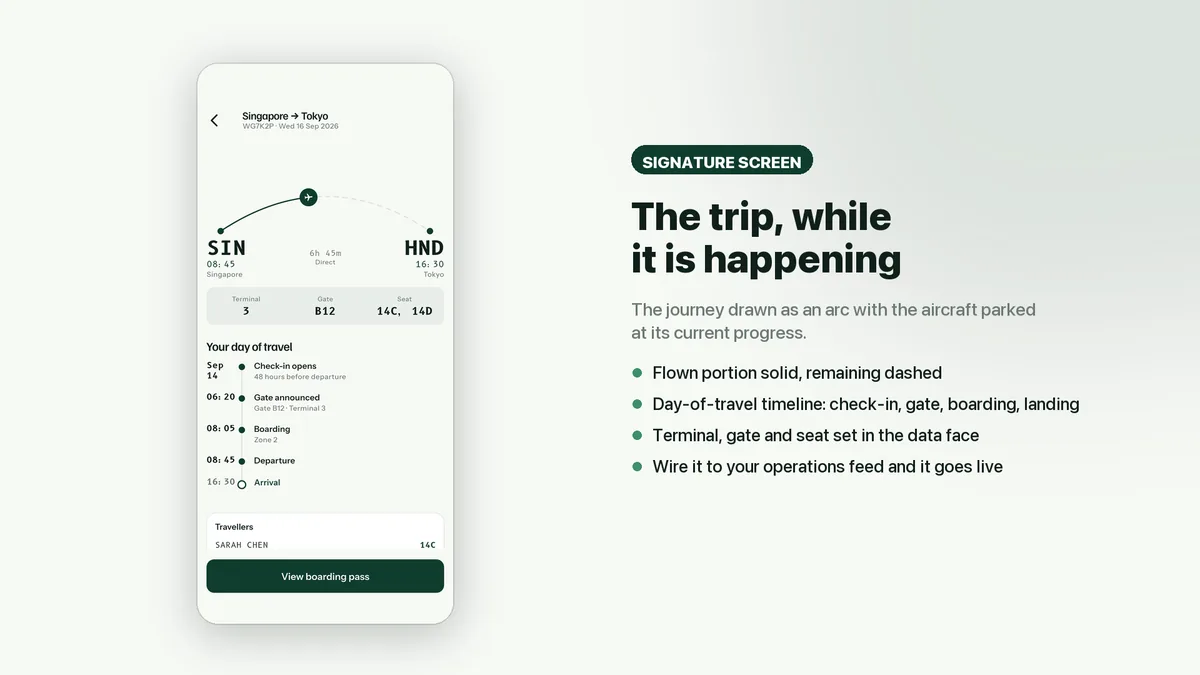
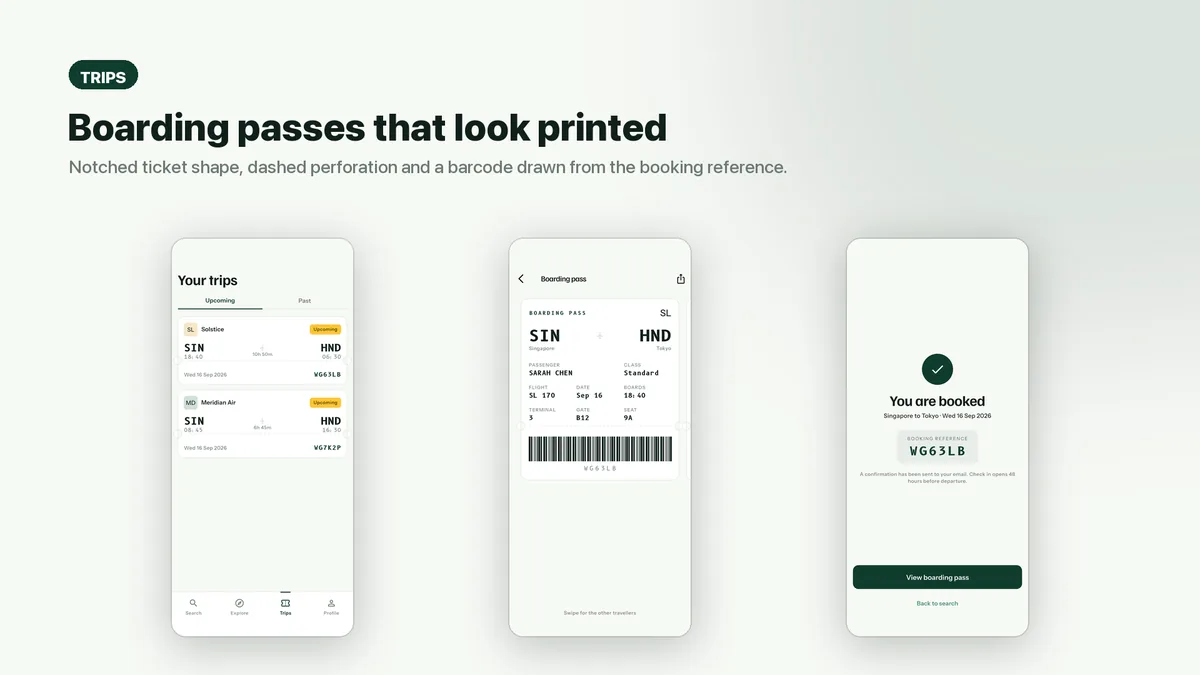
Other screens get the same care. Flexible dates appear as a scrollable bar chart of fares, fare families sit in a perk-by-perk comparison, and an upcoming trip is drawn as an arc with the plane at its current point beside a day-of-travel timeline. The boarding pass carries a barcode the app draws itself, and the three typefaces ship inside the app.
Features
- Top-down cabin seat map drawn with CustomPainter, four seat states and multi-passenger assignment
- Sticky summary that re-prices the booking as seats are chosen
- Flexible-dates fare chart you can scroll before running a search
- Fare family comparison laying out Light, Standard and Flex perks side by side
- Trip arc showing the aircraft's progress, plus a day-of-travel timeline
- Boarding pass with a self-drawn barcode
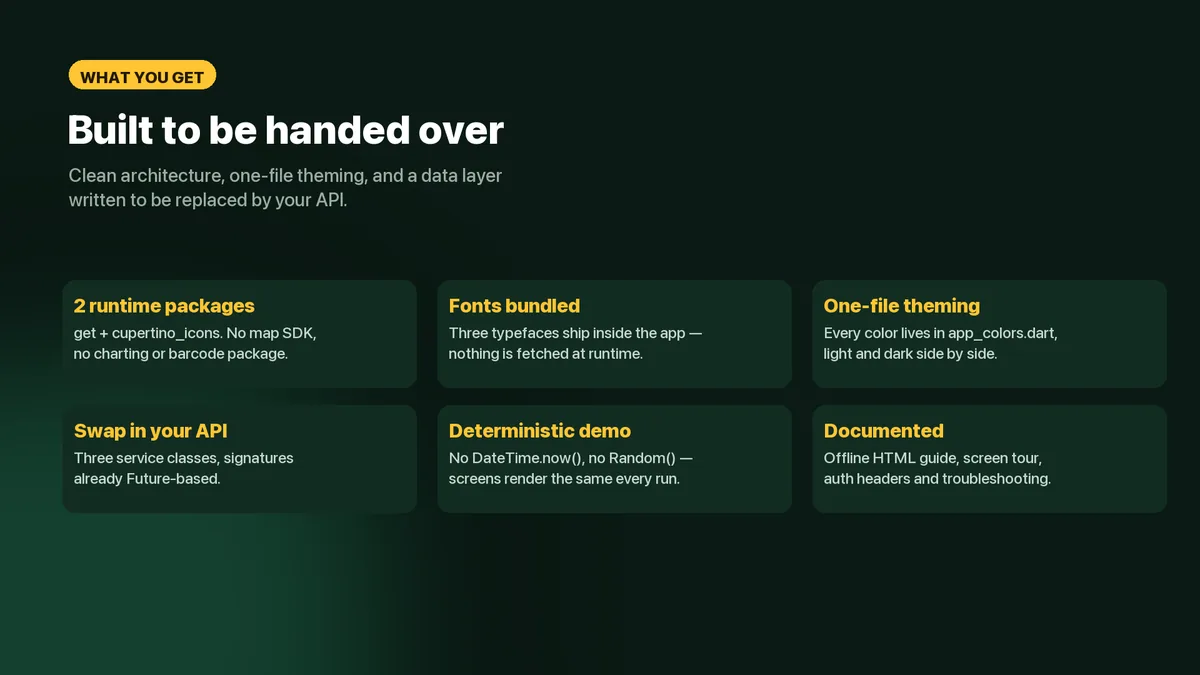
- Bundled fonts under SIL OFL 1.1, so text renders the same offline and on first launch
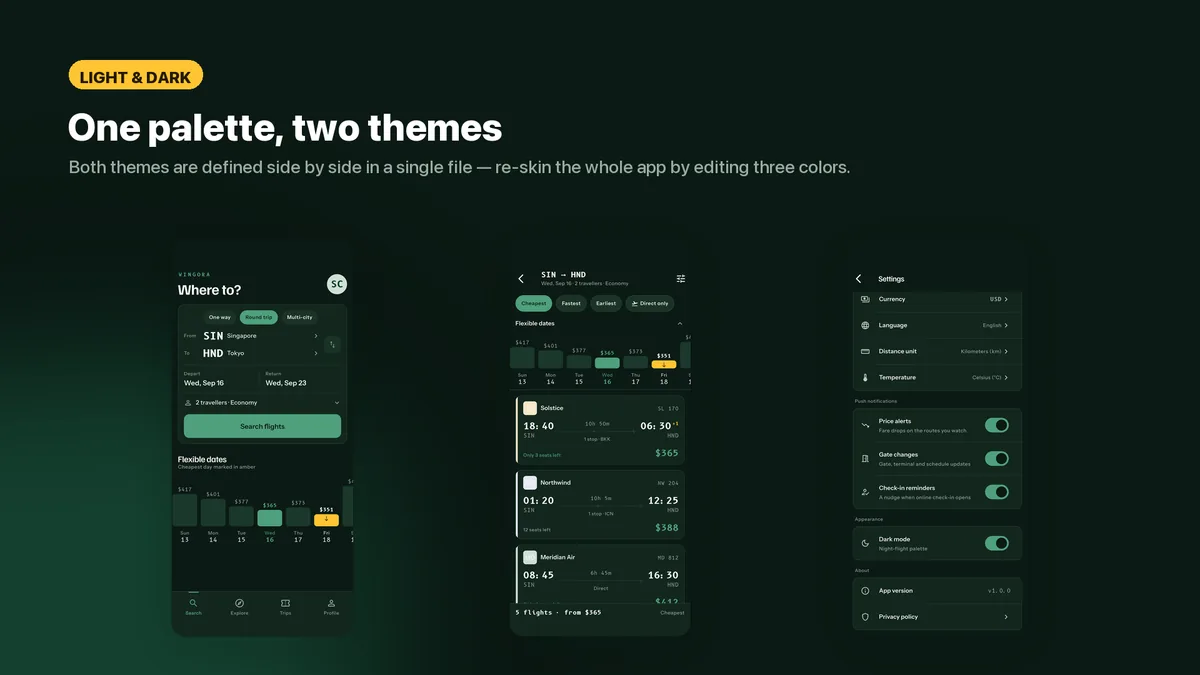
- Every color in one file, light and dark side by side
- Deterministic demo data, so screens look identical on every run
What it looks like
8 images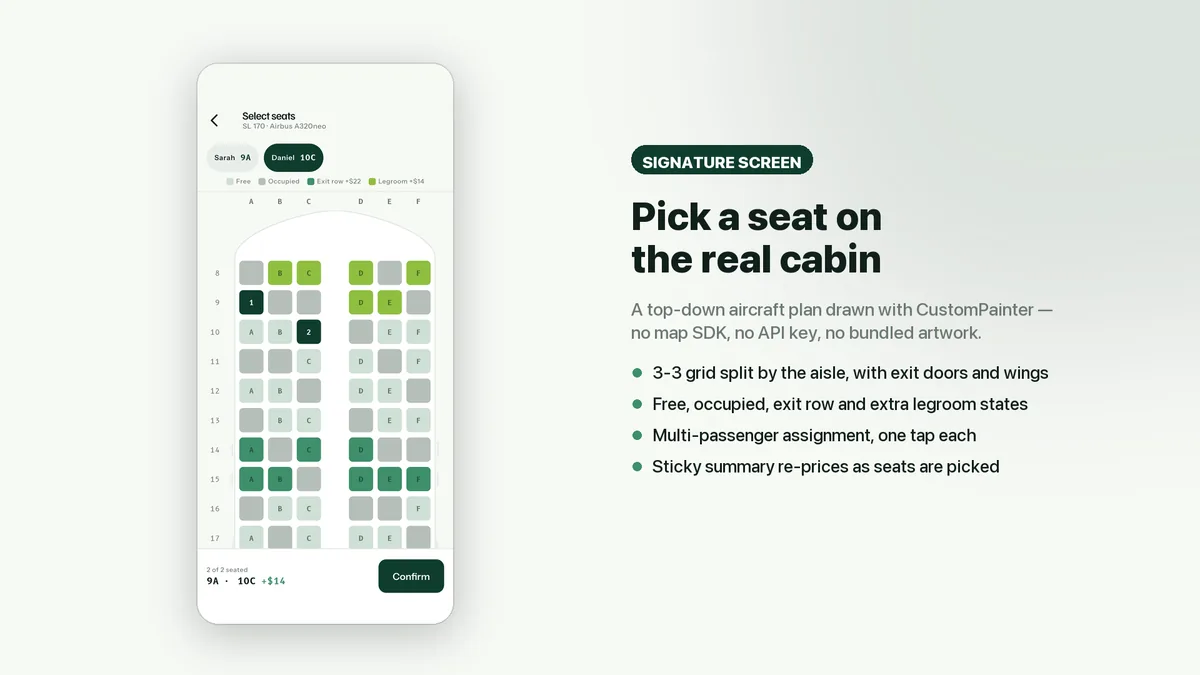
Who it is for
- You are building a travel, airline or booking app and need the seat map and fare screens that take longest to design.
- You want a short dependency list you can audit, with charts, seat map and barcode written in-house.
- You have a flight data provider lined up and need a front end its responses can drop into.
In the box
from the shipped zip- Full Flutter source in flight_ui_kit/, no obfuscation and no licence server
- Offline HTML documentation: setup, re-theming, app name and bundle id, troubleshooting
- 6 Dart test files in the app
Run it after download
the app# unzip the download, then
$ cd flight_ui_kit
$ flutter pub get
$ flutter runSetup, including any keys or services the app talks to, is covered step by step in the bundled documentation.
Spec
measured| Screen widgets | 23 |
|---|---|
| Dart files | 99 |
| Tests in the package | 6 |
| Dart SDK | ^3.7.0 |
| Back end | None bundled; the service layer is where yours goes |
| Platforms | iOS + Android, one codebase |
Counted from wingora-v1.0.zip, the file uploaded to CodeCanyon. Screen widgets are the view, screen and page classes in the source, so the number can differ slightly from a count of routes.
Questions
Something else? Ask on the item's CodeCanyon page; the author answers there.
How hard is it to hook up a real flight API?
Data comes from three service classes with Future-based methods. Point their bodies at your provider and no screen needs editing. The documentation covers auth headers and error handling.
Is the payment screen connected to anything?
It is a demo screen. No payment SDK is bundled and card details stay on the device, so you add the gateway of your choice behind it.
Can I rebrand it as my own airline or agency?
Yes. Changing a few values in the color file re-skins the app. Carrier logos are placeholder glyphs; licensing real airline logos is up to you.
More UI kits and booking apps
same author- Tomavo — Flutter Food Delivery App UI Kit
- Nestora — Flutter Real Estate UI Kit
- Freshko — Flutter Grocery App UI Kit
- Medora — Flutter Doctor Appointment UI Kit
- Tikora — Flutter Event Ticketing UI Kit
- Lodgora — Flutter Hotel Booking App UI Kit
- Pulsea — Flutter Fitness Workout UI Kit
- Veltora — Flutter Online Courses App UI Kit
- Plattora — Flutter Recipe App UI Kit
- Tendora — Flutter Habit Tracker UI Kit
- Presora — Flutter News Magazine App UI Kit
- Sweva — Flutter Dating App UI Kit
- Rovora — Flutter Car Rental App UI Kit
- Pennora — Flutter Banking and Wallet App with Laravel Admin
- Shearora — Flutter Salon and Barber Booking App with Laravel Admin
- Haltora — Flutter Bus Ticket Booking App with Laravel Admin
- Sudsora — Flutter Laundry and Dry Cleaning App with Laravel Admin
Sold on Envato's CodeCanyon marketplace, which handles payment, VAT, invoices and the download.