 coderqh
Veltora — Flutter Online Courses App UI Kit
An online courses app with a chaptered lesson player, curriculum detail and a certificate of completion.
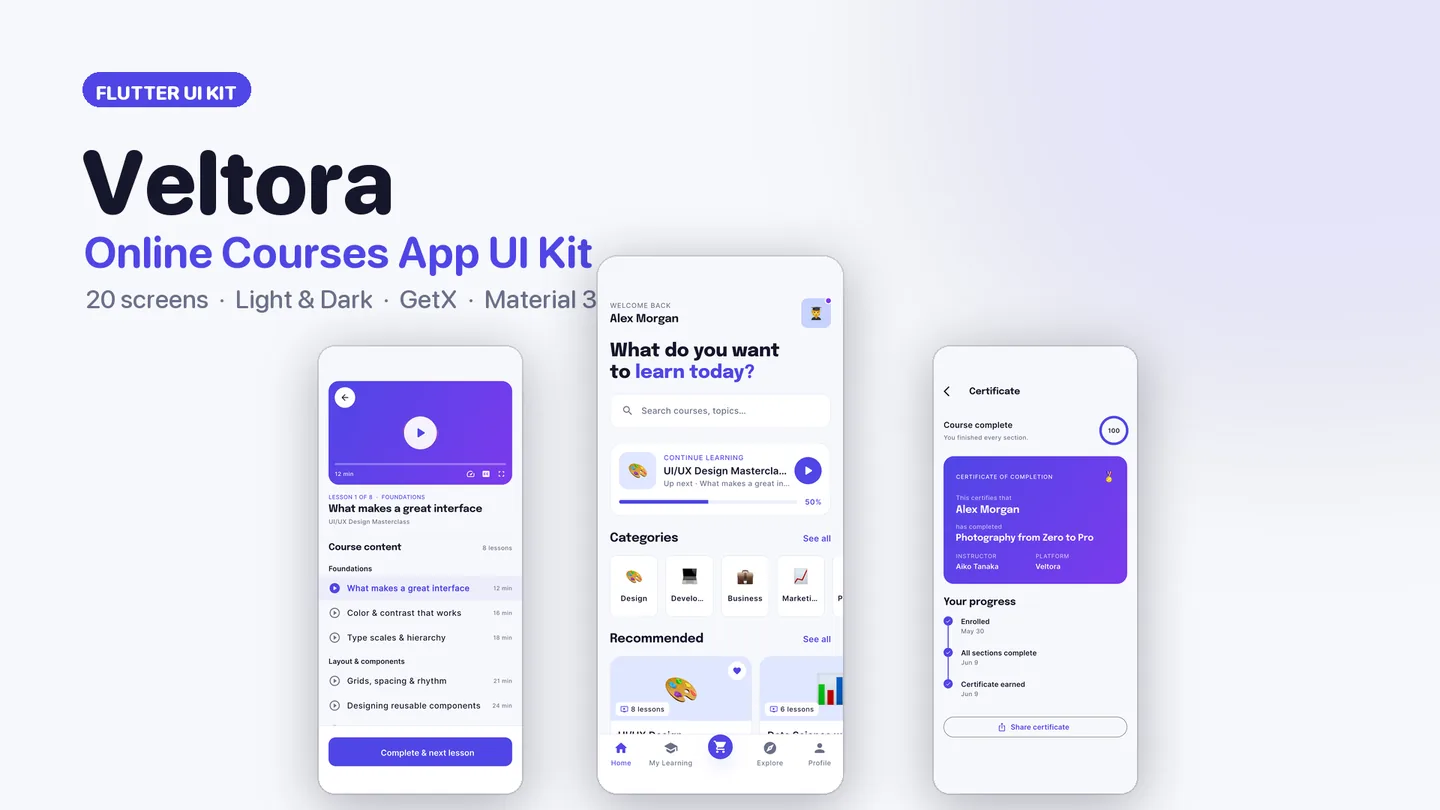
The live preview on CodeCanyon is this app compiled for the web: the real build, not a video.
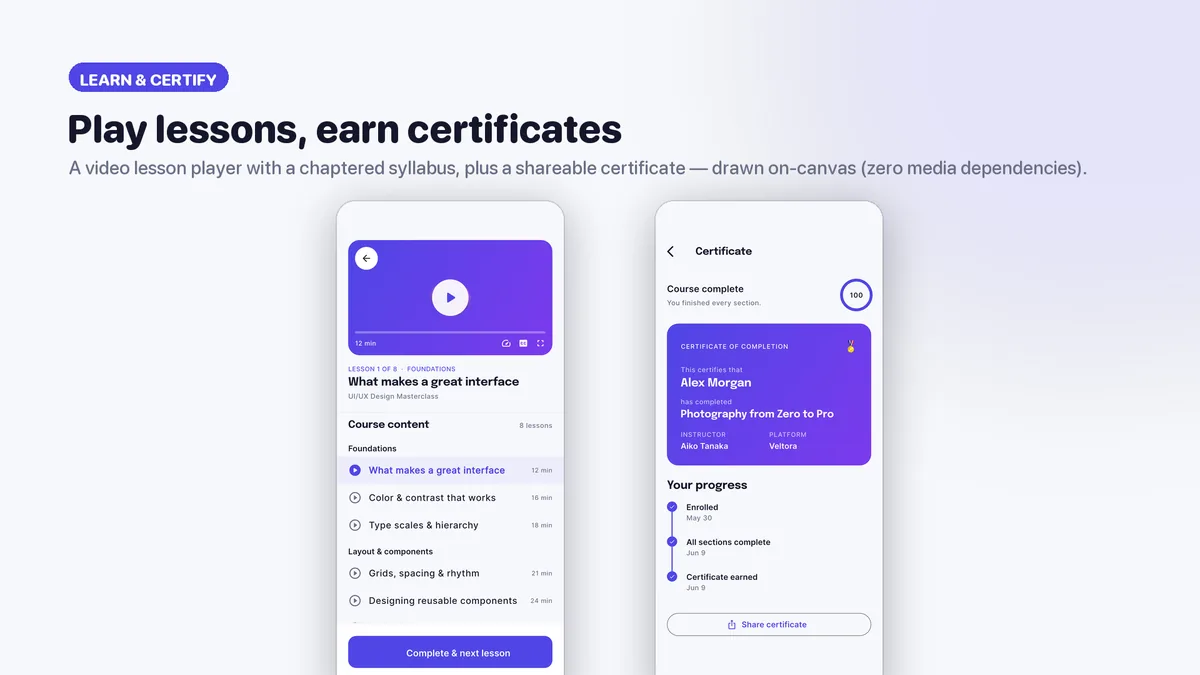
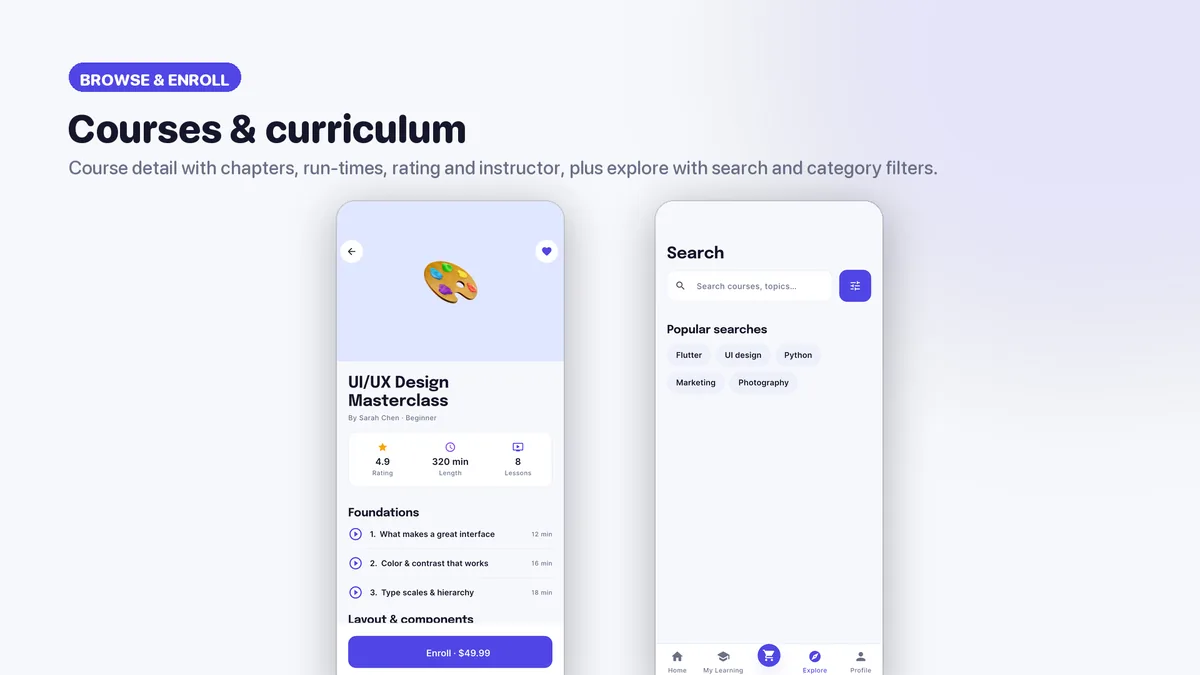
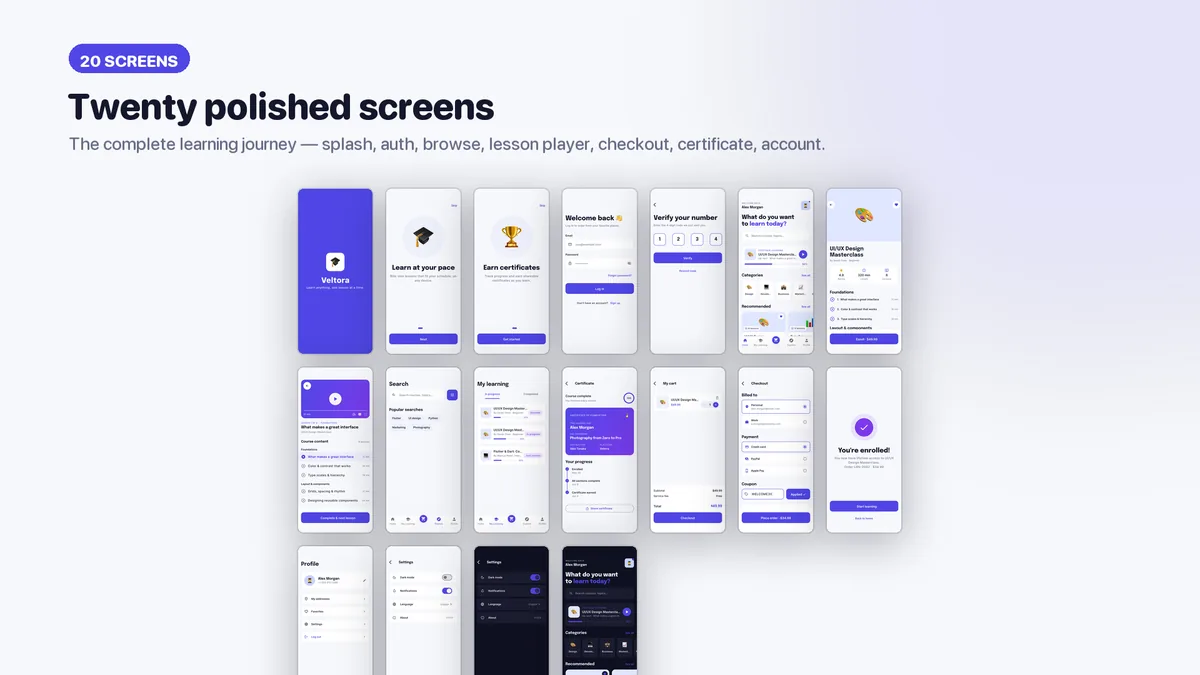
Veltora is shaped around how people actually study online. Home opens with a resume card and progress bar so learners pick up where they stopped, followed by recommended courses and popular instructors. A course page lays out chapters and lessons with run times, a rating and length summary, the instructor and an enroll button. The lesson screen pairs a 16:9 player with a scrubber and playback controls above a syllabus that marks lessons locked, in progress or done.
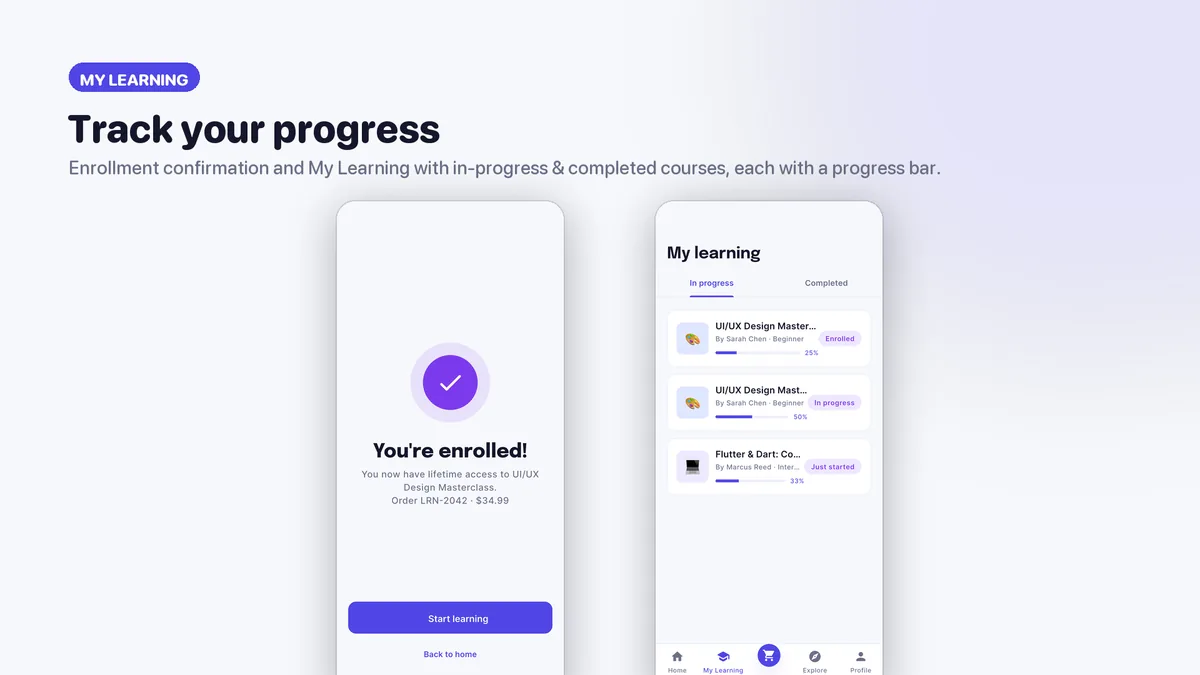
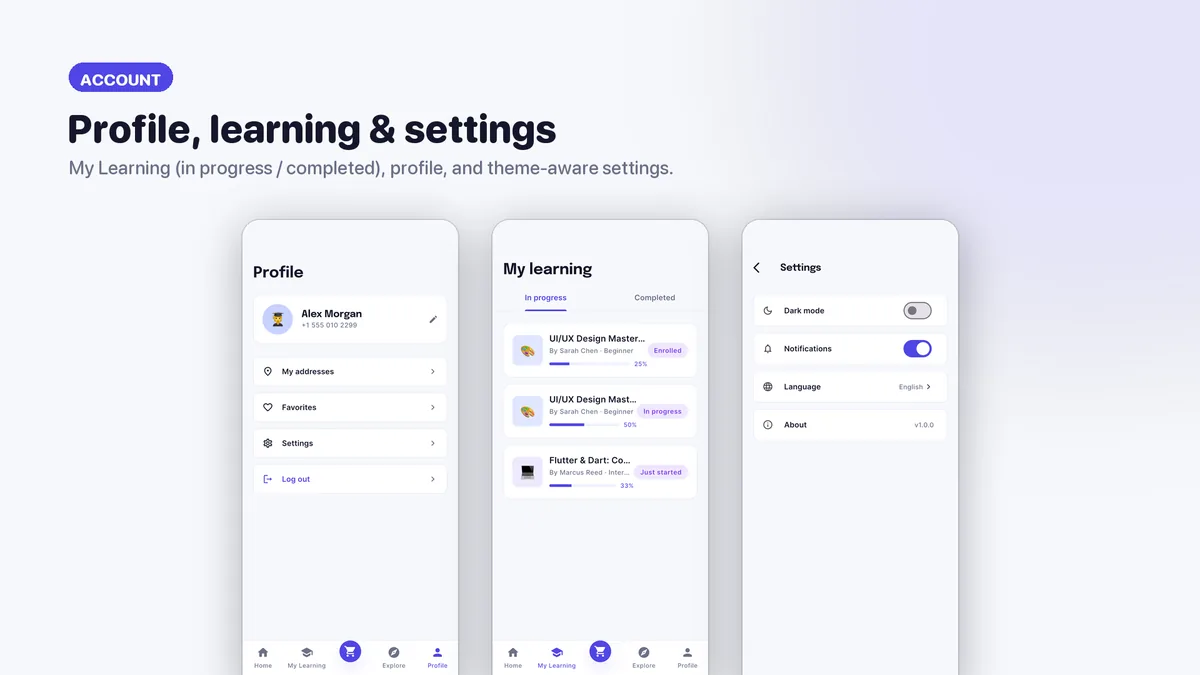
After checkout, My Learning tracks in-progress and finished courses with progress bars, and completing one unlocks a shareable gradient certificate with a progress ring and a section-by-section timeline. The palette is indigo with a violet progress accent, set in Epilogue and Inter with generous whitespace and medium corners. Every token is centralized, so your school's colors go in once.
Features
- Lesson player with a progress scrubber and playback controls above a chaptered syllabus
- Locked, in-progress and completed lesson states
- Course detail with curriculum, run times, rating, length and instructor
- Certificate of completion with a progress ring and section timeline
- Continue-learning home with a resume card, recommendations and instructors
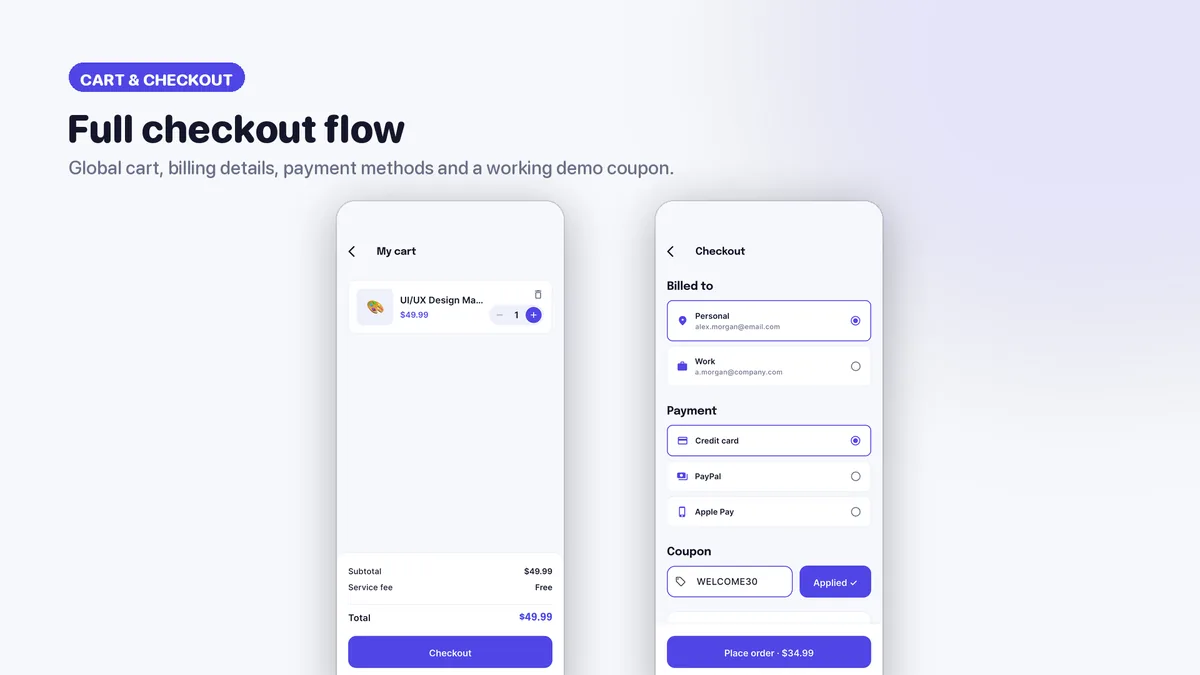
- Cart and checkout with billing, payment and a coupon, then My Learning with progress bars
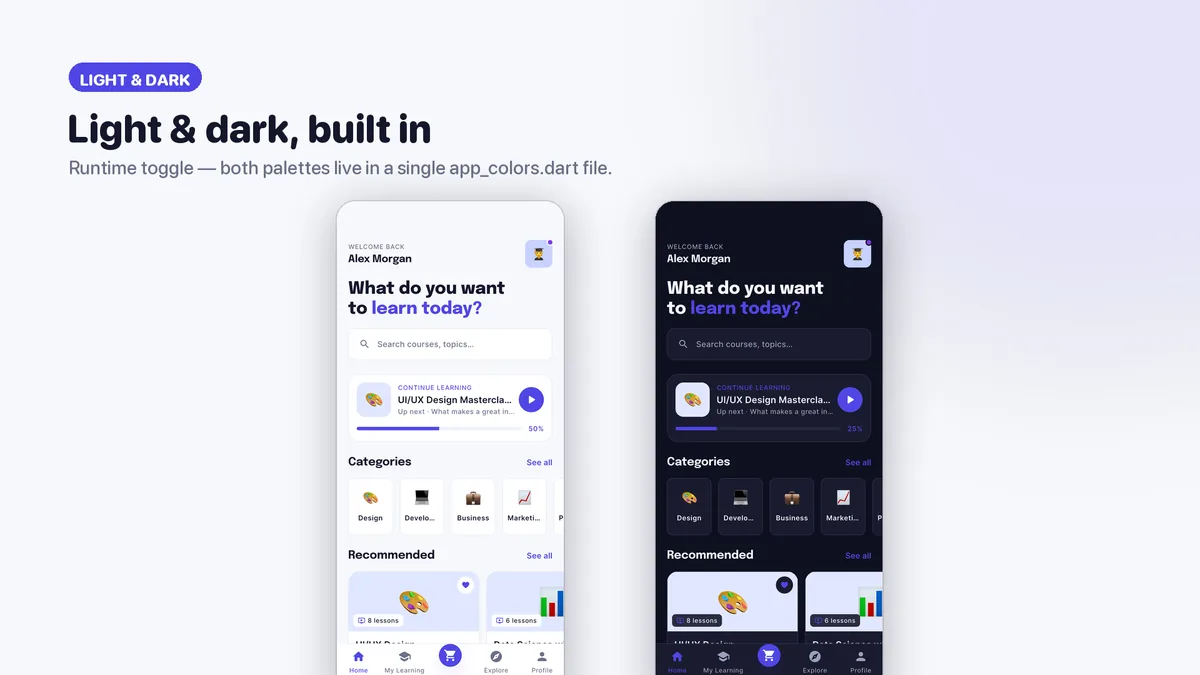
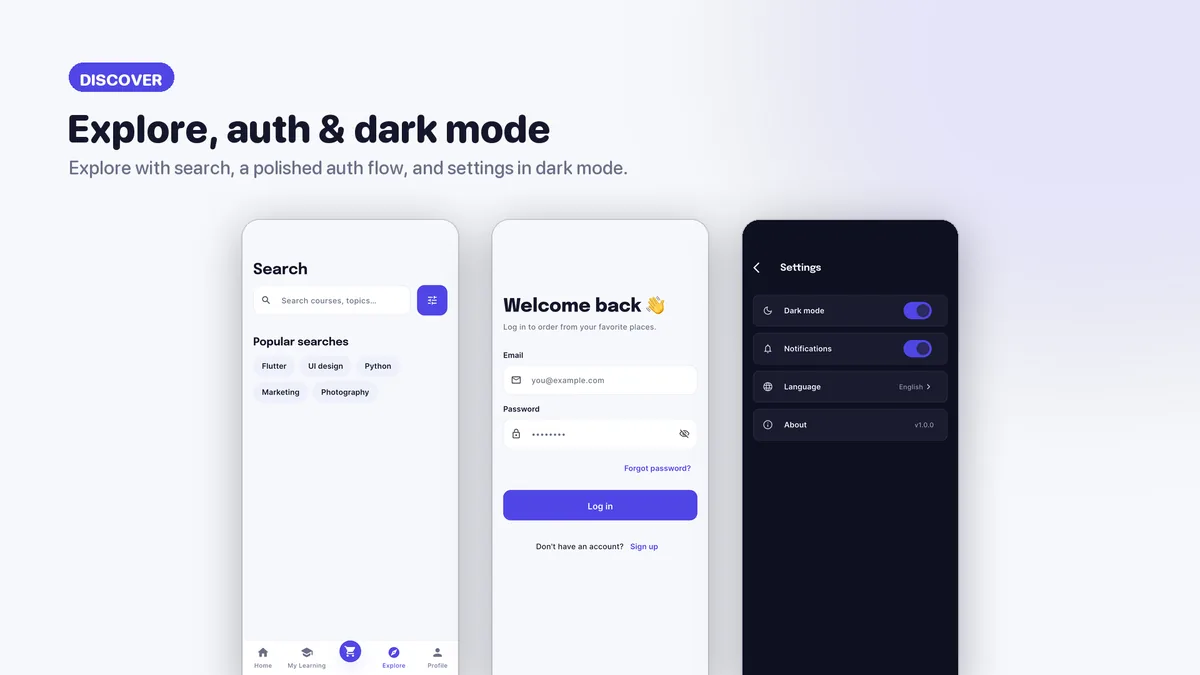
- Light theme and indigo-tinted dark theme from one palette file
- Only two packages: get and google_fonts
- Offline HTML documentation, including a section on handling common API error responses
What it looks like
9 images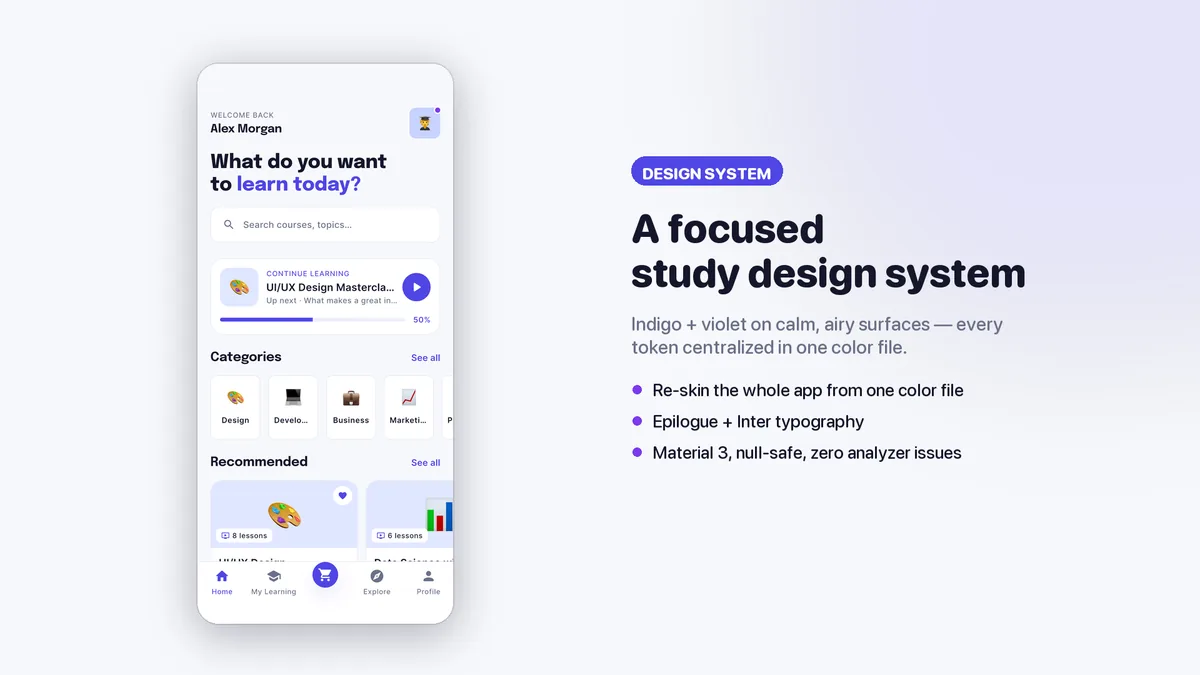
Who it is for
- You are launching a course platform, academy or tutoring app and want the learner side ready.
- You build e-learning apps for schools or creators and need a calm, focused demo to show them.
- You want a lesson player layout and syllabus states you can connect to your own video source.
In the box
from the shipped zip- Full Flutter source in elearning_ui_kit/, no obfuscation and no licence server
- Offline HTML documentation: setup, re-theming, app name and bundle id, troubleshooting
- 5 Dart test files in the app
Run it after download
the app# unzip the download, then
$ cd elearning_ui_kit
$ flutter pub get
$ flutter runSetup, including any keys or services the app talks to, is covered step by step in the bundled documentation.
Spec
measured| Screen widgets | 21 |
|---|---|
| Dart files | 88 |
| Tests in the package | 5 |
| Dart SDK | ^3.7.0 |
| Back end | None bundled; the service layer is where yours goes |
| Platforms | iOS + Android, one codebase |
Counted from veltora-v1.0.zip, the file uploaded to CodeCanyon. Screen widgets are the view, screen and page classes in the source, so the number can differ slightly from a count of routes.
Questions
Something else? Ask on the item's CodeCanyon page; the author answers there.
Does the player play real video?
The player is drawn on canvas as a layout with playback chrome and progress. You connect your own video source or player package to it; the lessons and progress come from mock services you replace with your API.
How do I connect my course catalog?
Courses, chapters, lessons, instructors and enrollments live in one demo data file behind mock services with Future signatures. Swap those method bodies for your API calls. The documentation also covers handling error responses.
Can I use it for a client's academy app?
Yes. A Regular licence covers one end product, and building it for a client is fine.
More UI kits and booking apps
same author- Tomavo — Flutter Food Delivery App UI Kit
- Nestora — Flutter Real Estate UI Kit
- Freshko — Flutter Grocery App UI Kit
- Medora — Flutter Doctor Appointment UI Kit
- Tikora — Flutter Event Ticketing UI Kit
- Lodgora — Flutter Hotel Booking App UI Kit
- Pulsea — Flutter Fitness Workout UI Kit
- Plattora — Flutter Recipe App UI Kit
- Tendora — Flutter Habit Tracker UI Kit
- Presora — Flutter News Magazine App UI Kit
- Sweva — Flutter Dating App UI Kit
- Wingora — Flutter Flight Booking App UI Kit
- Rovora — Flutter Car Rental App UI Kit
- Pennora — Flutter Banking and Wallet App with Laravel Admin
- Shearora — Flutter Salon and Barber Booking App with Laravel Admin
- Haltora — Flutter Bus Ticket Booking App with Laravel Admin
- Sudsora — Flutter Laundry and Dry Cleaning App with Laravel Admin
Sold on Envato's CodeCanyon marketplace, which handles payment, VAT, invoices and the download.