 coderqh
Emotora — Flutter AI Mood Journal App Template
A mood journal that turns a morning intention, a quick evening check-in and three answers into a written entry.
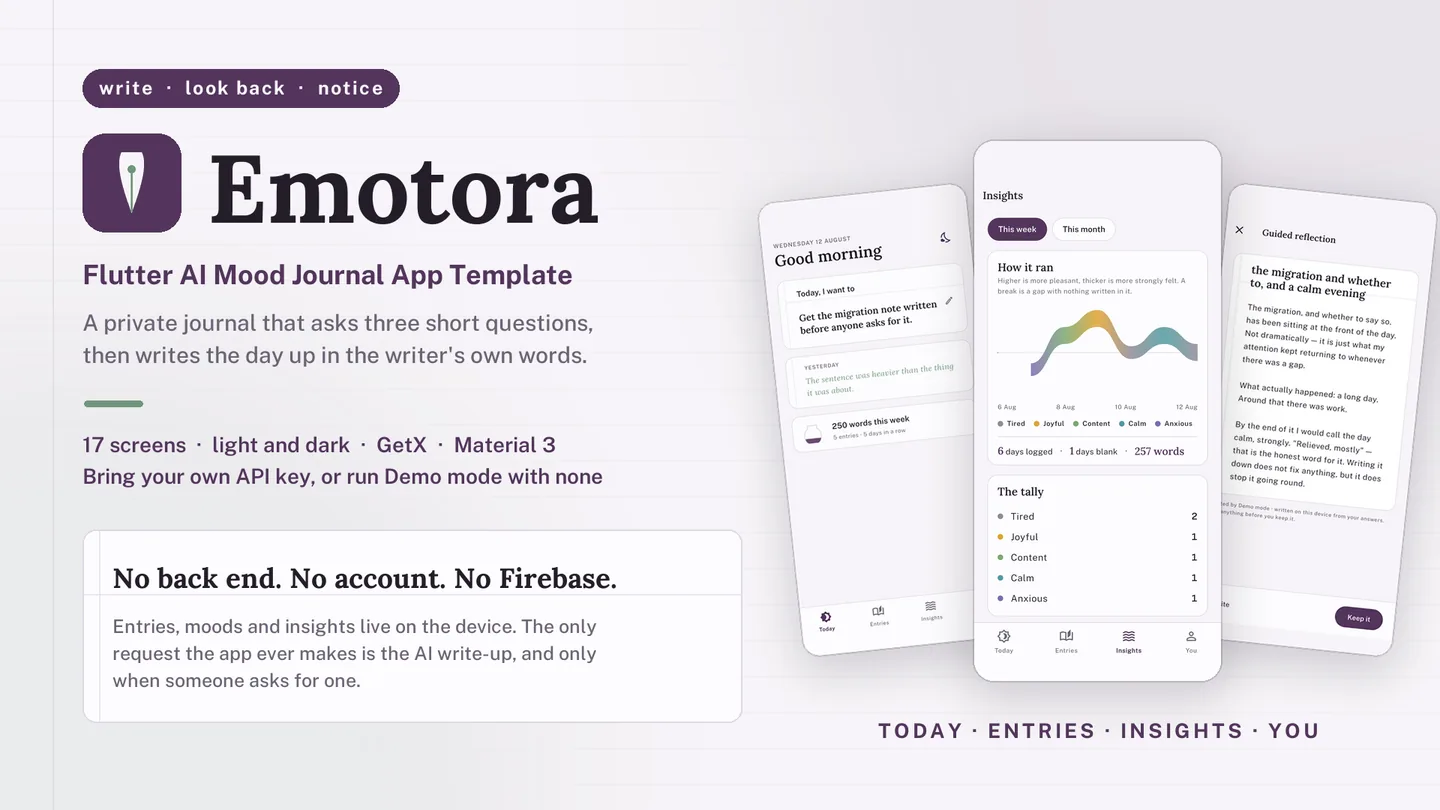
The live preview on CodeCanyon is this app compiled for the web: the real build, not a video.
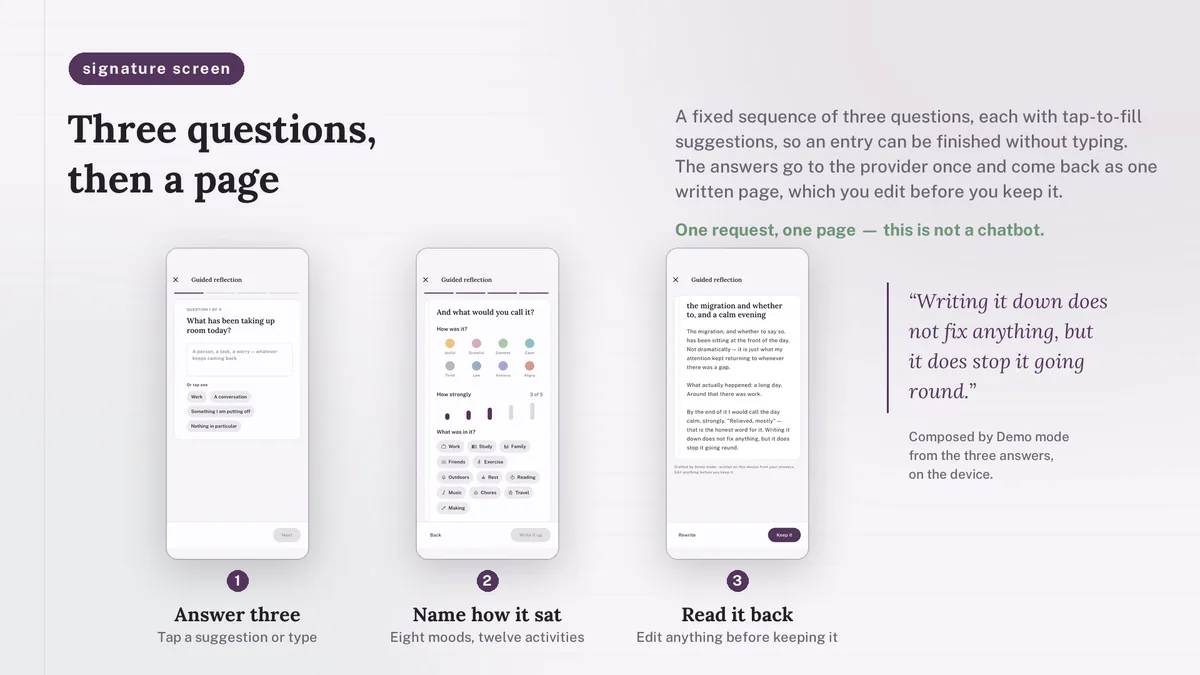
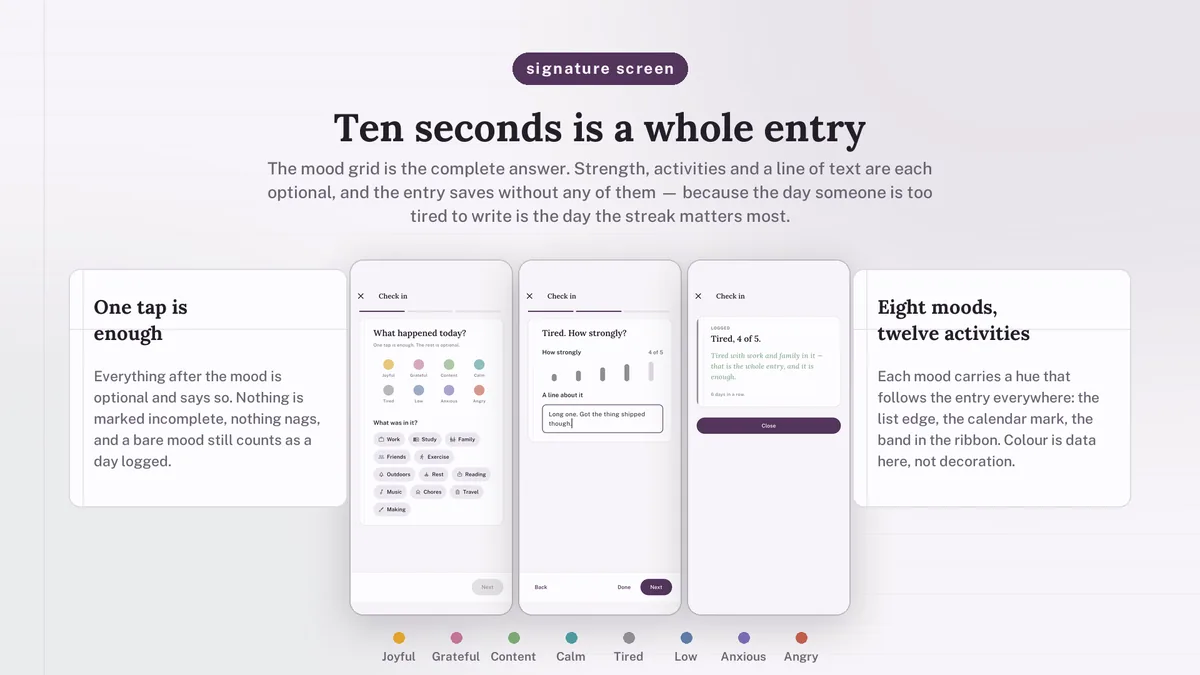
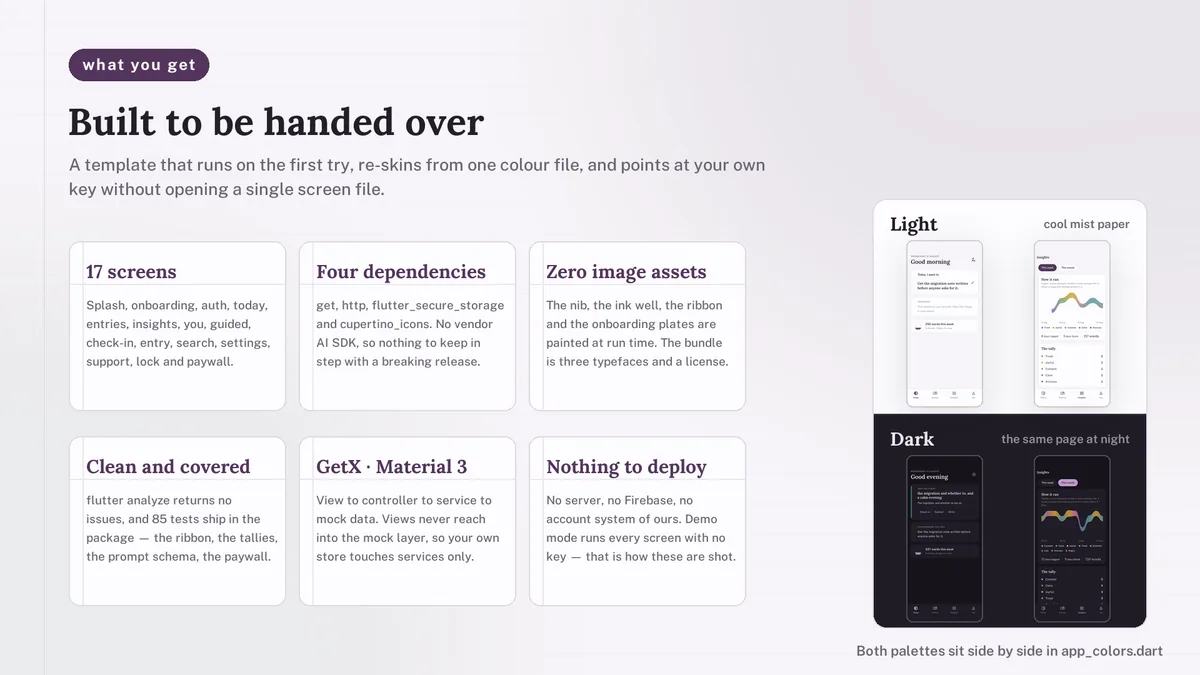
Emotora is built around a daily rhythm. In the morning the Today screen asks for an intention; after dinner it asks how the day went. A guided reflection offers three short questions that can each be answered with a tap, and the answers come back as an editable journal entry in the user's own first person. On tired days, a three-card check-in takes about ten seconds, and the first card alone counts.
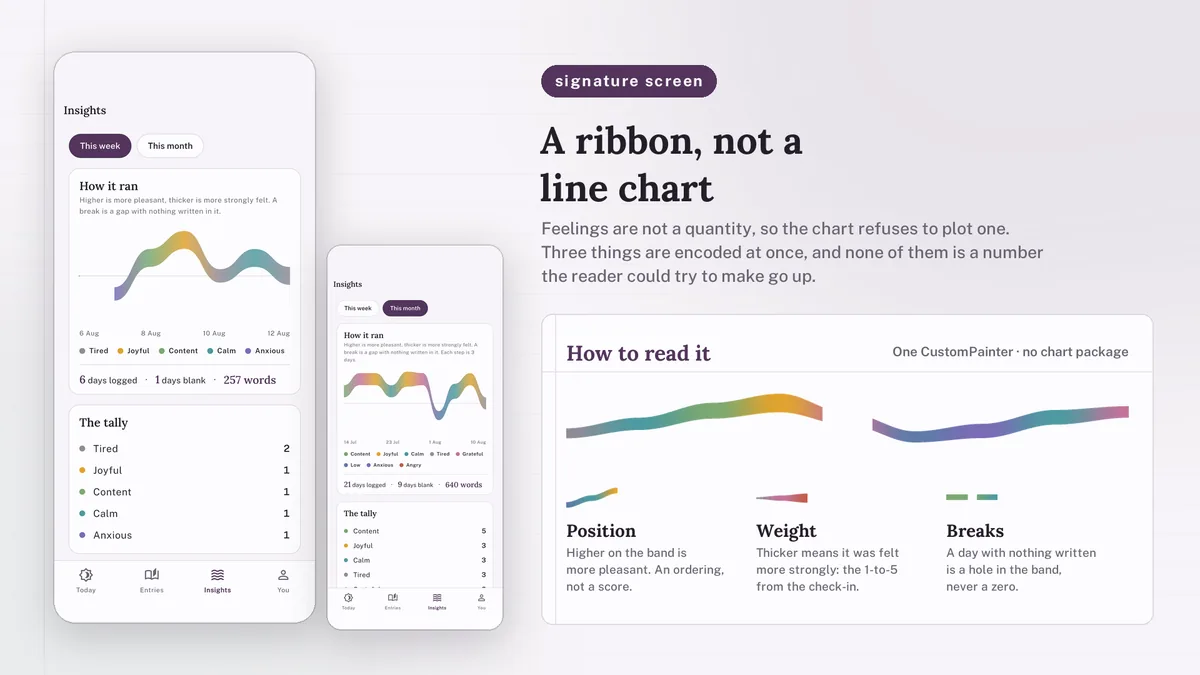
Streaks, mood tallies and which activities line up with better days are counted on the device and handed to the model as facts, so it only supplies the wording. A month of moods is painted as a flowing ribbon. An offline keyword check can surface a support card with helplines, and the prompts rule out diagnosis or clinical language.
Features
- Guided reflection: three tap-friendly questions written up into an entry the user can edit before saving
- Mood stream painted on canvas, with height for pleasantness, thickness for intensity and gaps for missed days
- Three-card daily check-in where the first card is already a complete answer
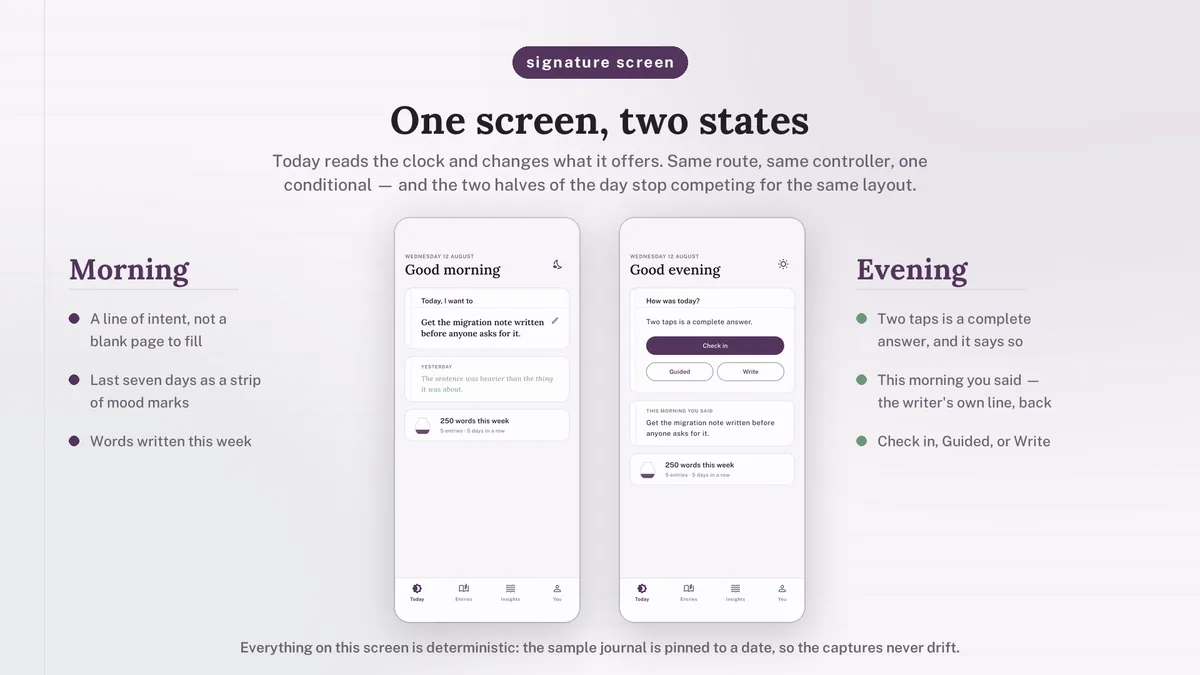
- Today screen that switches between a morning intention and an evening recap by clock or by hand
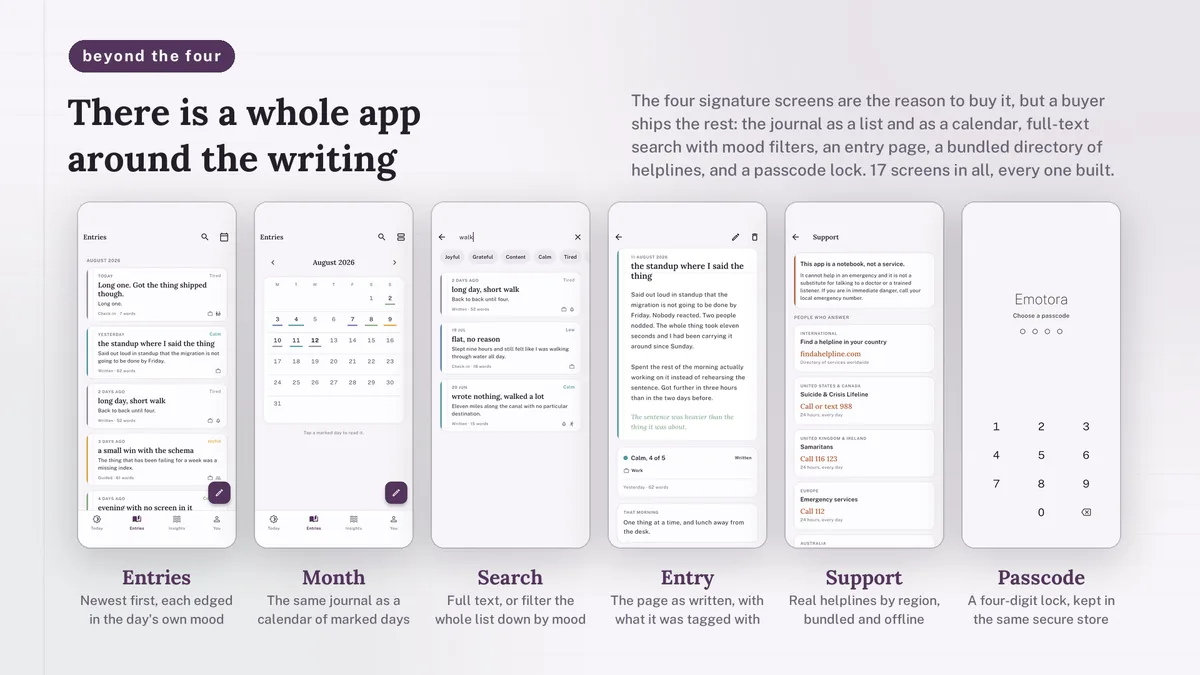
- Archive by month, a ruled mood calendar, search with eight mood filters and a distraction-free editor
- Four-digit passcode with a drawn keypad, stored with API keys in the Keychain or EncryptedSharedPreferences
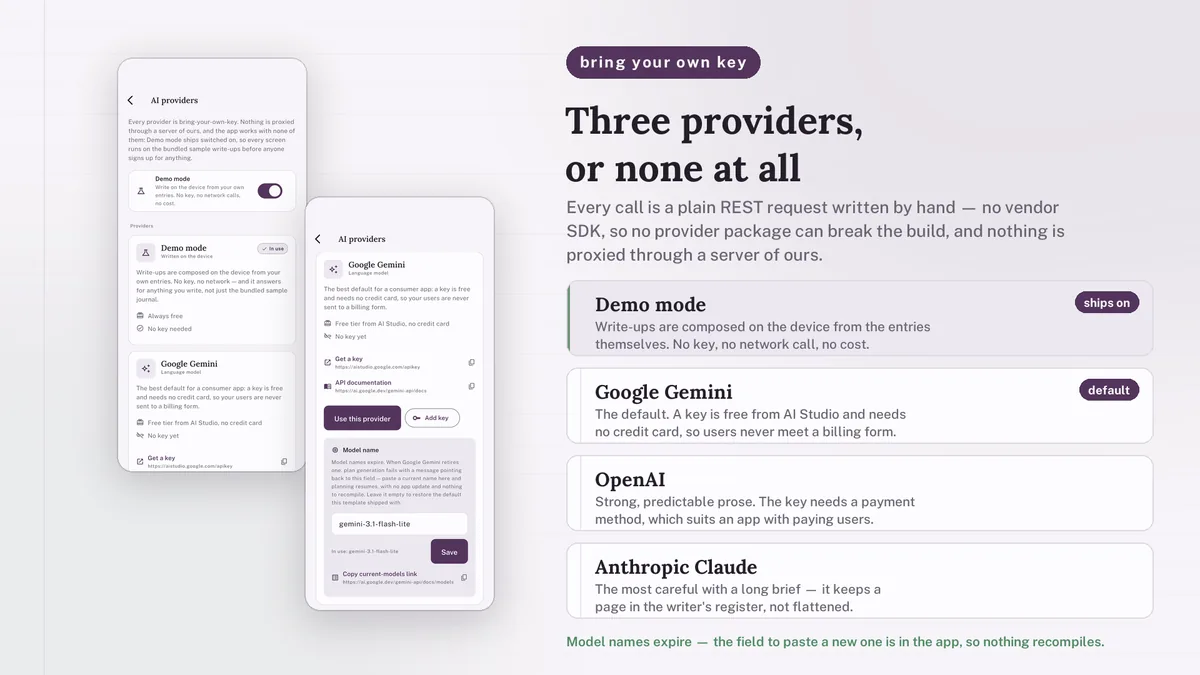
- Google Gemini by default, plus OpenAI and Anthropic Claude, all plain REST clients behind one interface
- Demo mode writes every entry, reflection and reply locally from the user's own entries
- Editable helpline list with documentation on swapping in services for your target countries
What it looks like
8 images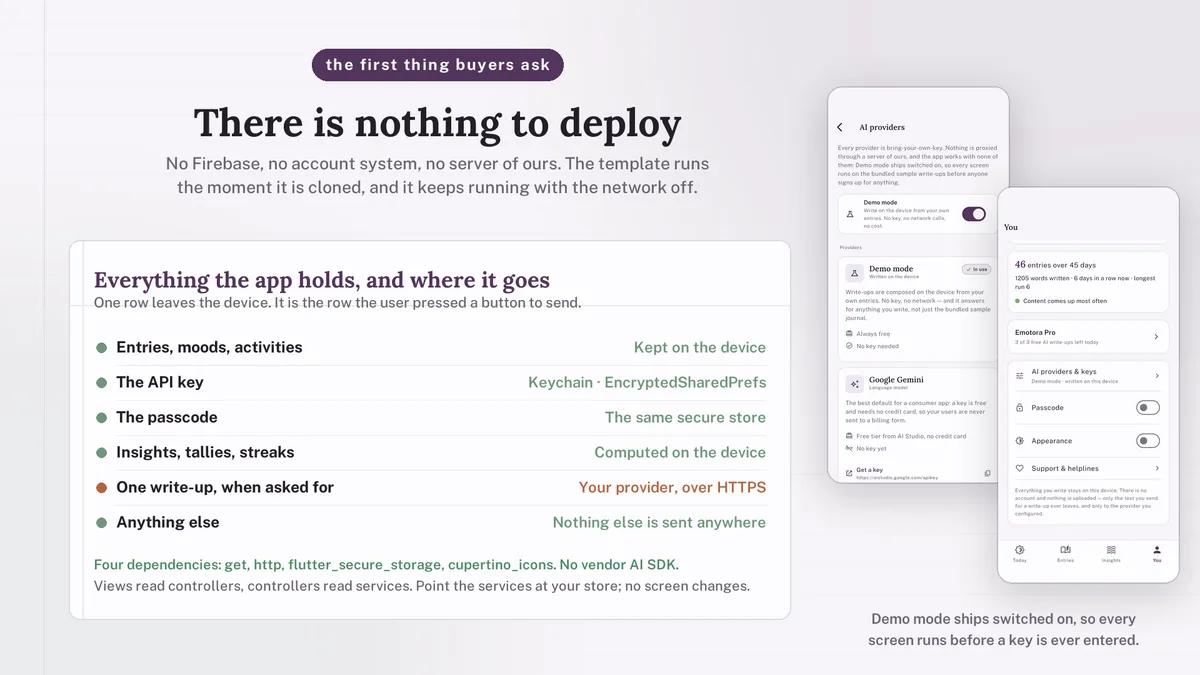
Who it is for
- You are building a journaling or reflection app and want AI write-ups grounded in the user's own entries.
- You want a gentle, stationery-style design with care already taken over sensitive content.
- You need every screen to respond in demo mode, before a provider key exists.
In the box
from the shipped zip- Full Flutter source at the top of the zip, no obfuscation and no licence server
- Offline HTML documentation: setup, re-theming, app name and bundle id, troubleshooting
- 9 Dart test files in the app
Run it after download
the app# unzip the download, then
# the app is at the top of the zip
$ flutter pub get
$ flutter runSetup, including any keys or services the app talks to, is covered step by step in the bundled documentation.
Spec
measured| Screen widgets | 18 |
|---|---|
| Dart files | 96 |
| Tests in the package | 9 |
| Dart SDK | ^3.7.0 |
| Back end | None bundled; the service layer is where yours goes |
| Platforms | iOS + Android, one codebase |
Counted from emotora-v1.0.zip, the file uploaded to CodeCanyon. Screen widgets are the view, screen and page classes in the source, so the number can differ slightly from a count of routes.
Questions
Something else? Ask on the item's CodeCanyon page; the author answers there.
What does the AI actually write?
Three things: the composed journal entry, the weekly reflection and the reply to a check-in. Counting and charts are plain Dart on the device. Live text comes from Gemini, OpenAI or Claude using a key you or your users provide.
Does it work before I add a key?
Yes. Demo mode is on from the first launch and composes every write-up on the device from what the user has entered.
Is it a mental health tool?
No. It is a journaling companion, not a medical device, and nothing it writes is medical or psychological advice. It cannot help in an emergency.
More AI app templates
same author- Wivora — Flutter AI Assistant App Template
- Sprigora — Flutter AI Plant Identifier App Template
- Journora — Flutter AI Travel Planner App Template
- Celestora — Flutter AI Astrology App Template
- Grubora — Flutter AI Calorie Tracker App Template
- Phasora — Flutter AI Period Tracker App Template
- Capsora — Flutter AI Wardrobe Stylist App Template
- Skinora — Flutter AI Skincare Ingredient Analyzer App Template
- Flashora — Flutter AI Flashcards App Template
- Shelfora — Flutter AI Book Tracker App with Laravel Key Proxy
- Patinora — Flutter AI Coin Identifier App with Laravel Key Proxy
- Mattora — Flutter Paint Planner App with Laravel Key Proxy
- Joulora — Flutter AI Electricity Bill and Appliance Cost App With Laravel Key Proxy
Sold on Envato's CodeCanyon marketplace, which handles payment, VAT, invoices and the download.