 coderqh
Flashora — Flutter AI Flashcards App Template
Spaced-repetition flashcards on SM-2 in pure Dart, with AI that drafts cards from your notes and leaves scheduling alone.
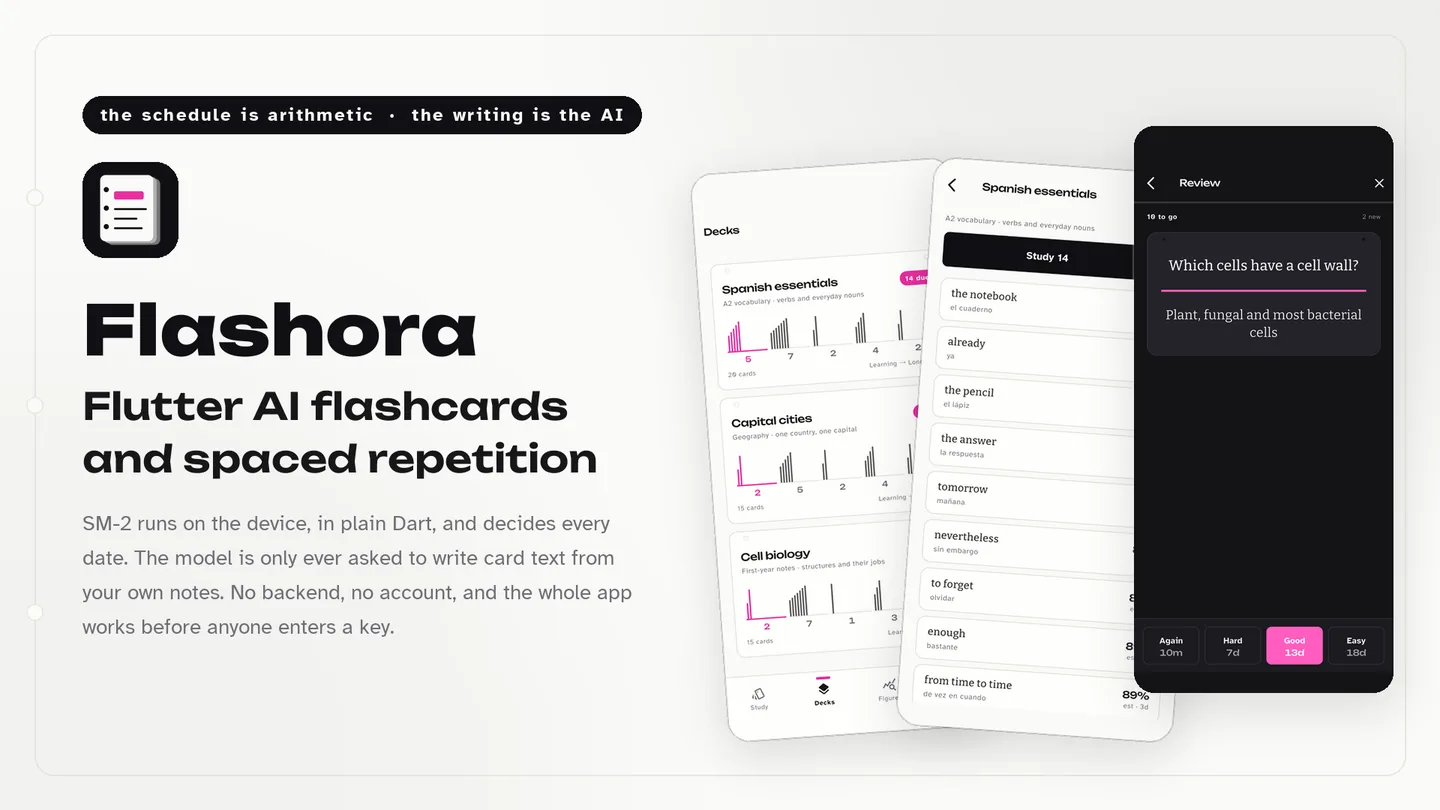
The live preview on CodeCanyon is this app compiled for the web: the real build, not a video.
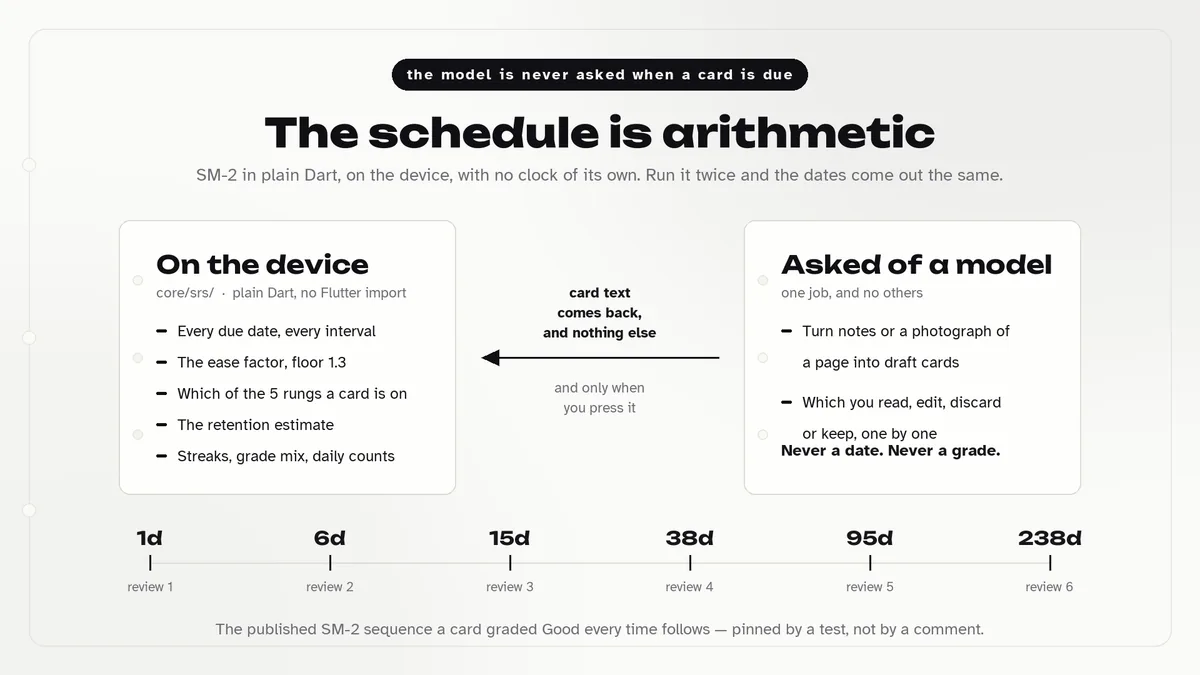
Flashora is a Flutter flashcard app where review timing comes from SM-2, the classic SuperMemo algorithm, running locally in Dart. Each grade updates a card's ease and interval by a fixed formula, so schedules are predictable and covered by tests. On the review screen the answer unfolds below the question, and every grade button shows the interval it would set before you press it.
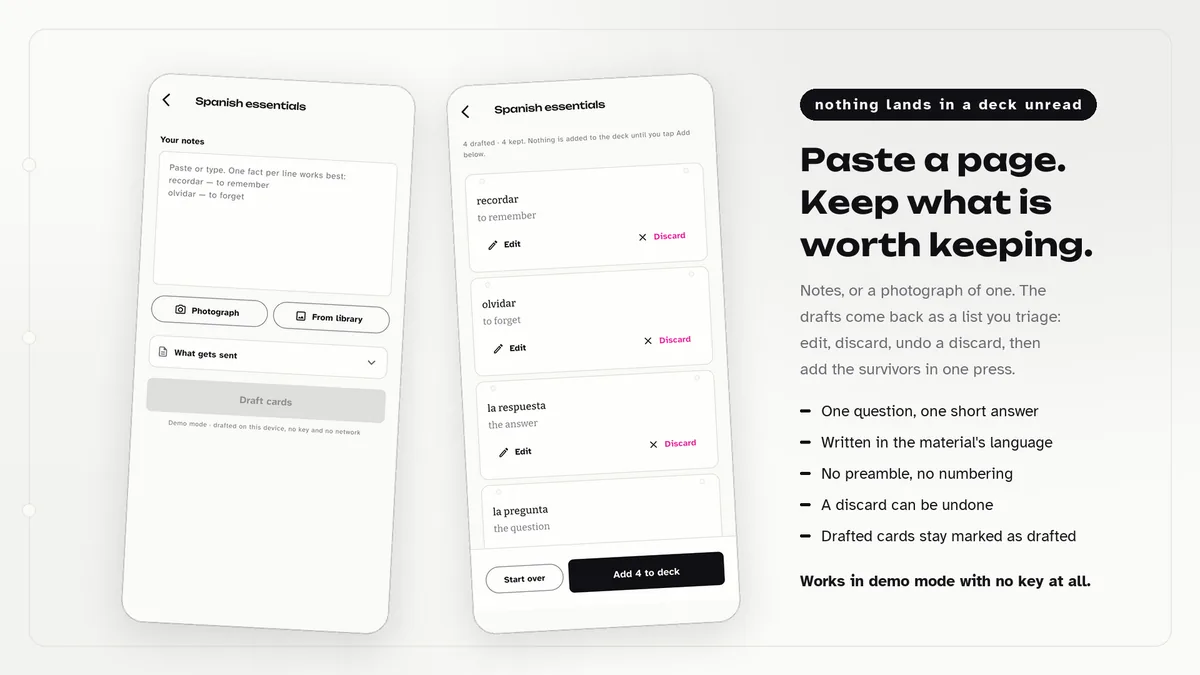
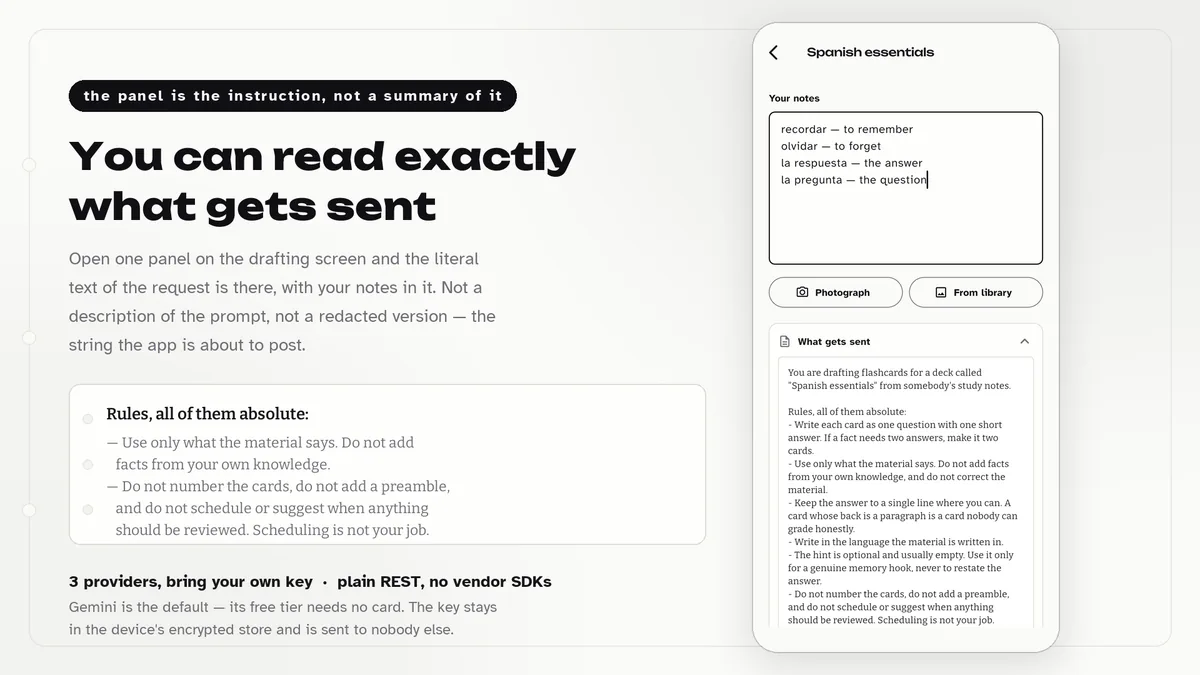
The AI part is a drafting tool. Paste notes or photograph a page, and a provider returns proposed cards that the user accepts, edits or discards one by one. A panel shows the literal request about to be sent. Switch providers off and studying, statistics and the library still work.
Features
- SM-2 scheduler in plain Dart, tested against the published algorithm, with short learning steps for new cards
- Grade buttons that print the next interval for Again, Hard, Good and Easy
- Answer unfolds under the question so both stay visible
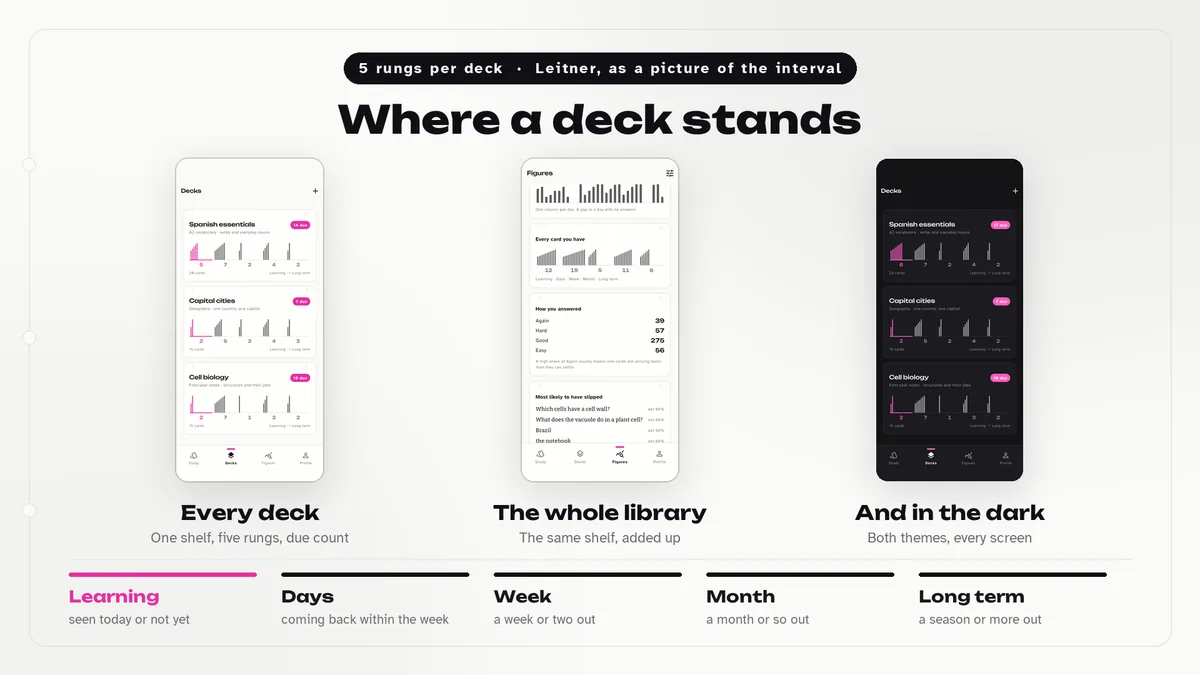
- Deck shelf with five Leitner compartments showing how each deck has matured
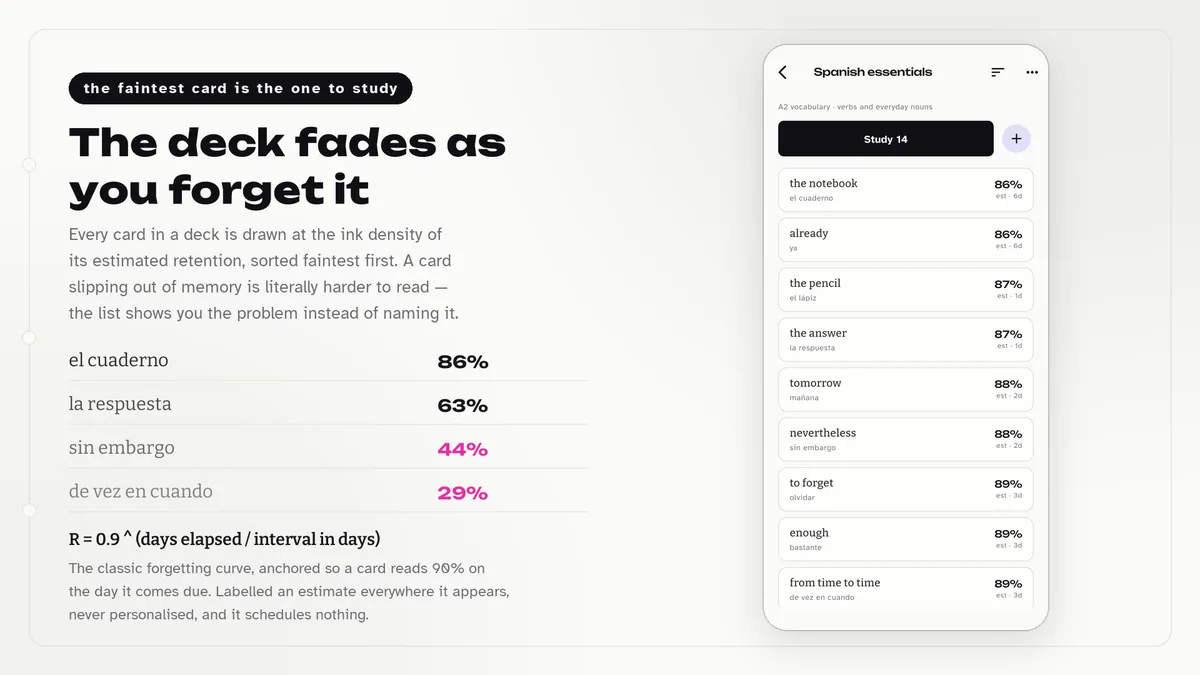
- Card list shaded by estimated retention and ordered faintest first
- Draft cards from typed notes or a photo, then triage each draft
- A What gets sent panel showing the exact prompt for the provider
- Bring-your-own-key support for Google, OpenAI and Anthropic over plain REST
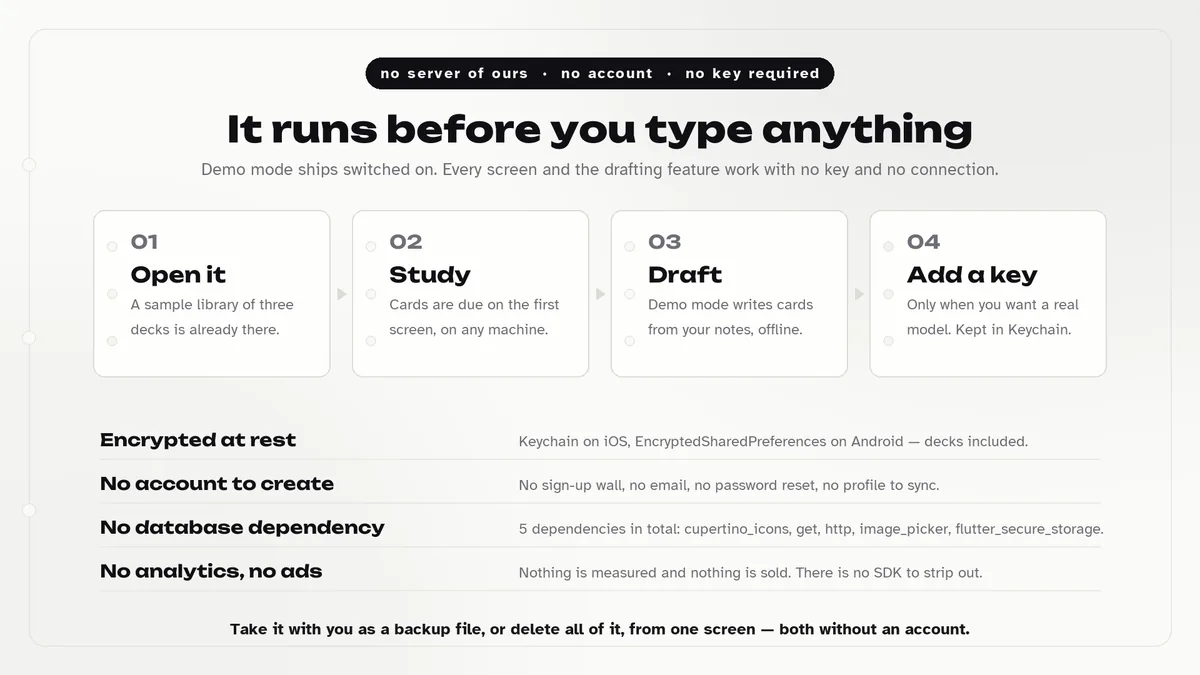
- Encrypted local library with JSON backup, restore and a delete-everything option
What it looks like
8 images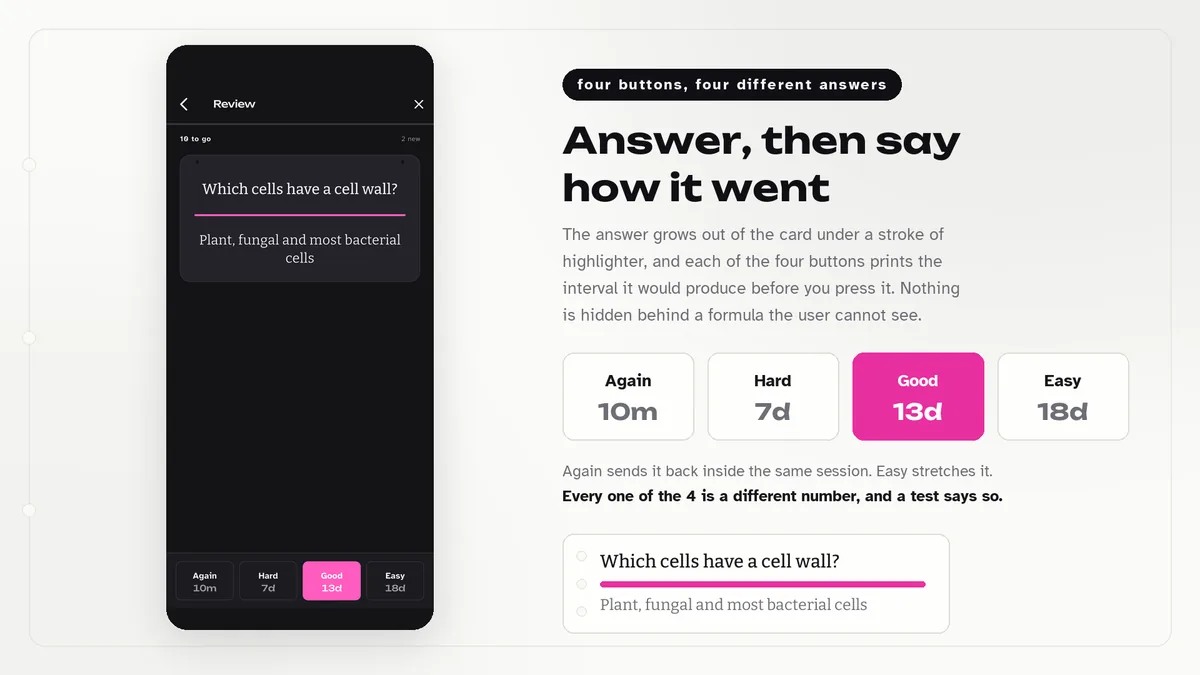
Who it is for
- You want to ship a study or language-learning app on a scheduler you can read and trust.
- You want AI card creation as an assistant, with a human approval step before anything is saved.
- You would like distinctive deck and card screens instead of plain lists.
In the box
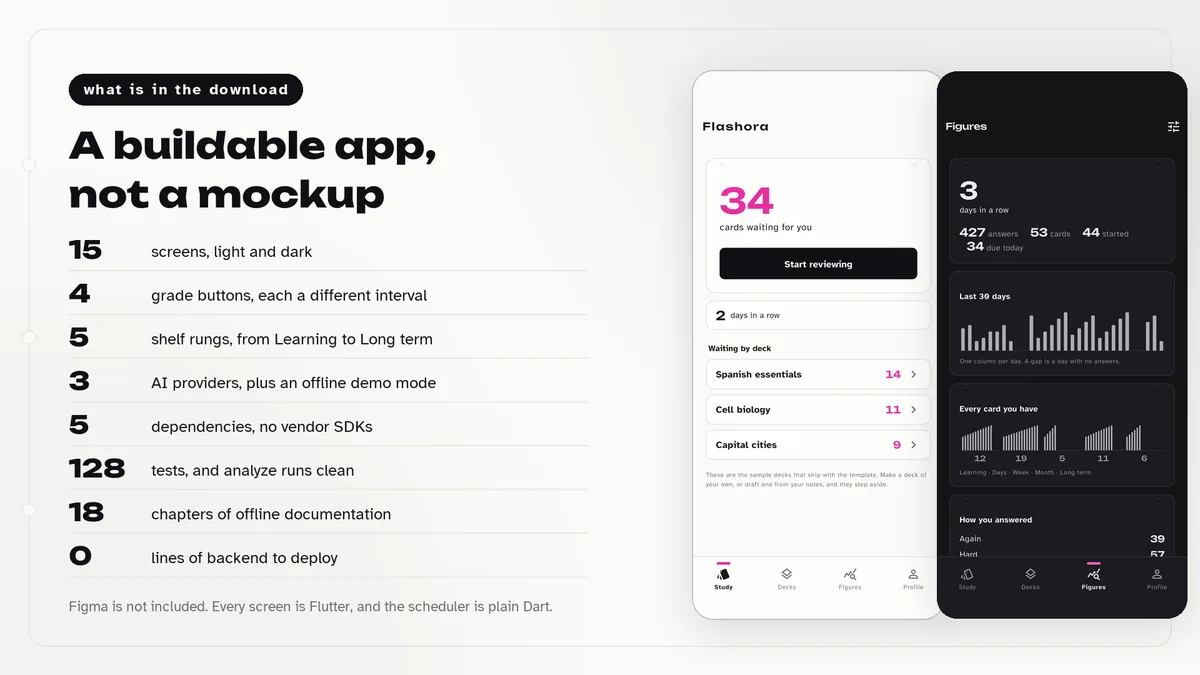
from the shipped zip- Full Flutter source at the top of the zip, no obfuscation and no licence server
- Offline HTML documentation: setup, re-theming, app name and bundle id, troubleshooting
- 14 Dart test files in the app
Run it after download
the app# unzip the download, then
# the app is at the top of the zip
$ flutter pub get
$ flutter runSetup, including any keys or services the app talks to, is covered step by step in the bundled documentation.
Spec
measured| Screen widgets | 16 |
|---|---|
| Dart files | 97 |
| Tests in the package | 14 |
| Dart SDK | ^3.7.0 |
| Back end | None bundled; the service layer is where yours goes |
| Platforms | iOS + Android, one codebase |
Counted from flashora-v1.0.zip, the file uploaded to CodeCanyon. Screen widgets are the view, screen and page classes in the source, so the number can differ slightly from a count of routes.
Questions
Something else? Ask on the item's CodeCanyon page; the author answers there.
Does the AI decide when cards are due?
No. Due dates come only from the SM-2 engine on the device. The provider drafts card text and nothing else, and drafts become cards only after the user approves them.
Can I try drafting without a key?
Yes. Demo mode ships switched on and drafts cards from notes on the device without a network call. Three sample decks with review history are loaded so every screen has content.
What does a Regular licence cover?
One end product, such as one app you publish under your own brand. For a product you sell to end users, check the Extended licence terms on the item page.
More AI app templates
same author- Wivora — Flutter AI Assistant App Template
- Sprigora — Flutter AI Plant Identifier App Template
- Journora — Flutter AI Travel Planner App Template
- Celestora — Flutter AI Astrology App Template
- Emotora — Flutter AI Mood Journal App Template
- Grubora — Flutter AI Calorie Tracker App Template
- Phasora — Flutter AI Period Tracker App Template
- Capsora — Flutter AI Wardrobe Stylist App Template
- Skinora — Flutter AI Skincare Ingredient Analyzer App Template
- Shelfora — Flutter AI Book Tracker App with Laravel Key Proxy
- Patinora — Flutter AI Coin Identifier App with Laravel Key Proxy
- Mattora — Flutter Paint Planner App with Laravel Key Proxy
- Joulora — Flutter AI Electricity Bill and Appliance Cost App With Laravel Key Proxy
Sold on Envato's CodeCanyon marketplace, which handles payment, VAT, invoices and the download.