coderqh

Mattora — Flutter Paint Planner App with Laravel Key Proxy

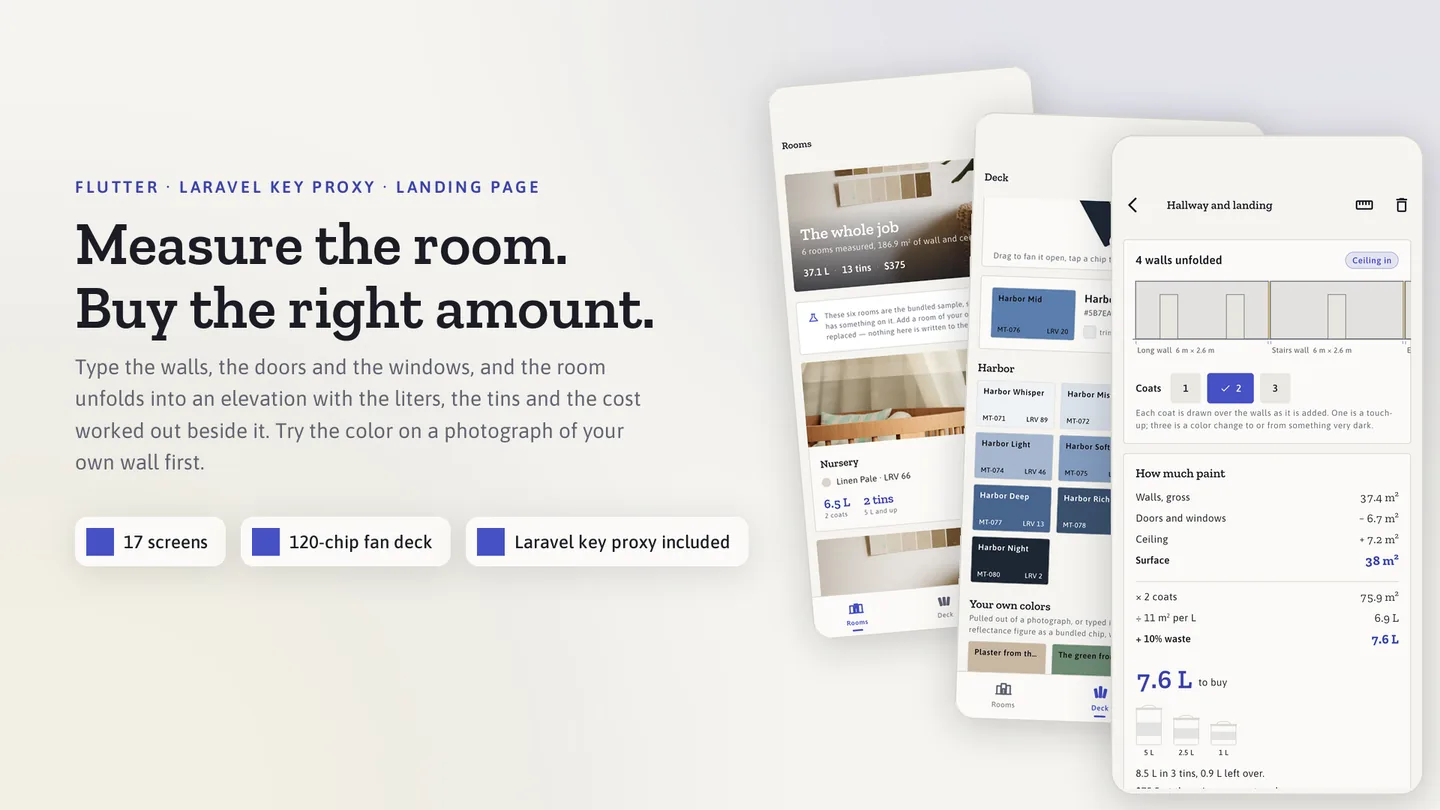
Measure the room. Test the color. Buy the right amount.

Mattora — Flutter Paint Planner App with Laravel Key Proxy

The live preview on CodeCanyon is this app compiled for the web: the real build, not a video.

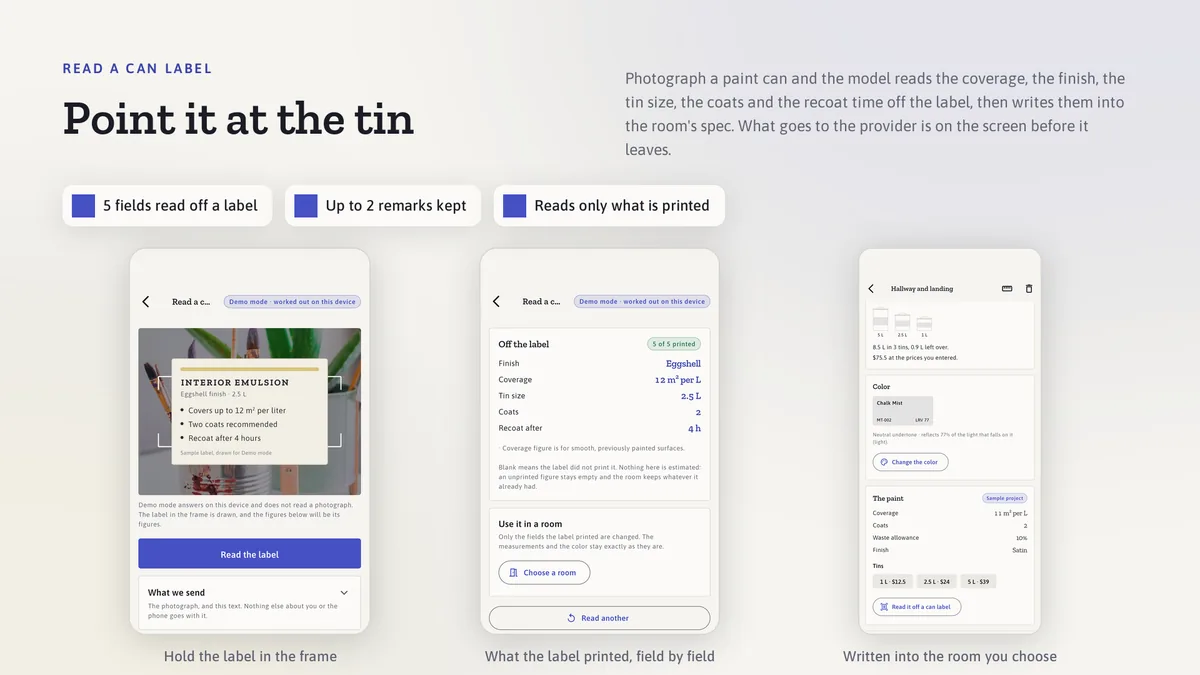
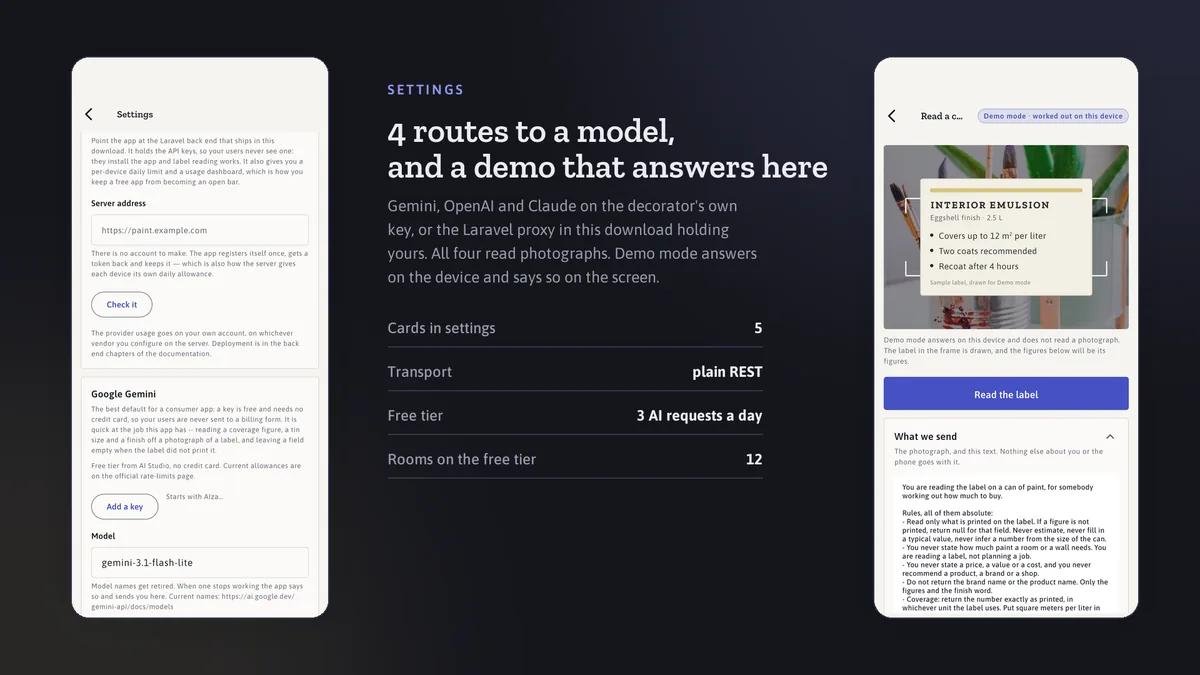
Type the walls, doors and windows and the room unfolds into an elevation with the liters and tins worked out on the phone. Drop sample squares onto a photo of your own wall, read the light reflectance of every color in the fan deck, and photograph a paint can label to pull its coverage straight into the estimate. A Laravel key proxy is included for when you want the AI to run on your server.

What it does well

from the app
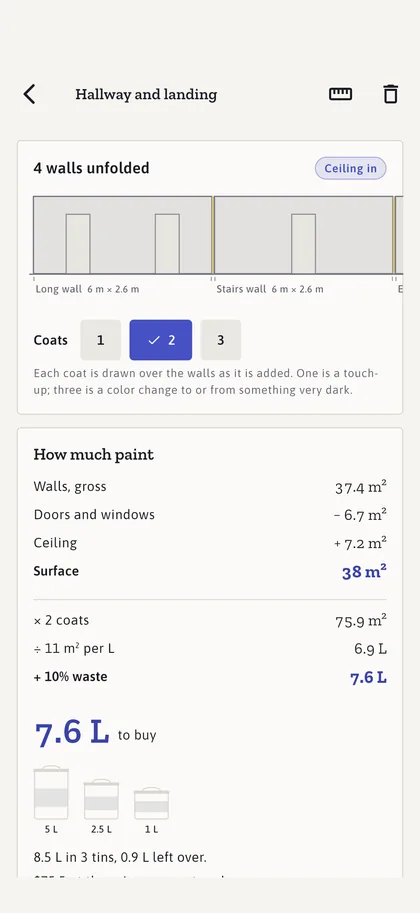
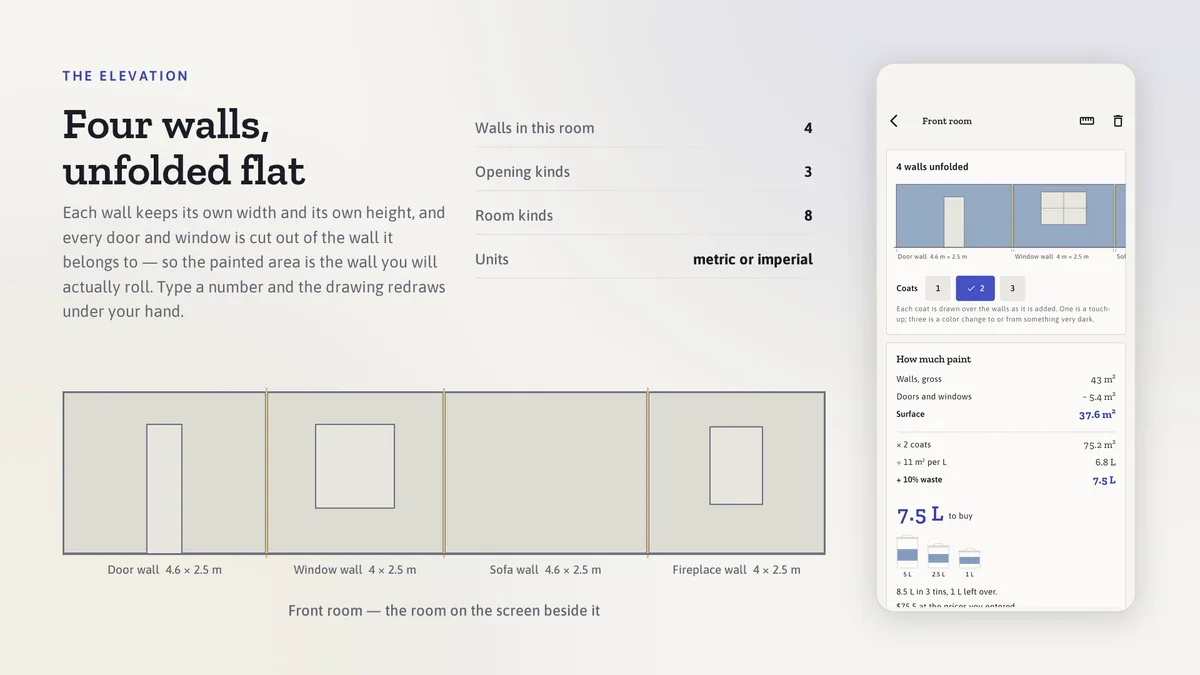
An elevation, not a form — Mattora screen

An elevation, not a form

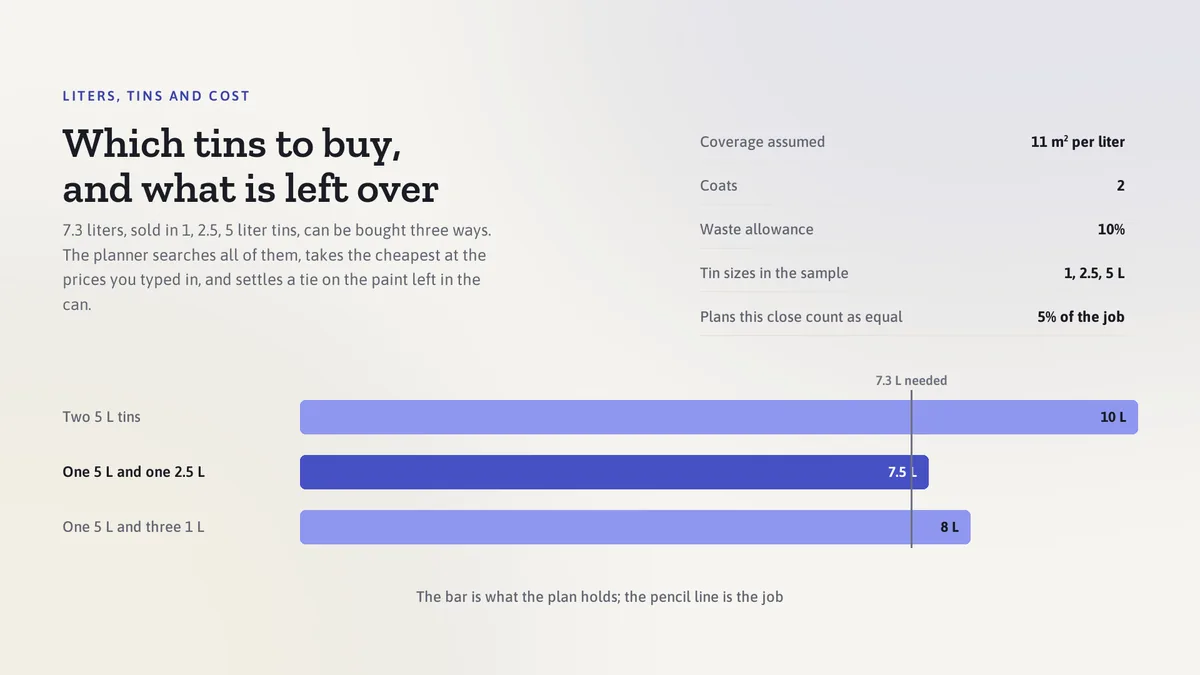
Each wall keeps its own width and height, doors and windows are cut out as openings, and the coats build up over the drawing as you add them. Liters, waste, tin sizes and cost are computed on the phone and shown next to the wall they belong to.

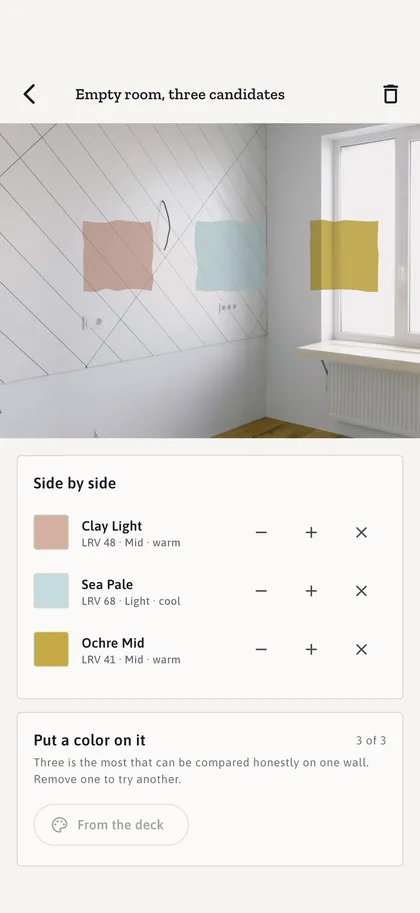
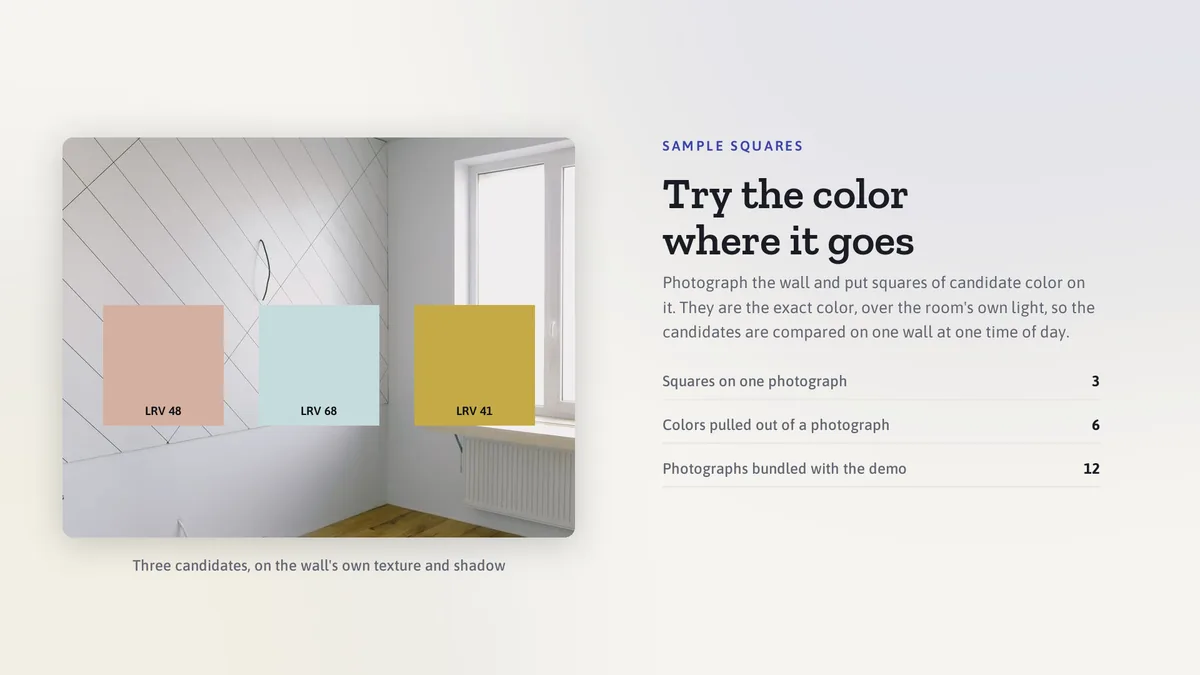
Sample squares on your photo — Mattora screen

Sample squares on your photo

Take a photo of the wall and tap to place up to three sample squares in candidate colors. The squares keep the wall's texture and shadow, so two colors can be compared side by side the way painters test them.

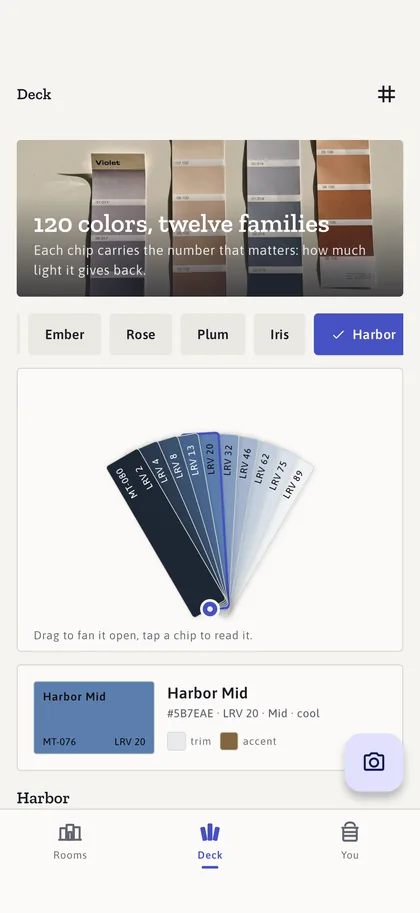
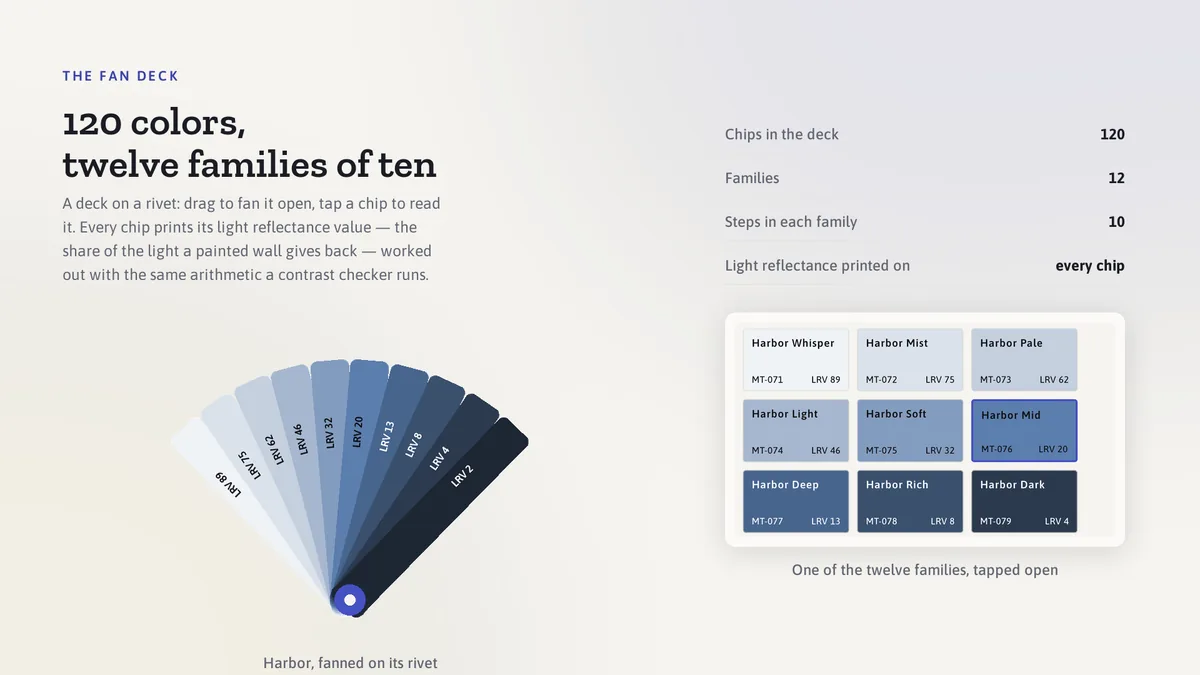
A fan deck with numbers on it — Mattora screen

A fan deck with numbers on it

120 bundled colors fan out on a rivet. Every chip carries its light reflectance value, its warm or cool lean and its matching trim, and the AI names a three-color scheme from any chip you pick.

What it looks like

10 images
Elevation — Mattora
Elevation
Quantity — Mattora
Quantity
Deck — Mattora
Deck
Look — Mattora
Look
Scan — Mattora
Scan
Routes — Mattora
Routes
Themes — Mattora
Themes
In the box — Mattora
In the box
Admin — Mattora
Admin
Landing — Mattora
Landing

In the box

from the shipped zip
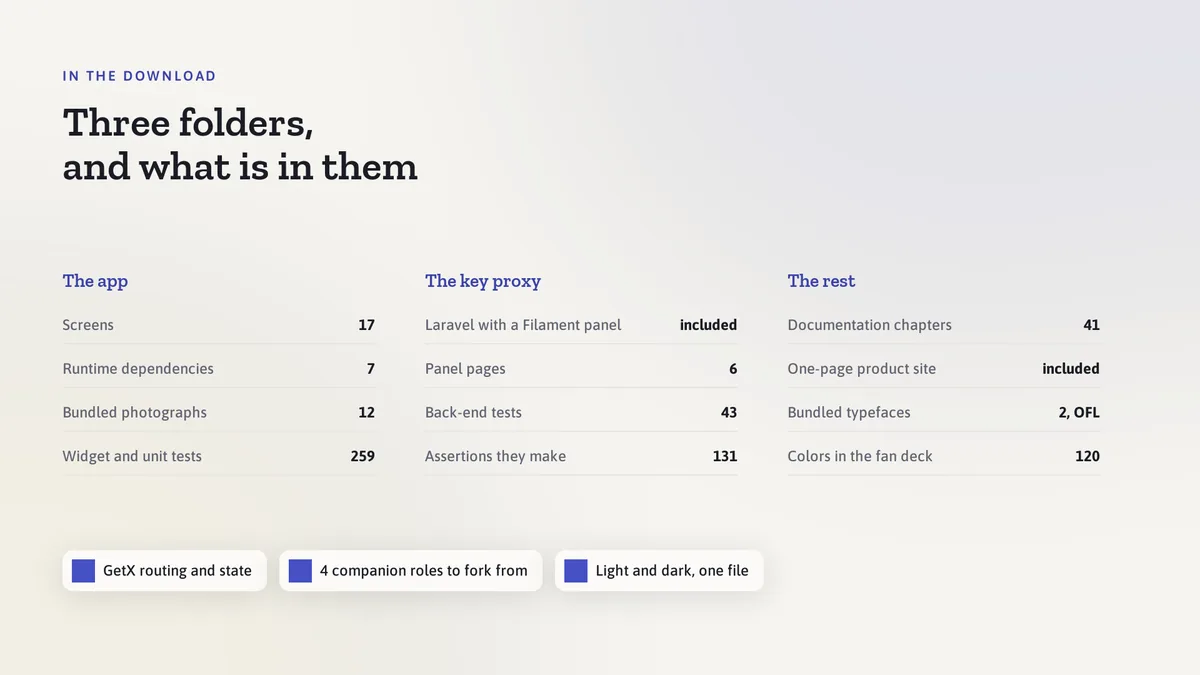
  • Full Flutter source in mattora_ai_app/, no obfuscation and no licence server
  • Offline HTML documentation: setup, re-theming, app name and bundle id, troubleshooting
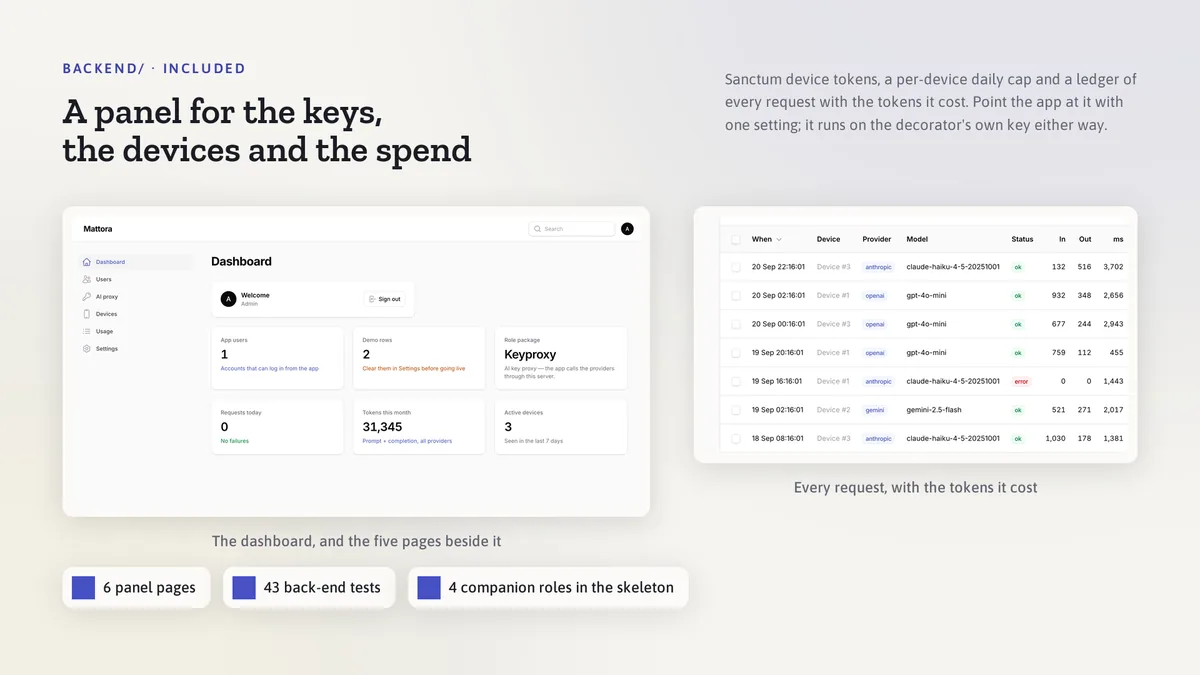
  • The back end, with full source: Laravel key proxy for the AI providers
  • Back-end setup notes for Docker and for shared hosting
  • A one-page landing site for the app, ready to host
  • 19 Dart test files in the app

Run it after download

the app
# unzip the download, then
$ cd mattora_ai_app
$ flutter pub get
$ flutter run

The app runs on its bundled demo data first. The back end has its own README for Docker and for shared hosting, and the app keeps working without it.

Spec

measured
Screen widgets18
Dart files124
Tests in the package19
Dart SDK^3.7.0
Back endLaravel key proxy for the AI providers
PlatformsiOS + Android, one codebase

Counted from mattora-v1.0.zip, the file uploaded to CodeCanyon. Screen widgets are the view, screen and page classes in the source, so the number can differ slightly from a count of routes.

Questions

Something else? Ask on the item's CodeCanyon page; the author answers there.

Does it repaint my photo with AI?

It places flat sample squares on your photo, the same way a painter brushes test patches on a wall, so the wall's own texture and the light falling across it stay visible through the color. The AI reads paint can labels and names color schemes; every quantity and every color on screen is computed on the phone.

Do I need an account, a key or a server?

Rooms, photos, colors and estimates live in the phone's encrypted store and every screen works without a key. Add your own AI key for label scanning and scheme ideas, or deploy the included Laravel key proxy so the key stays on your server.

Can I move to a new phone?

Yes. Settings copies every room, wall, color and estimate as one JSON envelope, and pasting it on the new phone brings them back exactly. Photos stay on the device they were taken on.

See Mattora on CodeCanyon →

Sold on Envato's CodeCanyon marketplace, which handles payment, VAT, invoices and the download.