 coderqh
Grubora — Flutter AI Calorie Tracker App Template
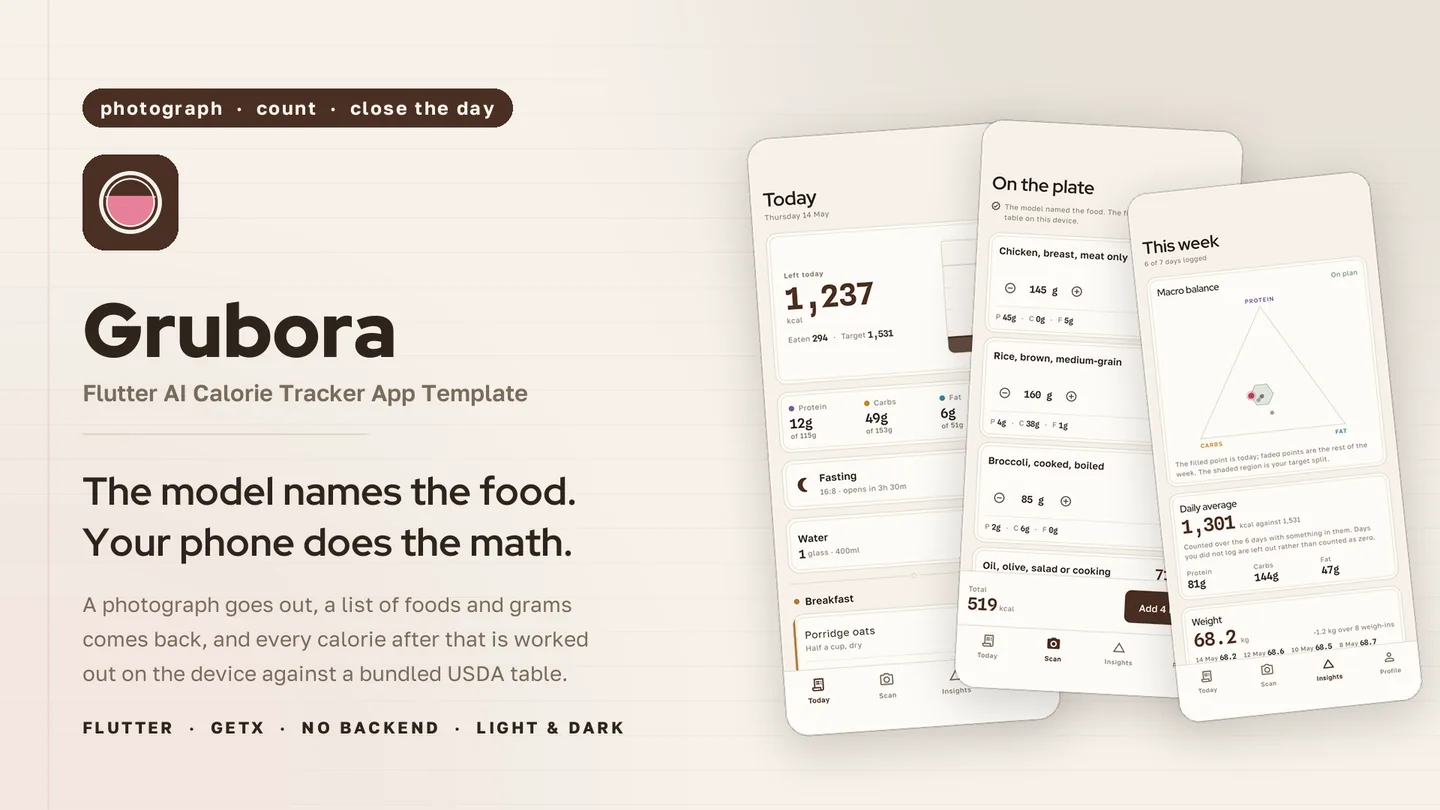
Photograph a meal, let a vision model name the foods, and get calories computed from a bundled USDA table.
The live preview on CodeCanyon is this app compiled for the web: the real build, not a video.
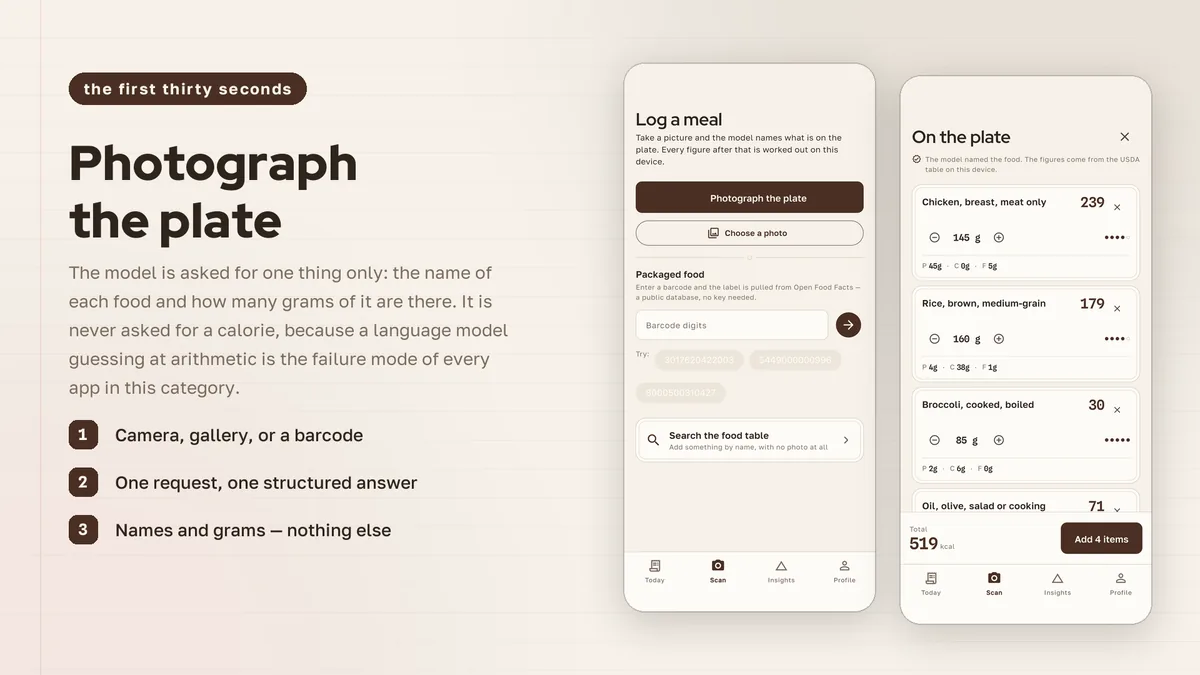
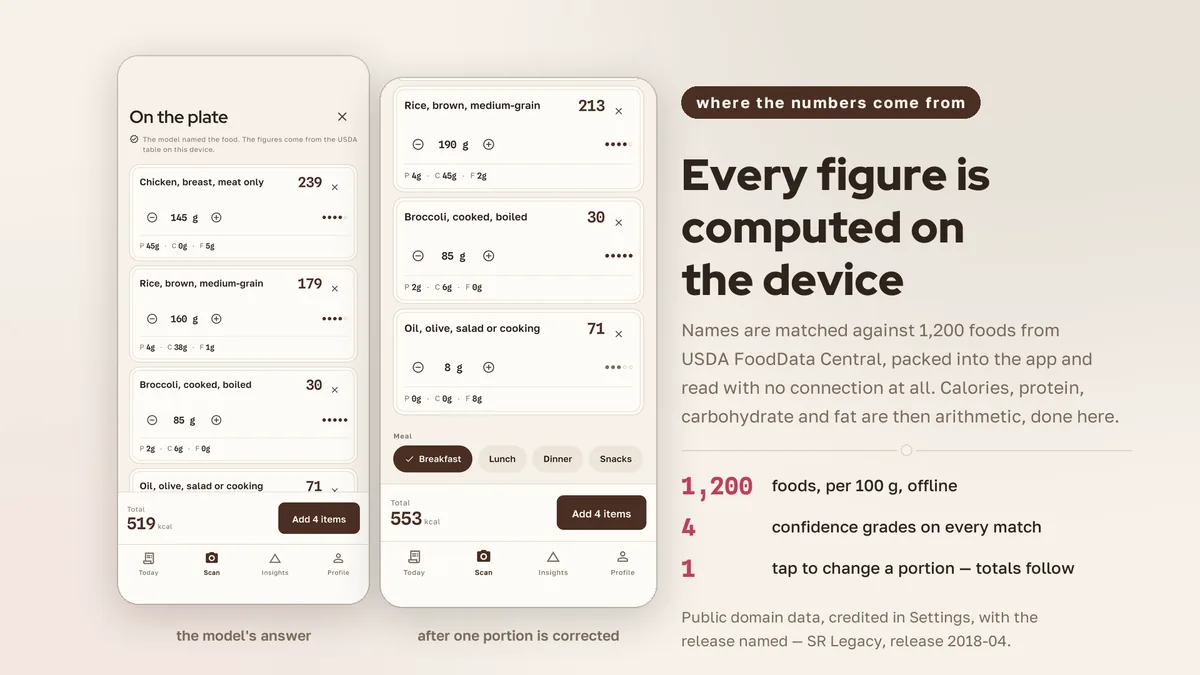
Grubora splits the work between the model and the device. A vision model reports what is on the plate and roughly how much; the app then looks each food up in 1,200 bundled USDA FoodData Central entries and does the arithmetic itself. The reply format has no calorie field at all. Results land as editable rows with grams, computed figures and a five-dot confidence mark, and the total updates as portions change.
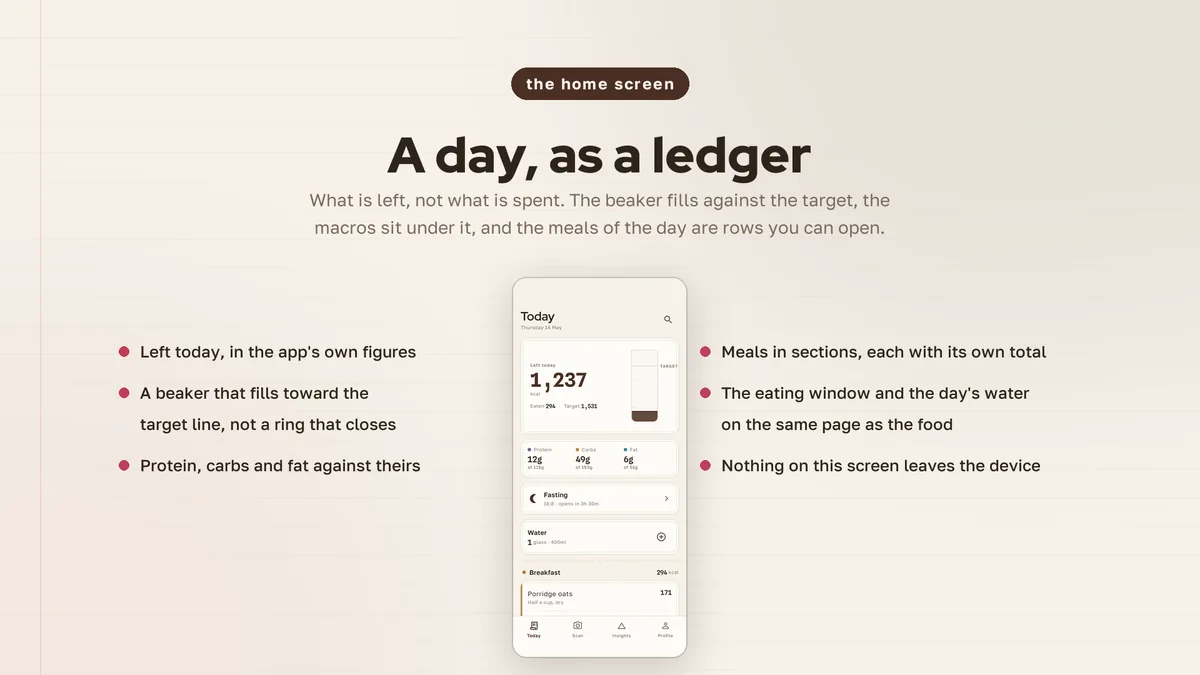
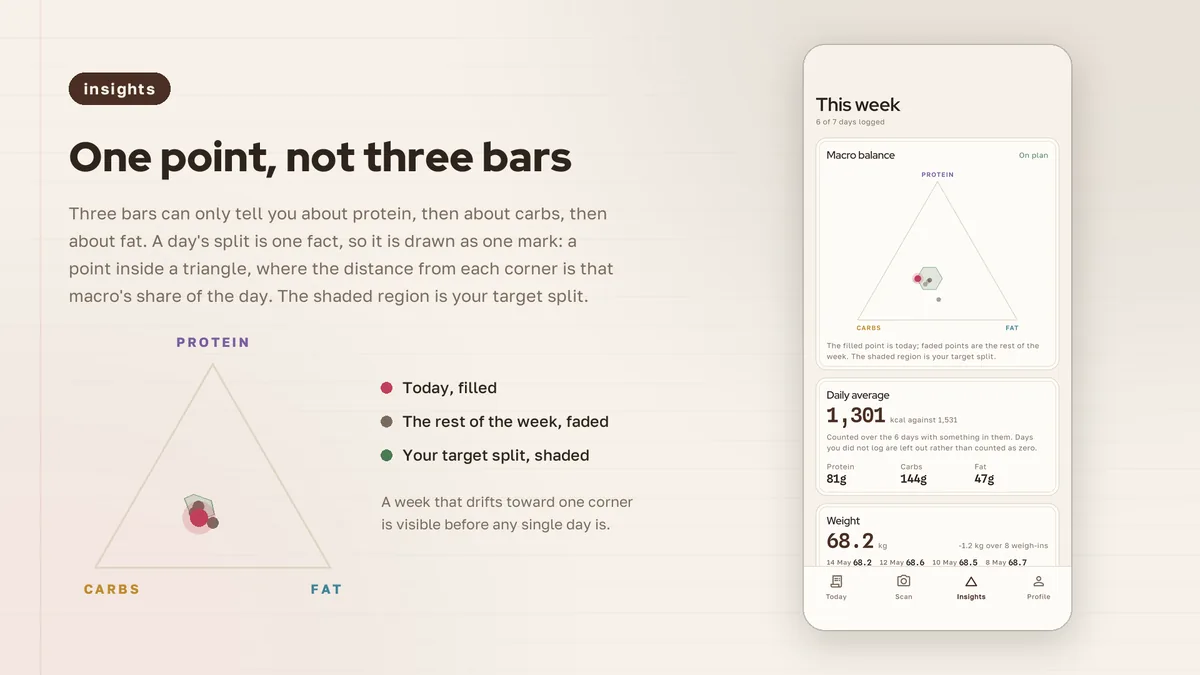
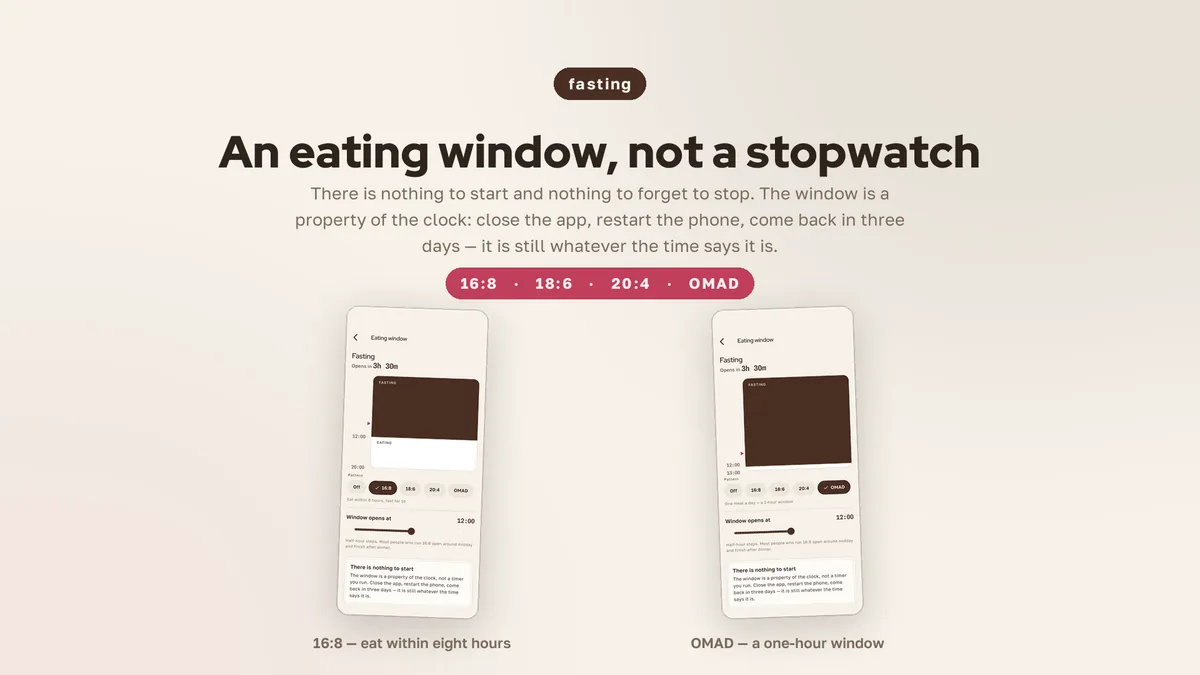
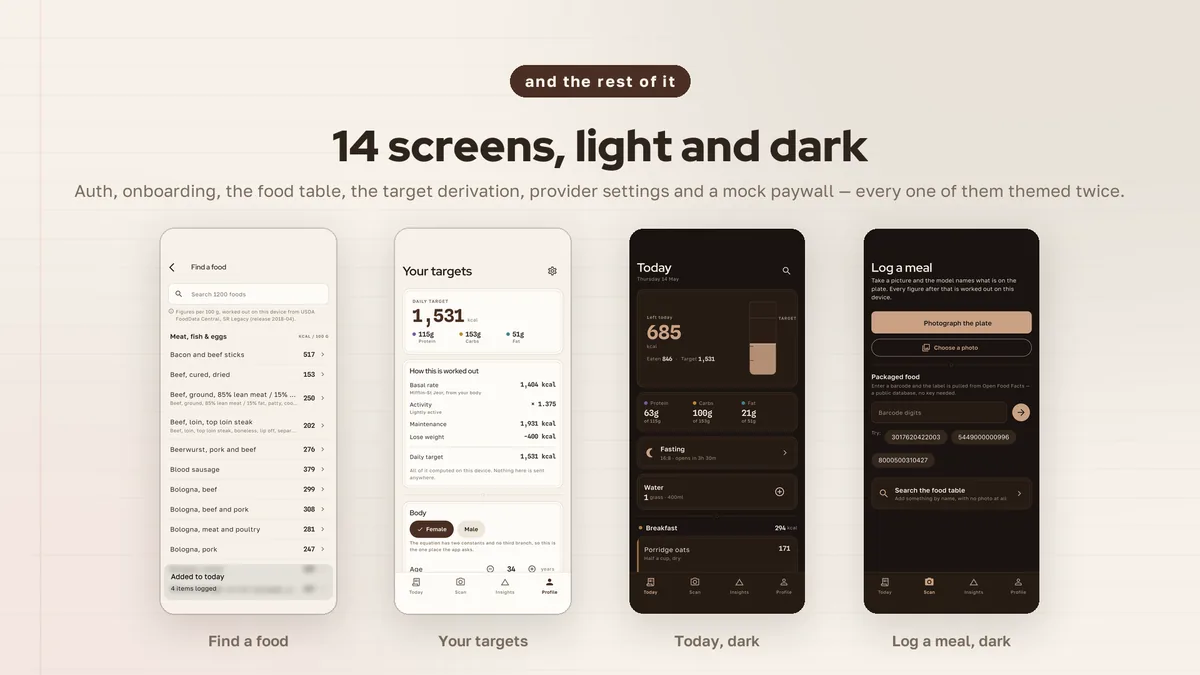
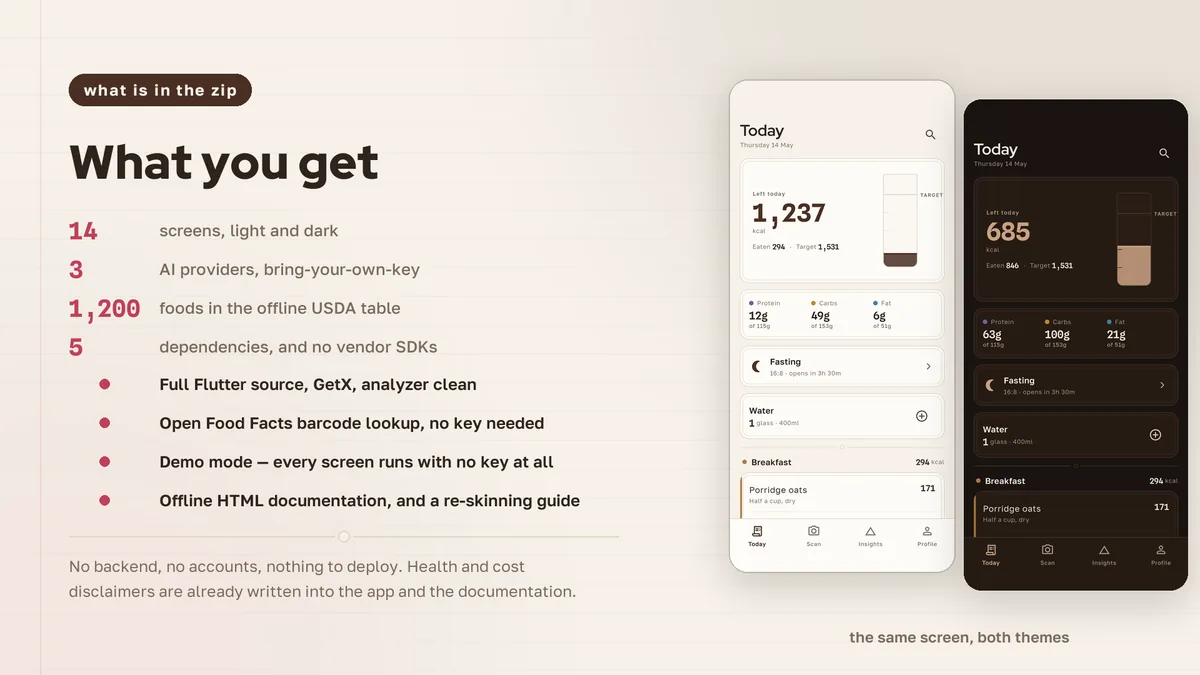
The day is shown as a measuring beaker with the target line below the rim, followed by four meal sections with subtotals. Macro balance is plotted on a triangle where each day is a point. Intermittent fasting appears as a sash window tied to the clock. Daily targets come from Mifflin-St Jeor, and the targets screen shows every step.
Features
- Plate breakdown rows with editable grams, device-computed figures and a five-dot confidence mark
- Bundled table of 1,200 USDA SR Legacy foods with seven nutrients per 100 g and household measures
- Day ledger drawn as a measuring beaker, with per-meal subtotals underneath
- Macro triangle that plots each day as a point and your target as a region
- Eating window drawn as a sash window, based on clock times
- Targets from Mifflin-St Jeor, an activity factor and a goal, with each step shown
- Barcode lookup against Open Food Facts by typing or pasting the digits
- Unmatched foods are flagged with a search prompt, never swapped for a lookalike
- Google Gemini by default, plus OpenAI and Anthropic Claude, with a Demo mode that runs the full pipeline locally
What it looks like
8 images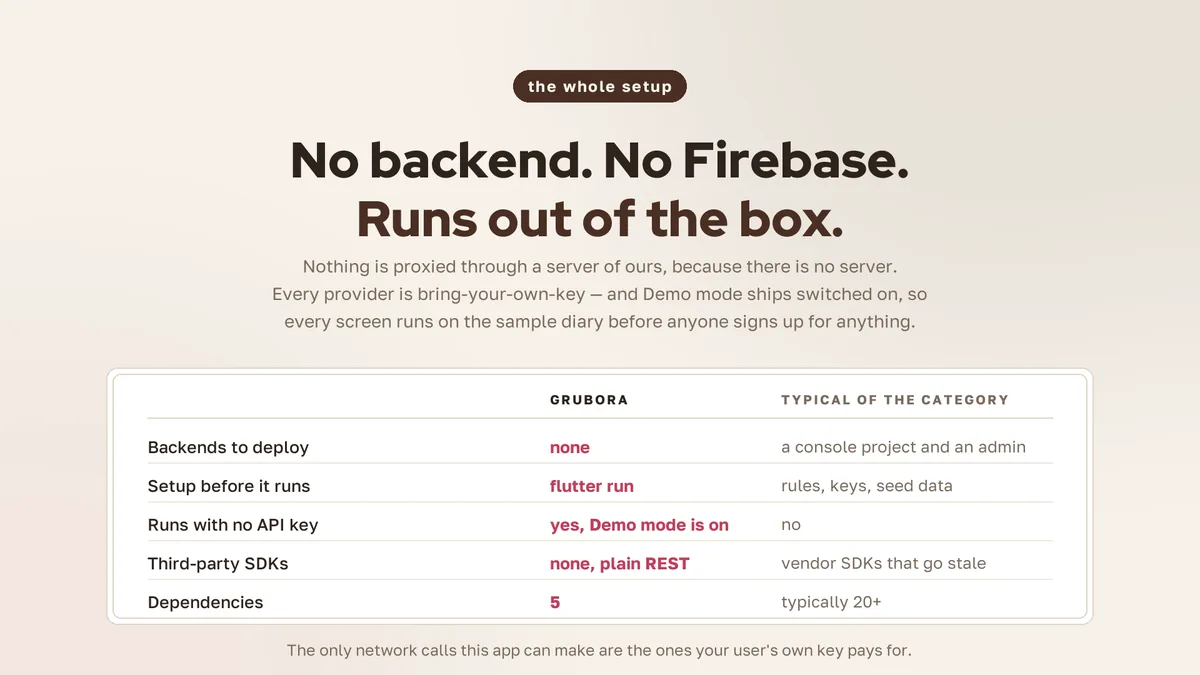
Who it is for
- You are building a calorie or nutrition logging app and want figures that trace back to reference data.
- You want photo logging from Gemini, OpenAI or Claude while keeping the arithmetic in your own code.
- You need a populated demo diary that responds on every screen before any key is entered.
In the box
from the shipped zip- Full Flutter source at the top of the zip, no obfuscation and no licence server
- Offline HTML documentation: setup, re-theming, app name and bundle id, troubleshooting
- 9 Dart test files in the app
Run it after download
the app# unzip the download, then
# the app is at the top of the zip
$ flutter pub get
$ flutter runSetup, including any keys or services the app talks to, is covered step by step in the bundled documentation.
Spec
measured| Screen widgets | 14 |
|---|---|
| Dart files | 93 |
| Tests in the package | 9 |
| Dart SDK | ^3.7.0 |
| Back end | None bundled; the service layer is where yours goes |
| Platforms | iOS + Android, one codebase |
Counted from grubora-v1.0.zip, the file uploaded to CodeCanyon. Screen widgets are the view, screen and page classes in the source, so the number can differ slightly from a count of routes.
Questions
Something else? Ask on the item's CodeCanyon page; the author answers there.
Does the AI decide the calorie numbers?
No. The model names the foods and estimates portions; calories and macros are calculated on the device from the bundled USDA table. Figures remain estimates drawn from reference data.
Which providers are supported, and what works without a key?
Google Gemini (default), OpenAI and Anthropic Claude, with keys supplied by you or your users. Demo mode is on out of the box and runs the whole flow against the bundled food table.
Is this a medical or diet tool?
It is a logging tool. It does not replace professional medical advice, diagnosis or treatment, and it applies a floor to the daily calorie target it sets.
More AI app templates
same author- Wivora — Flutter AI Assistant App Template
- Sprigora — Flutter AI Plant Identifier App Template
- Journora — Flutter AI Travel Planner App Template
- Celestora — Flutter AI Astrology App Template
- Emotora — Flutter AI Mood Journal App Template
- Phasora — Flutter AI Period Tracker App Template
- Capsora — Flutter AI Wardrobe Stylist App Template
- Skinora — Flutter AI Skincare Ingredient Analyzer App Template
- Flashora — Flutter AI Flashcards App Template
- Shelfora — Flutter AI Book Tracker App with Laravel Key Proxy
- Patinora — Flutter AI Coin Identifier App with Laravel Key Proxy
- Mattora — Flutter Paint Planner App with Laravel Key Proxy
- Joulora — Flutter AI Electricity Bill and Appliance Cost App With Laravel Key Proxy
Sold on Envato's CodeCanyon marketplace, which handles payment, VAT, invoices and the download.