 coderqh
Wivora — Flutter AI Assistant App Template
A working AI assistant in Flutter: streamed chat, an image studio and ten personas over OpenAI, Claude or Gemini.
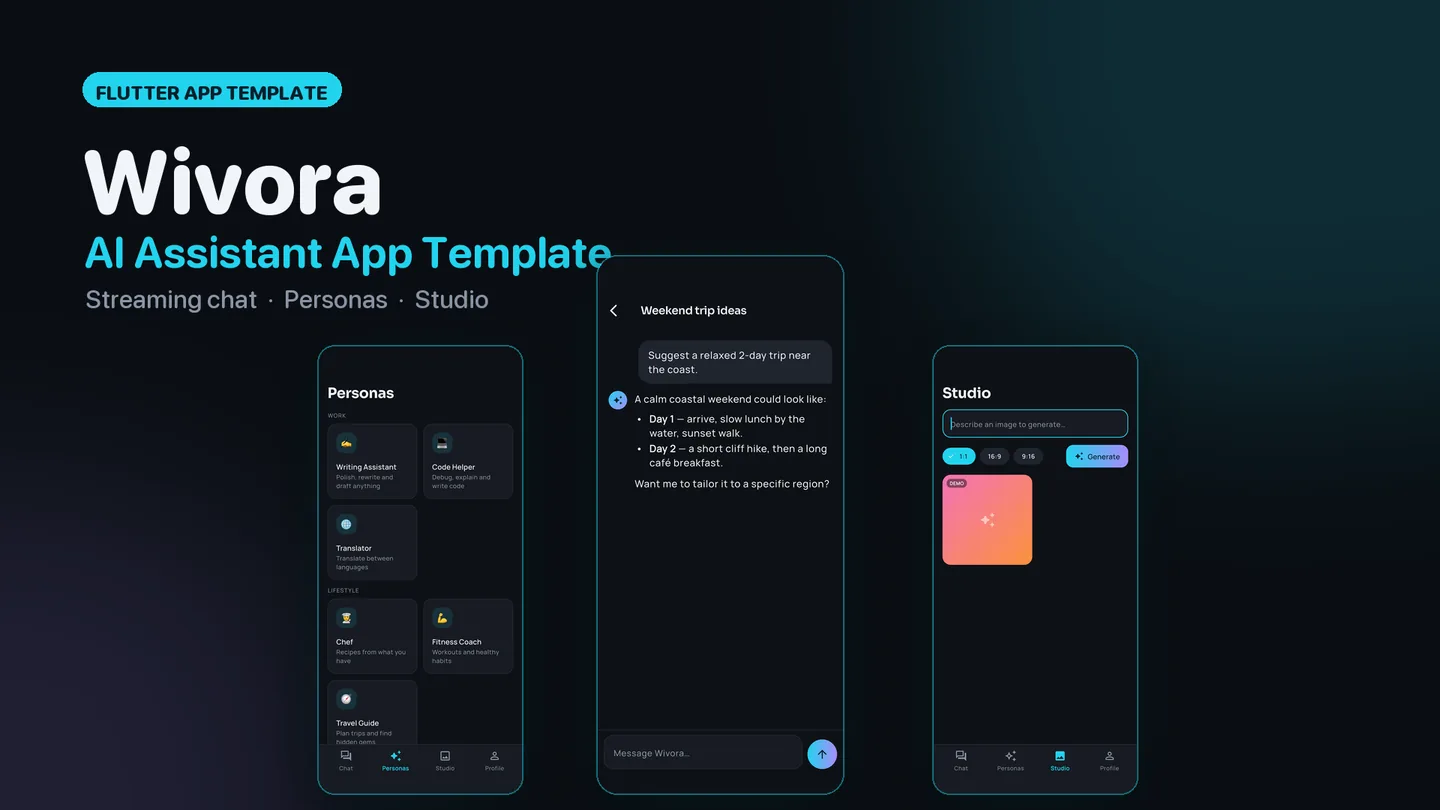
The live preview on CodeCanyon is this app compiled for the web: the real build, not a video.
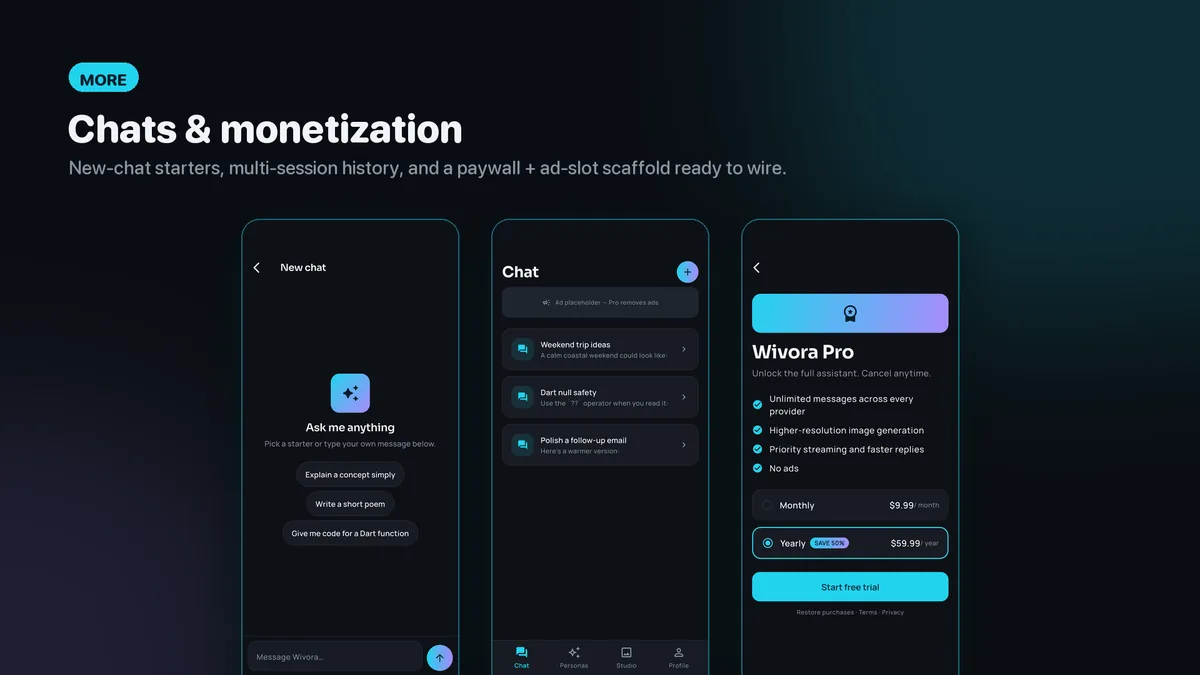
Wivora is the client side of a general-purpose AI assistant, and it already behaves like one. Replies arrive token by token behind a blinking cursor, Markdown is rendered as it streams, code blocks get a language label and a Copy button, and a single control flips between send and stop. Each conversation is kept as its own session, so the chat list reads like a real history rather than one endless thread.
Under the screens sits a single LlmProvider interface with thin HTTP clients for OpenAI, Claude and Gemini, plus a mock that answers whenever no key is set. The look is a dark graphite theme with a cyan-to-violet gradient, Sora and Manrope type, and every color token kept in one file.
Features
- Server-Sent Events streaming, parsed by hand in one small file, with a live cursor and a send/stop toggle
- Built-in Markdown renderer covering headings, lists, emphasis, inline code and fenced blocks with copy
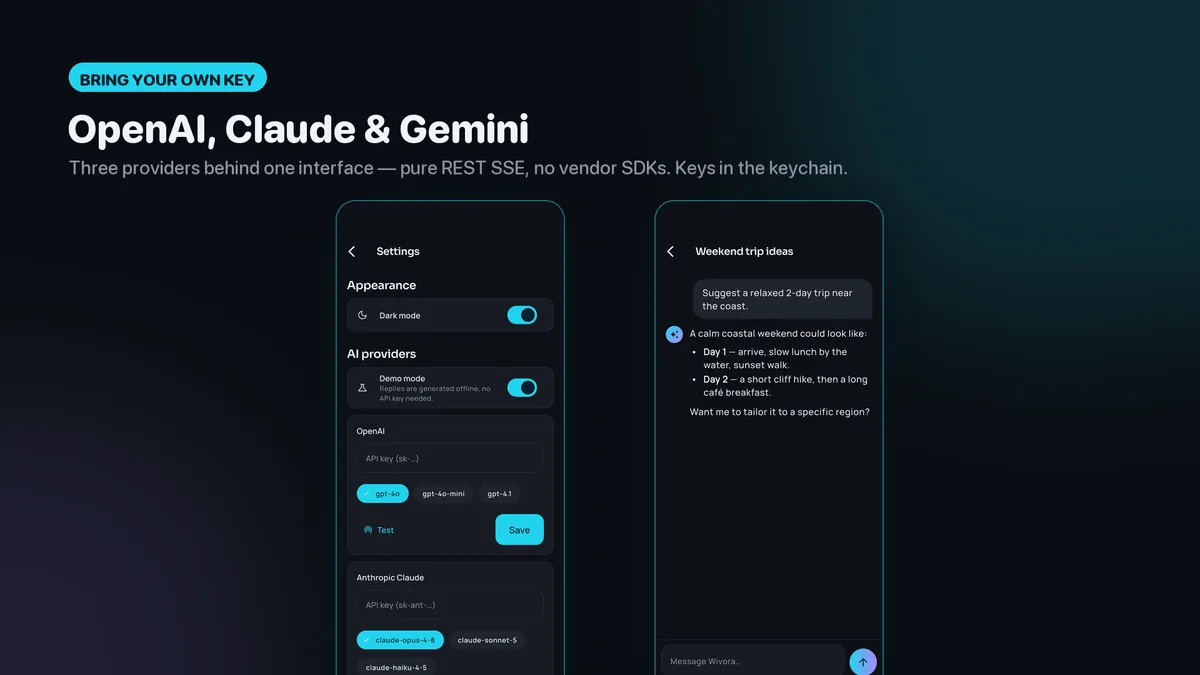
- OpenAI, Claude and Gemini behind one LlmProvider interface; adding another means implementing that interface
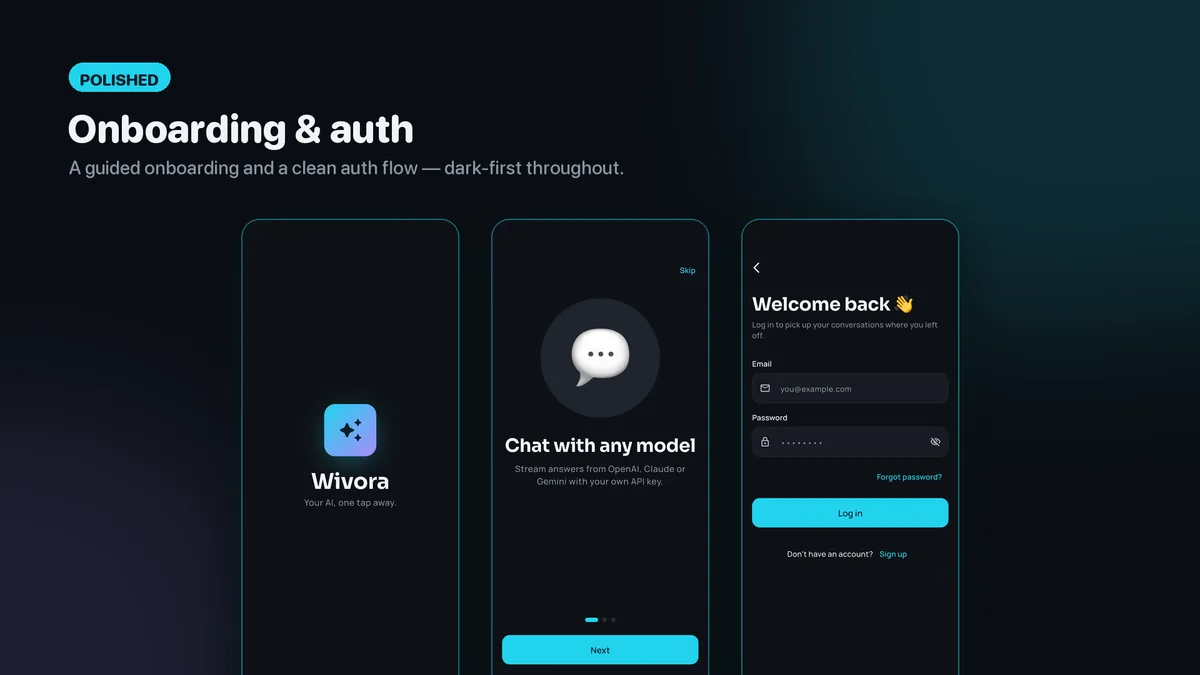
- API keys saved to the iOS Keychain or Android keystore and kept out of logs
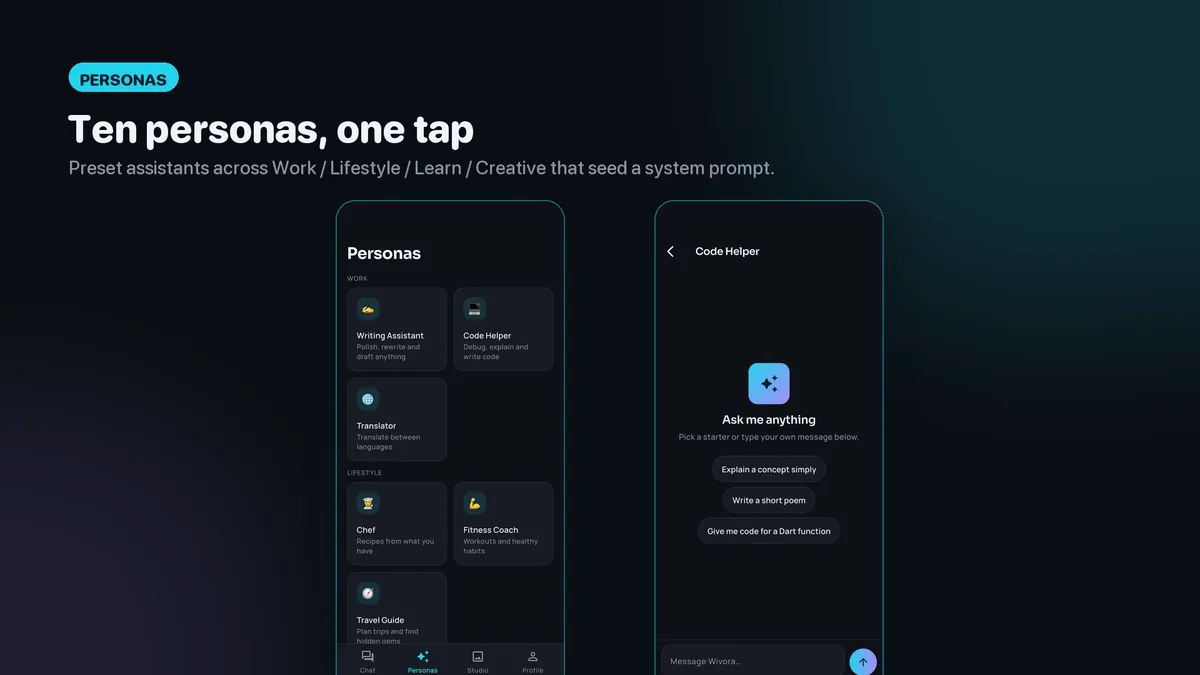
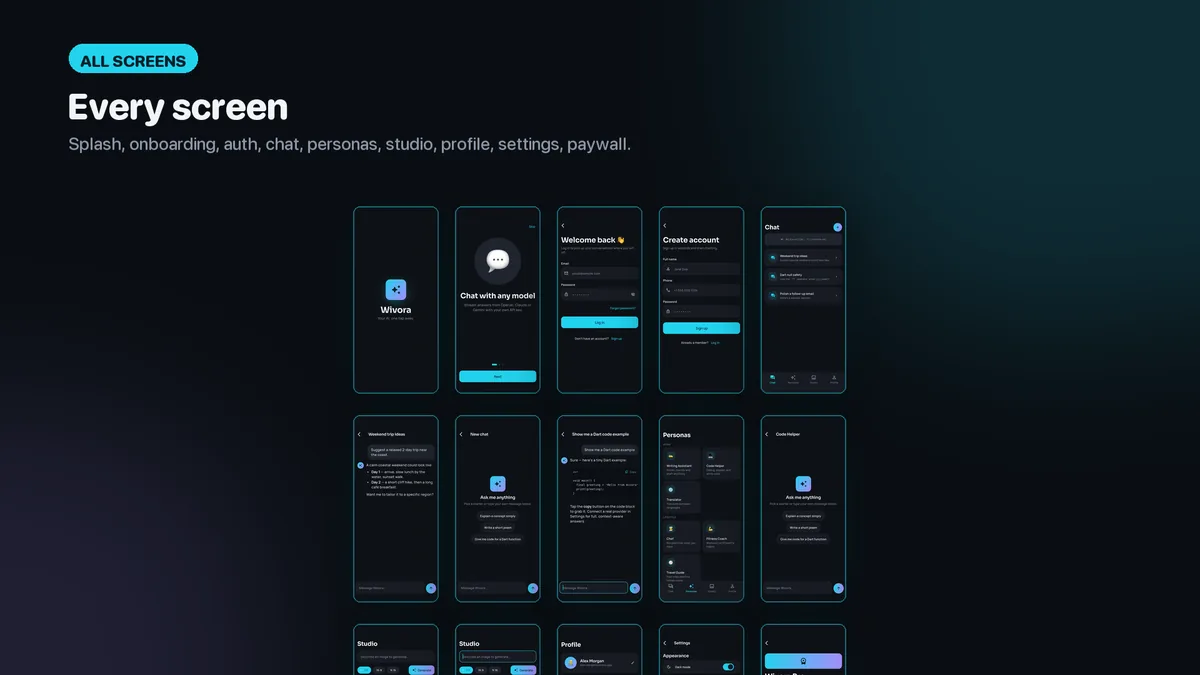
- Persona library of ten preset assistants, each starting a chat with its own system prompt
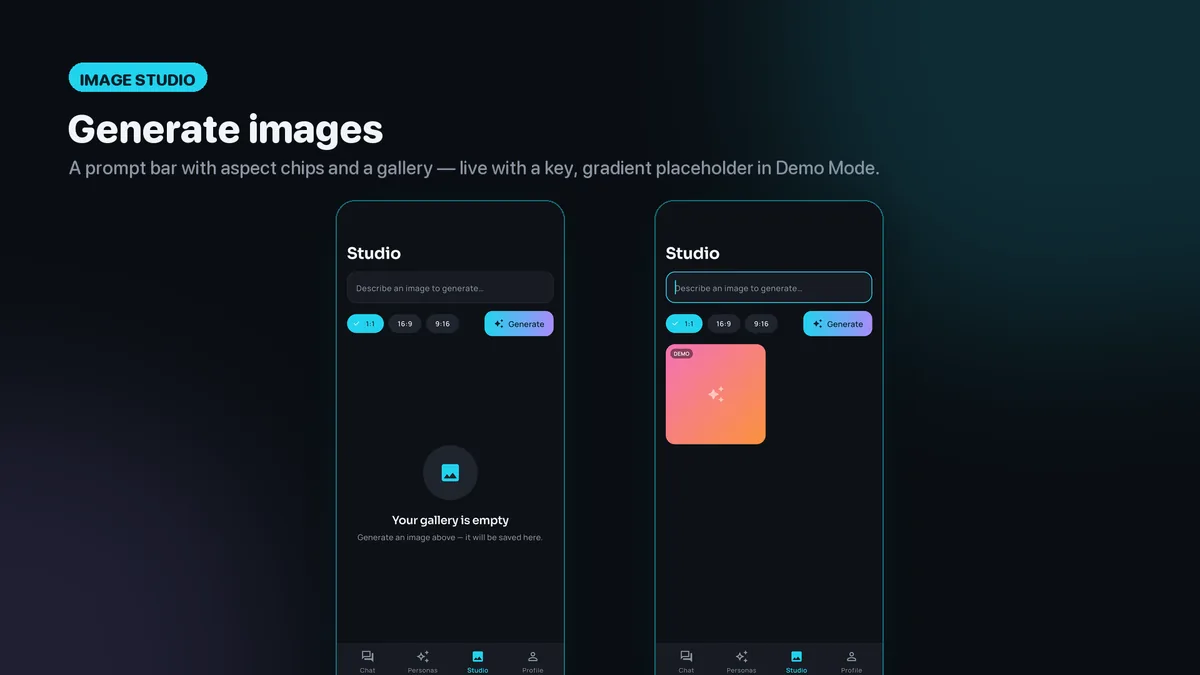
- Image Studio with a prompt field, aspect-ratio chips and a gallery of generated results
- Demo Mode: a mock provider streams a canned reply and the studio returns a gradient placeholder
- GetX structure from view to controller to service to provider, with lazy bindings per route
- Paywall screen and an ad-banner slot laid out, ready to connect to RevenueCat or AdMob
What it looks like
7 images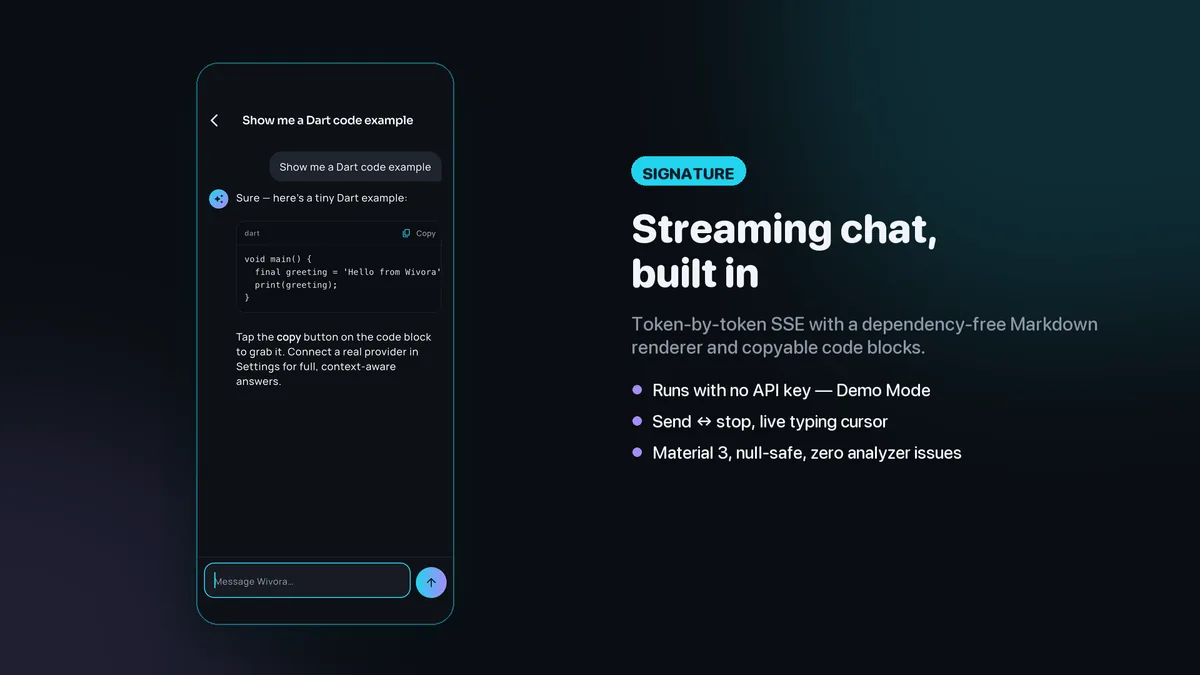
Who it is for
- You want to ship a branded AI chat app and would rather start from streaming that already works.
- You need to let users pick between OpenAI, Claude and Gemini behind one interface you control.
- You want a polished demo that a client can tap through before anyone has paid for an API key.
In the box
from the shipped zip- Full Flutter source in ai_assistant_app/, no obfuscation and no licence server
- Offline HTML documentation: setup, re-theming, app name and bundle id, troubleshooting
- 4 Dart test files in the app
Run it after download
the app# unzip the download, then
$ cd ai_assistant_app
$ flutter pub get
$ flutter runSetup, including any keys or services the app talks to, is covered step by step in the bundled documentation.
Spec
measured| Screen widgets | 14 |
|---|---|
| Dart files | 73 |
| Tests in the package | 4 |
| Dart SDK | ^3.7.0 |
| Back end | None bundled; the service layer is where yours goes |
| Platforms | iOS + Android, one codebase |
Counted from wivora-v1.0.zip, the file uploaded to CodeCanyon. Screen widgets are the view, screen and page classes in the source, so the number can differ slightly from a count of routes.
Questions
Something else? Ask on the item's CodeCanyon page; the author answers there.
Which AI providers does Wivora talk to, and where do the keys come from?
OpenAI, Anthropic Claude and Google Gemini. No keys are bundled: you or your users enter one per provider, it is stored in the platform keychain, and usage is billed by that provider directly.
What can I show a client before adding any key?
Everything. Demo Mode is used whenever no key is configured, so chat streams a sample reply and the Image Studio produces a branded placeholder, at no API cost.
How hard is it to change the look?
Colors live as tokens in a single file, so swapping the gradient and base palette re-skins every screen. Light and dark themes are both included.
More AI app templates
same author- Sprigora — Flutter AI Plant Identifier App Template
- Journora — Flutter AI Travel Planner App Template
- Celestora — Flutter AI Astrology App Template
- Emotora — Flutter AI Mood Journal App Template
- Grubora — Flutter AI Calorie Tracker App Template
- Phasora — Flutter AI Period Tracker App Template
- Capsora — Flutter AI Wardrobe Stylist App Template
- Skinora — Flutter AI Skincare Ingredient Analyzer App Template
- Flashora — Flutter AI Flashcards App Template
- Shelfora — Flutter AI Book Tracker App with Laravel Key Proxy
- Patinora — Flutter AI Coin Identifier App with Laravel Key Proxy
- Mattora — Flutter Paint Planner App with Laravel Key Proxy
- Joulora — Flutter AI Electricity Bill and Appliance Cost App With Laravel Key Proxy
Sold on Envato's CodeCanyon marketplace, which handles payment, VAT, invoices and the download.