 coderqh
Journora — Flutter AI Travel Planner App Template
Type a destination and a trip length, get a day-by-day plan, then carry it with a document wallet and a split budget.
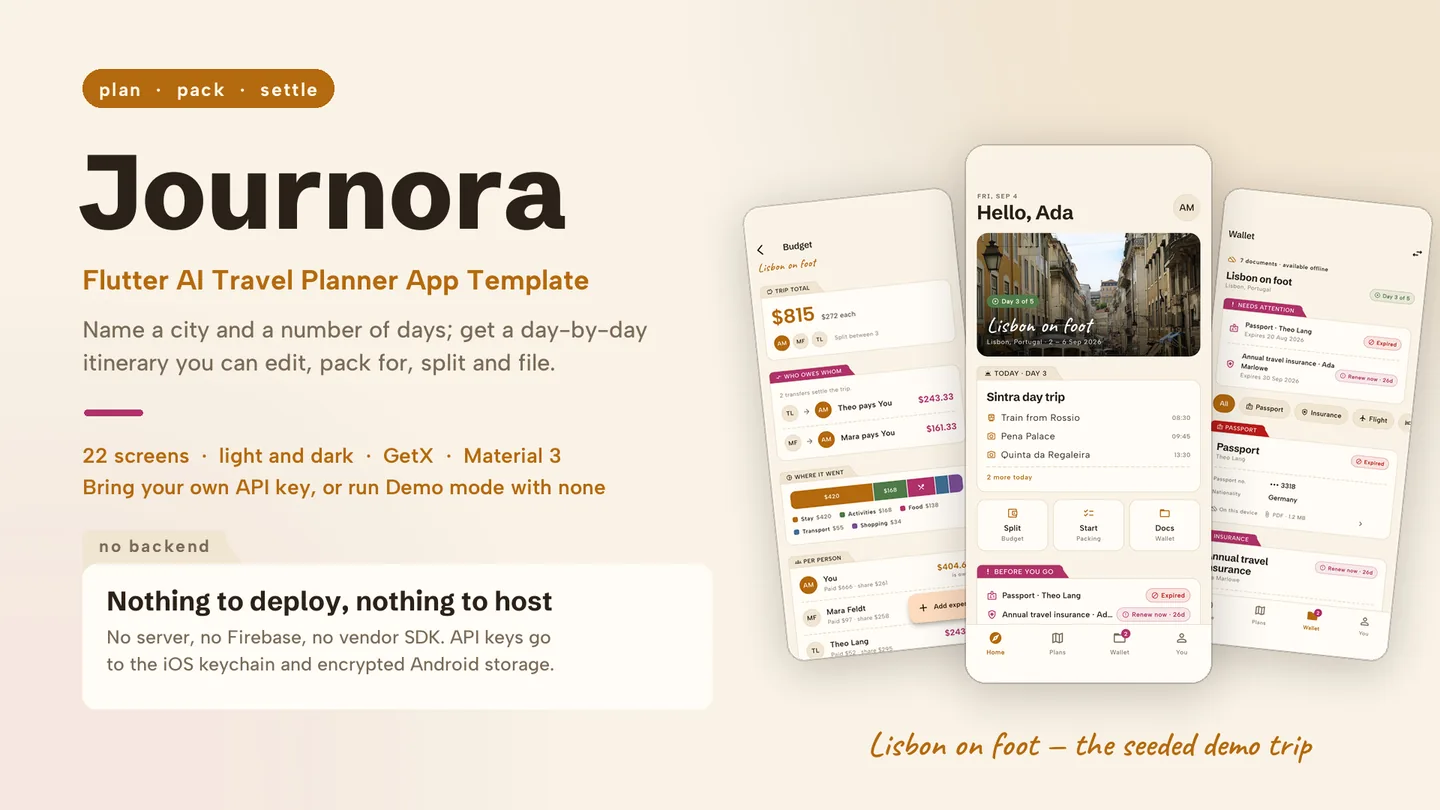
The live preview on CodeCanyon is this app compiled for the web: the real build, not a video.
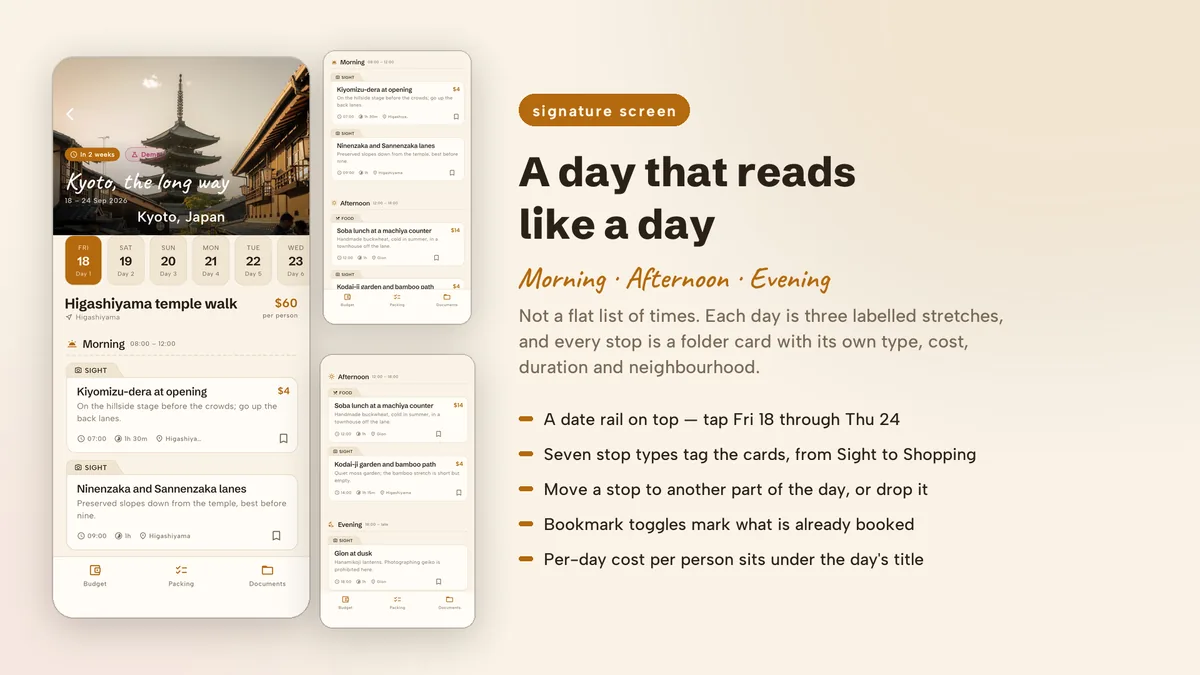
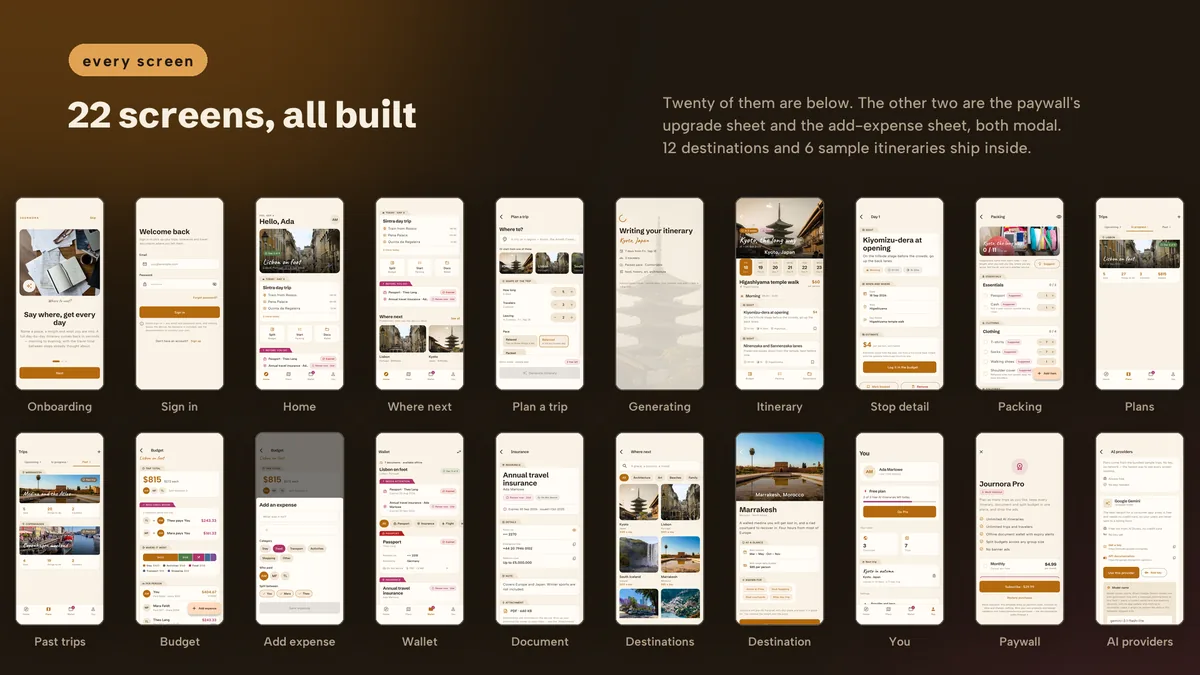
Journora starts with a short brief: a destination, a stepper for the number of days, and chips for trip style, pace and budget. Back comes an itinerary in which every day has a theme and three grouped stacks for morning, afternoon and evening, each stop with a per-person cost estimate. Cards can be long-pressed and dragged into another part of the day.
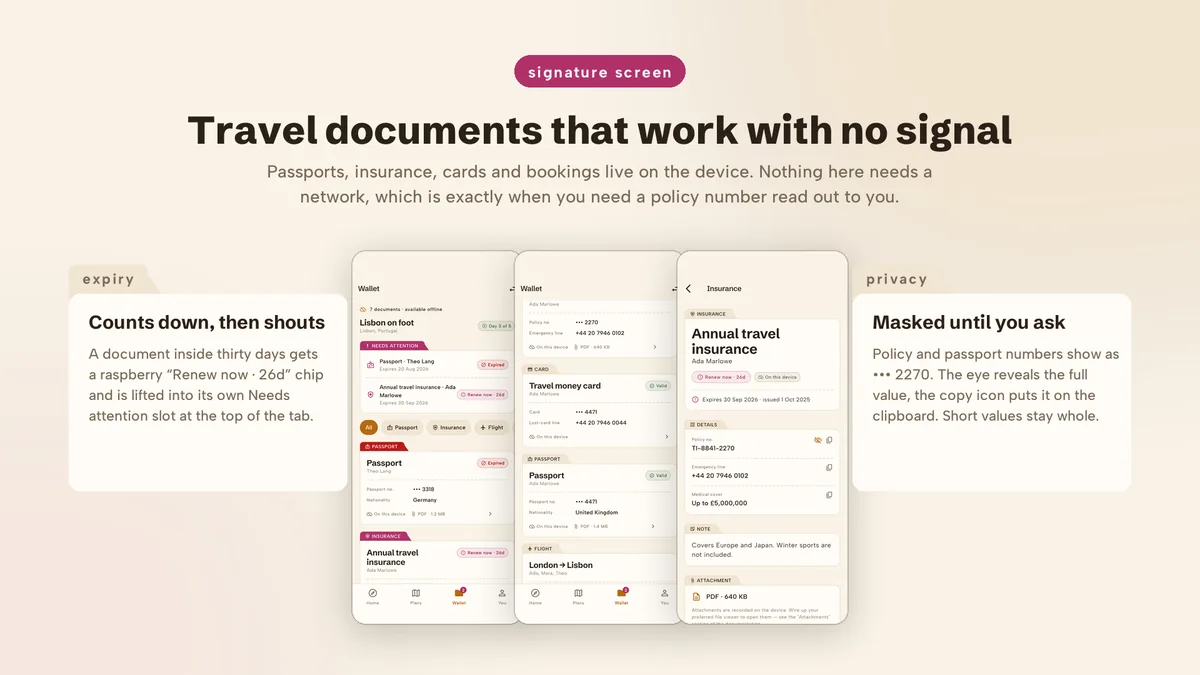
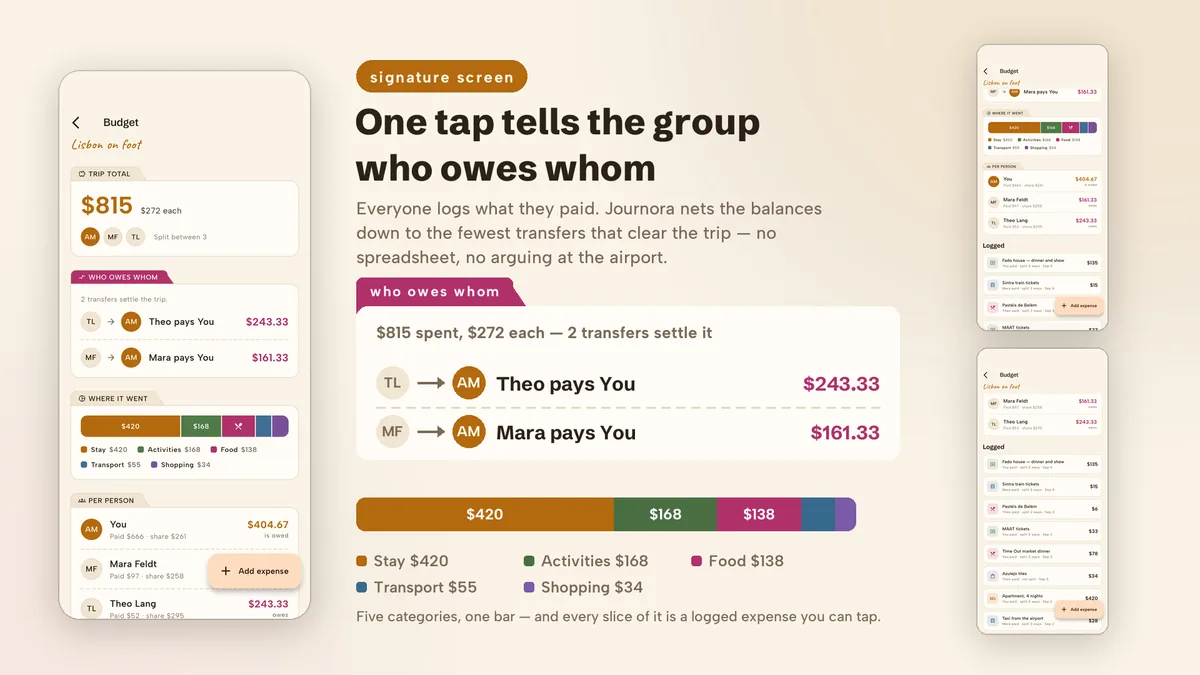
Once the plan exists the app turns into a travel companion. A wallet holds passports, visas, insurance and bookings on the device, counts down to each expiry and masks sensitive fields until tapped. A group budget records who paid for whom and settles it in the fewest transfers, and a packing list proposes lines from the trip details, each marked as a suggestion.
Features
- Trip brief with a destination field, day stepper and chips for style, pace and budget
- Itinerary days grouped into morning, afternoon and evening, with drag-to-move cards and per-stop costs
- On-device document wallet with expiry countdowns, a 30-day warning and tap-to-reveal masked fields
- Split budget that settles group expenses as the shortest list of who pays whom
- Packing list built from visible rules on trip length, destination and interests
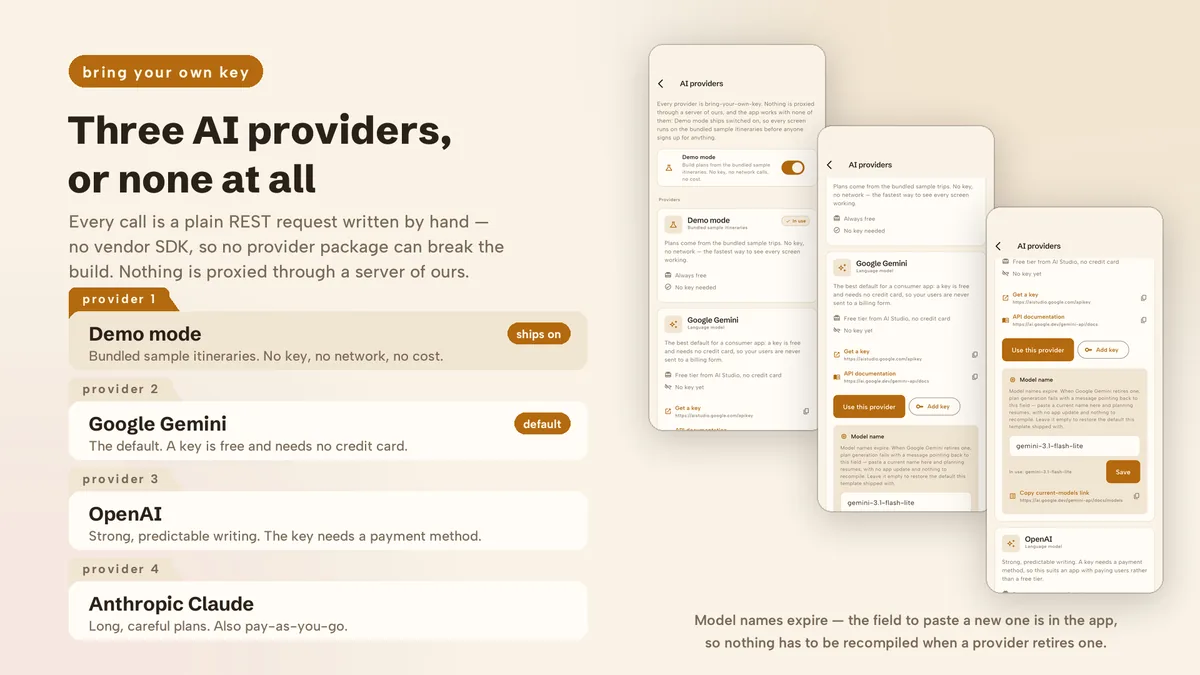
- Google Gemini, OpenAI and Anthropic Claude as small REST clients, plus a Demo mode with six hand-written itineraries
- Model ids are editable in Settings, and a retired model triggers a clear message linking straight to that field
- Bundled library of 12 destinations with day themes, costs and practical notes, written by hand
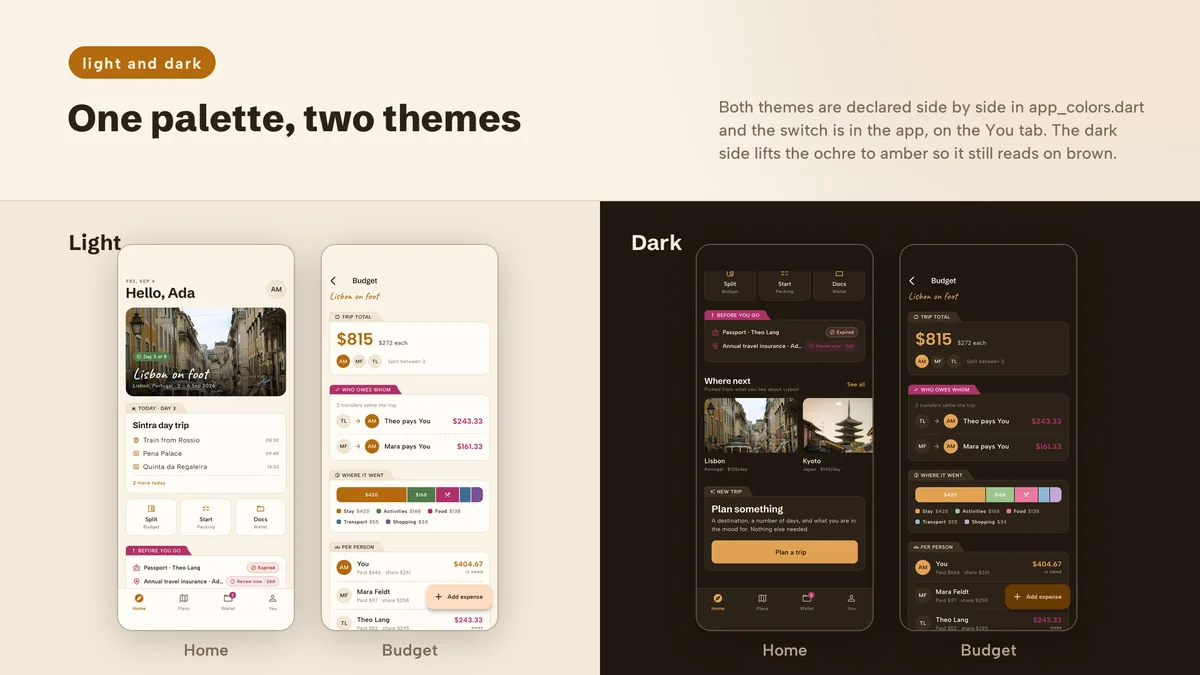
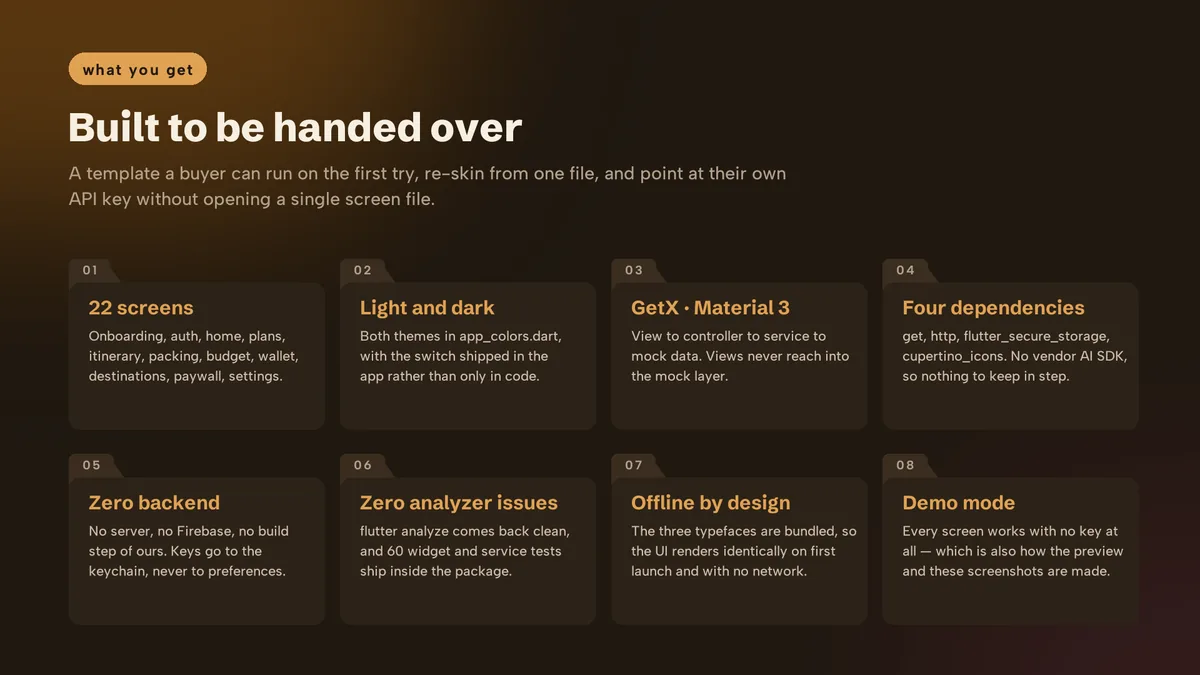
- Bundled typefaces, color tokens in one file, and light and dark palettes defined together
What it looks like
8 images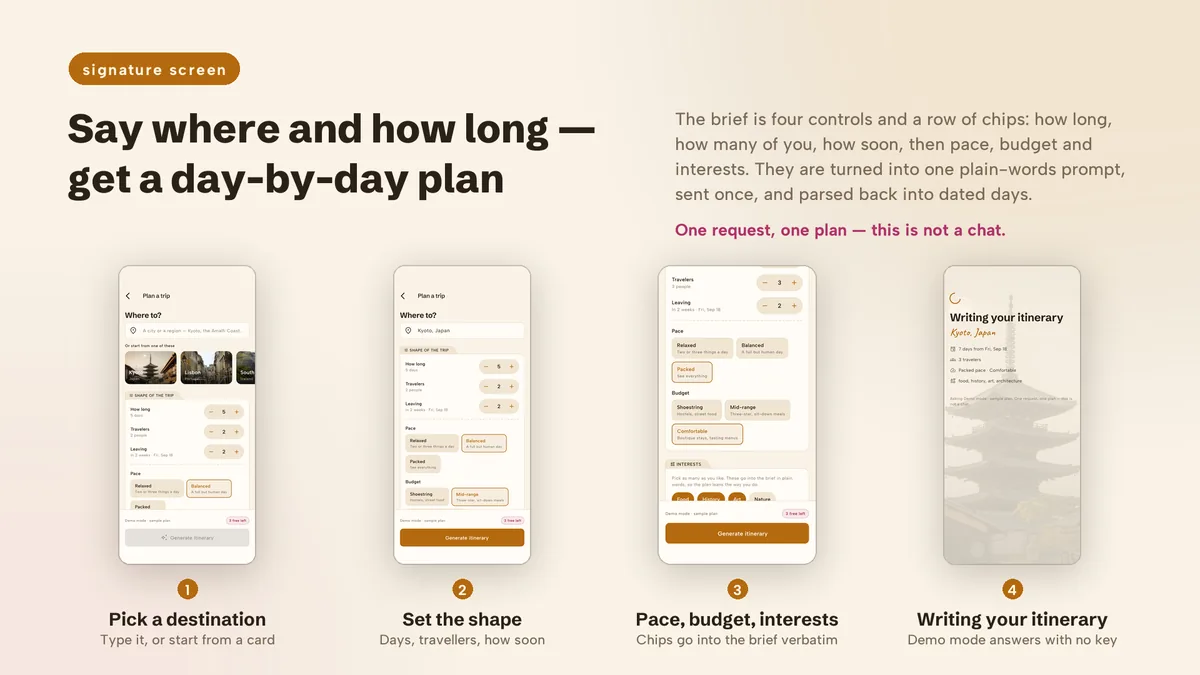
Who it is for
- You are launching a travel planning app and want AI itineraries plus the tools people use on the trip.
- You want to offer Gemini, OpenAI and Claude, with model names users can update themselves.
- You need a demo with real destinations filled in before any API key is entered.
In the box
from the shipped zip- Full Flutter source at the top of the zip, no obfuscation and no licence server
- Offline HTML documentation: setup, re-theming, app name and bundle id, troubleshooting
- 8 Dart test files in the app
Run it after download
the app# unzip the download, then
# the app is at the top of the zip
$ flutter pub get
$ flutter runSetup, including any keys or services the app talks to, is covered step by step in the bundled documentation.
Spec
measured| Screen widgets | 19 |
|---|---|
| Dart files | 100 |
| Tests in the package | 8 |
| Dart SDK | ^3.7.0 |
| Back end | None bundled; the service layer is where yours goes |
| Platforms | iOS + Android, one codebase |
Counted from journora-v1.0-r2.zip, the file uploaded to CodeCanyon. Screen widgets are the view, screen and page classes in the source, so the number can differ slightly from a count of routes.
Questions
Something else? Ask on the item's CodeCanyon page; the author answers there.
Which AI providers generate the itinerary?
Google Gemini (the default), OpenAI or Anthropic Claude. Requests go from the app directly to the chosen provider using the user's own key, so usage is billed to the key owner.
What happens when a provider retires a model?
Model ids are a setting, not a constant in code. The app explains the error in plain language and offers a button to the field where the new id is entered, so nothing needs rebuilding.
Are the generated details reliable?
Opening hours and prices in a generated plan are the model's best guess, and the screens say so. Treat the itinerary as a starting point and confirm with operators before relying on it.
More AI app templates
same author- Wivora — Flutter AI Assistant App Template
- Sprigora — Flutter AI Plant Identifier App Template
- Celestora — Flutter AI Astrology App Template
- Emotora — Flutter AI Mood Journal App Template
- Grubora — Flutter AI Calorie Tracker App Template
- Phasora — Flutter AI Period Tracker App Template
- Capsora — Flutter AI Wardrobe Stylist App Template
- Skinora — Flutter AI Skincare Ingredient Analyzer App Template
- Flashora — Flutter AI Flashcards App Template
- Shelfora — Flutter AI Book Tracker App with Laravel Key Proxy
- Patinora — Flutter AI Coin Identifier App with Laravel Key Proxy
- Mattora — Flutter Paint Planner App with Laravel Key Proxy
- Joulora — Flutter AI Electricity Bill and Appliance Cost App With Laravel Key Proxy
Sold on Envato's CodeCanyon marketplace, which handles payment, VAT, invoices and the download.